

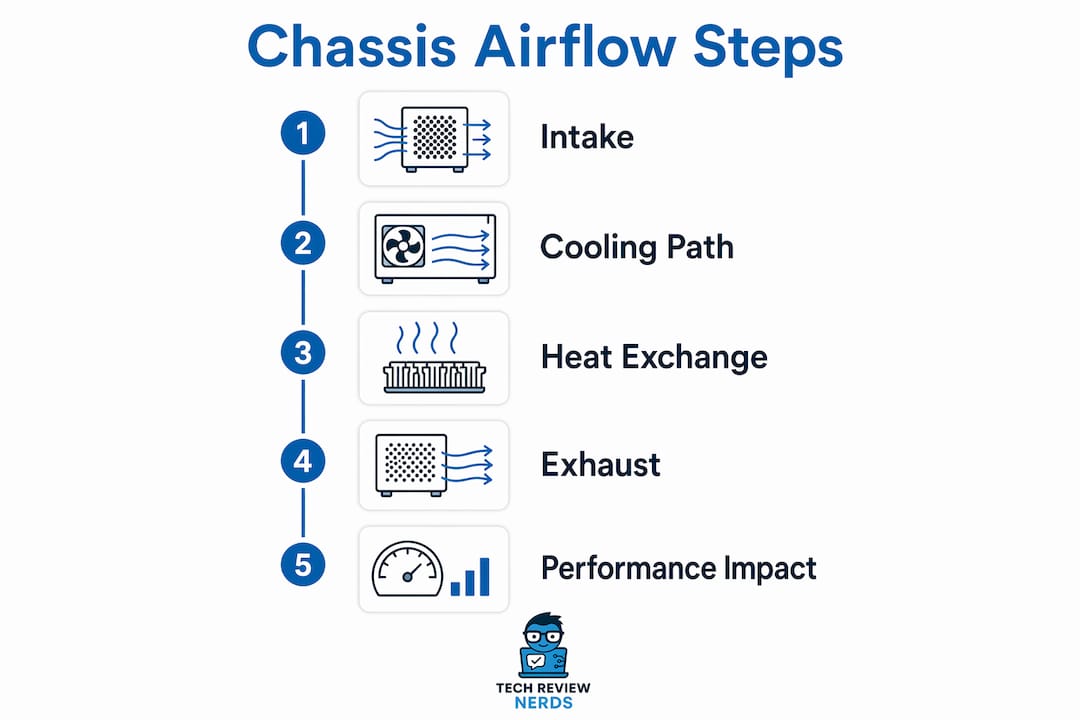
Chassis airflow is defined as the managed movement of air through a laptop’s internal cavity to carry heat away from the CPU and GPU. The role of chassis airflow in gaming laptops goes well beyond basic cooling. It determines whether your hardware can sustain peak performance through a two-hour raid or a ranked match without dropping frames. Laptops like the ASUS ROG Zephyrus G14 and G16 use the keyboard deck and bottom panel as primary air intakes, paired with a wide rear exhaust vent, to pull cool air across hot components and push heated air out before it recirculates. Without that deliberate airflow path, even the most powerful GPU will throttle itself to avoid damage. Understanding how that system works gives you a real edge when buying, maintaining, or evaluating any gaming laptop.
How does chassis airflow design impact thermal performance in gaming laptops?
Chassis cooling efficiency depends on two things working together: where cool air enters and where hot air exits. Most gaming laptops draw air through vents on the bottom panel and, increasingly, through the keyboard deck. That air travels across heat pipes or a vapor chamber, absorbs heat from the CPU and GPU, and exits through rear or side exhaust vents. The path matters as much as the volume of air moved.
ASUS ROG designs the Zephyrus line with an extra-wide rear exhaust vent to prevent hot air from recirculating back into the intake. Recirculation is one of the most common and least discussed causes of poor thermal performance. When exhaust air loops back into the intake, the system is effectively cooling itself with pre-heated air.
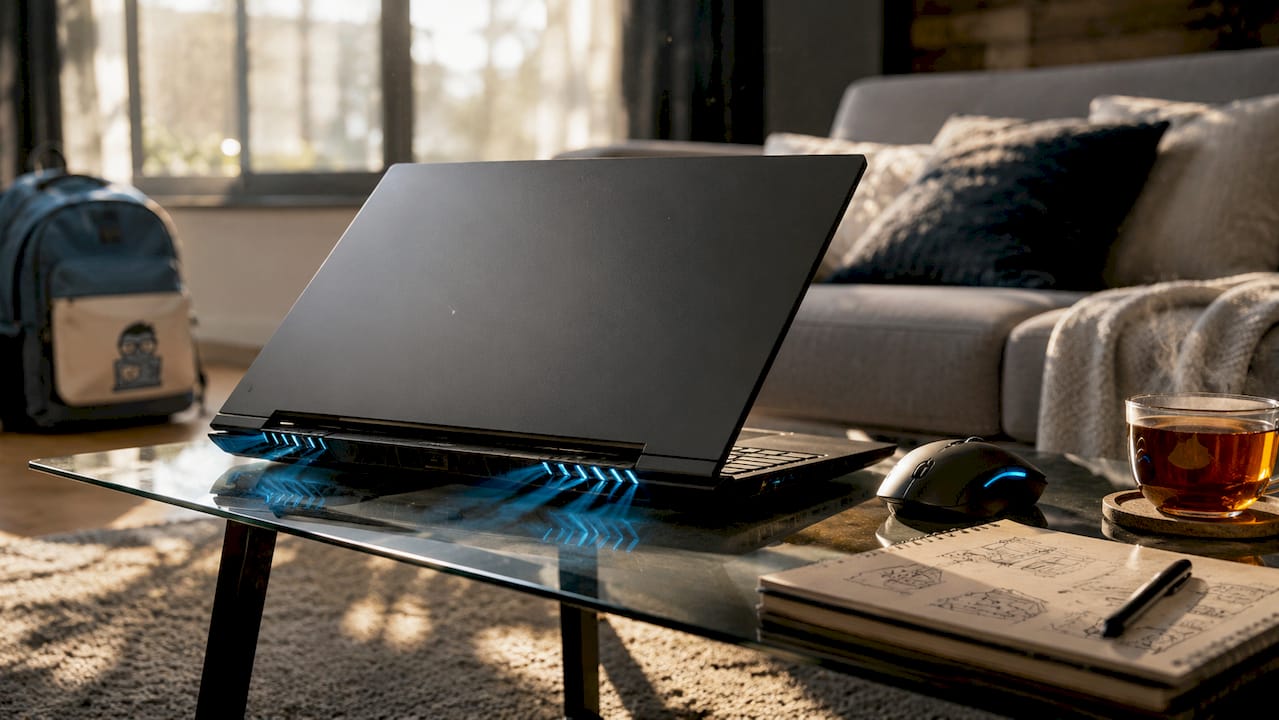
The placement of exhaust vents near the hinge is a deliberate choice. Rear vents keep hot air away from your hands and face, and they align with the natural direction of airflow through the chassis. Side vents are a compromise used when rear placement is not possible due to port placement or chassis depth.
Gaming laptop thermal management also depends on how well the airflow path reaches both the CPU and GPU simultaneously. In many thin laptops, a shared vapor chamber covers both chips, and the fans pull air across the entire plate before exhausting it. This approach keeps temperatures more balanced than separate heat pipe runs, which can favor one chip over the other.
Dust is the slow enemy of every airflow system. Dust accumulation in vents can raise internal temperatures by 10–20°C over time, pushing components into thermal throttling territory. That temperature rise is not gradual and invisible. You will feel it as frame rate drops and fan noise spikes during sessions that used to run quietly.
Key airflow design elements that affect thermal performance:
- Bottom panel vent size and spacing determine how much cool air enters per fan revolution
- Keyboard deck intake slots add a secondary cool air source without requiring larger bottom vents
- Rear exhaust vent width controls how quickly hot air exits before it can recirculate
- Vapor chamber surface area determines how evenly heat spreads before the fans move it out
- Fan blade count and curve angle affect how much air moves at a given noise level
Pro Tip: Place your hand near the rear exhaust vent during a gaming session. Consistent, strong airflow there means the system is working correctly. Weak or intermittent exhaust often signals dust blockage or a failing fan.
What are the common chassis airflow design challenges in thin and light gaming laptops?
Thin gaming laptops face a genuine engineering conflict. The chassis needs to be slim enough to carry in a bag, but the GPU and CPU inside generate serious heat. A chassis under 20mm thick leaves very little room for fans, heat pipes, or the clearance gaps that airflow needs to move freely.
The clearance gap problem is more significant than most buyers realize. LTT Labs research shows that a fan intake without a radiator needs roughly 15mm of clearance to maintain full airflow efficiency. Reduce that gap and the fan starts starving for air, spinning faster and louder while moving less of it. In a 17mm chassis, that 15mm gap is simply not available.
Manufacturers respond to this constraint in a few ways. Vapor chambers replace traditional heat pipes because they spread heat across a larger surface area with less physical thickness. Dual fans pull air from multiple intake points simultaneously, reducing the load on any single vent. Fin stacks in the exhaust path are made thinner and more numerous to maximize surface area without adding height.
The ASUS ROG Strix SCAR 18 shows what aggressive engineering looks like in practice. ASUS enlarged the vapor chamber by 20% and fitted a larger fan that delivers 90% more airflow compared to its predecessor, supporting a 320W system power envelope. That is a meaningful jump. It means the chassis can sustain higher GPU and CPU clocks for longer without hitting thermal limits.
Thin chassis vs. standard chassis: cooling trade-offs
| Feature | Thin chassis (under 20mm) | Standard chassis (20mm and above) |
|---|---|---|
| Fan size | Smaller, higher RPM | Larger, lower RPM for same airflow |
| Vapor chamber | Required for even heat spread | Optional, heat pipes often sufficient |
| Noise level | Higher under load | Lower under equivalent load |
| Sustained performance | More dependent on airflow path | More thermal headroom available |
| Portability | High | Moderate |
Fan noise is the honest trade-off in thin designs. A smaller fan must spin faster to move the same volume of air as a larger one. That higher RPM translates directly into more noise. Manufacturers use fan curve tuning and performance mode switching to manage this, but physics sets the floor. You cannot get a whisper-quiet thin gaming laptop at full load without sacrificing sustained performance.
Pro Tip: If you game on battery power, your laptop’s fan curve often runs conservatively to save energy. Plug in and switch to a performance mode in your system software before long sessions. The difference in sustained frame rates can be significant.
How does chassis airflow affect gaming performance and frame rates during long sessions?
Thermal throttling is the direct link between airflow and frame rates. When a CPU or GPU exceeds its safe operating temperature, the processor automatically reduces its clock speed to generate less heat. Throttling prevents hardware damage but causes FPS drops and stuttering that feel exactly like a hardware limitation, even when the specs on paper suggest the laptop should handle the game easily.
The gap between peak performance and sustained performance is where airflow design separates good gaming laptops from great ones. A laptop might hit 120 FPS in the first five minutes of a session and drop to 85 FPS twenty minutes later as thermals build up. That drop is not a GPU limitation. It is a cooling limitation.
Better airflow and heat management enables longer sustained performance by keeping GPU and CPU temperatures within the range where boost clocks remain active. Boost clocks are the higher frequencies your processor runs at when thermal and power headroom allow. Lose that headroom and the chip falls back to its base clock, which can be significantly lower.
Sustained throttling behavior over time tells you far more about a laptop’s real-world gaming capability than peak benchmark scores. A laptop that holds 95% of its peak performance after 30 minutes of load is a better gaming machine than one that peaks higher but drops further.
What good airflow design preserves during long gaming sessions:
- GPU boost clock stability, keeping frame rates consistent rather than variable
- CPU performance during CPU-heavy game logic, AI, and physics calculations
- Memory and VRM temperatures, which affect system stability under sustained load
- Fan noise levels, since a well-cooled system does not need to spin fans to maximum RPM constantly
- Battery health over time, since components running cooler generate less heat stress on nearby cells
Intelligent fan curve management also plays a role. Many gaming laptops now include software like ASUS Armoury Crate or Lenovo Vantage that lets you set custom fan profiles. A more aggressive fan curve keeps temperatures lower at the cost of more noise. A quieter profile saves your ears but may allow temperatures to climb higher before the fans respond. Neither is wrong. The right choice depends on whether you are gaming with headphones or in a quiet room.
What maintenance practices maximize chassis airflow and cooling efficiency for gaming laptops?
Dust accumulation is the most preventable cause of poor airflow in gaming laptops. Over time, dust builds up on fan blades, intake screens, and fin stacks, restricting the volume of air the system can move. Light dust reduces airflow by 20–30%, while heavy dust buildup can cut airflow by 50–70% and raise internal temperatures enough to trigger thermal shutdown. Regular cleaning is not optional maintenance. It is performance maintenance.
A practical cleaning and maintenance schedule:
- Every three months: use a can of compressed air to blow out intake and exhaust vents from the outside. Hold the can upright and use short bursts to avoid moisture. Do this with the laptop powered off and unplugged.
- Every six months: if you game in a dusty environment or have pets, open the bottom panel and clean the fan blades and fin stacks directly. Most gaming laptops have accessible bottom panels held by Phillips screws.
- Annually: consider replacing the thermal paste on the CPU and GPU if temperatures have risen noticeably over the past year. Dried thermal paste loses conductivity and raises junction temperatures even when airflow is clean.
- Ongoing: monitor temperatures using free tools like HWiNFO64 or MSI Afterburner. Set alerts for GPU temperatures above 90°C or CPU temperatures above 95°C during gaming. Those numbers signal that cooling is not keeping up.
Surface choice affects airflow more than most gamers expect. Bottom panel vents need clearance to draw air. Gaming on a bed, couch, or carpet blocks those vents and can raise temperatures by a meaningful margin within minutes. A hard, flat desk surface is the baseline. A laptop stand that tilts the chassis slightly improves bottom vent clearance further.
External cooling pads are a popular fix, but they only help when they align with the laptop’s actual intake design. Cooling pads that push air upward into bottom panel vents can supplement the internal fans effectively. Pads that just circulate air around the outside of the chassis without targeting the intake path have little measurable effect on internal temperatures. Check where your laptop’s bottom vents are before buying a pad.
Pro Tip: Use your laptop’s built-in performance mode during gaming sessions. ASUS Armoury Crate, Lenovo Vantage, and MSI Dragon Center all include fan boost modes that run fans at higher speeds proactively, before temperatures climb. This keeps thermals stable rather than reactive.
Manufacturers treat airflow, vent geometry, and dust filtering as an integrated system. That means a clogged intake screen does not just reduce airflow volume. It changes the pressure balance inside the chassis, which can redirect airflow away from the hottest components. Keeping the system clean preserves the design intent, not just the airflow volume.
Key Takeaways
Chassis airflow is the single most important factor separating gaming laptops that sustain peak performance from those that throttle under load, making intake design, exhaust placement, and regular cleaning equally critical to long-term gaming reliability.
| Point | Details |
|---|---|
| Airflow path determines performance | Intake and exhaust placement control whether heat exits cleanly or recirculates inside the chassis. |
| Dust cuts airflow significantly | Heavy dust buildup can reduce airflow by 50–70% and raise temperatures enough to trigger throttling or shutdown. |
| Thin chassis require advanced cooling | Vapor chambers and high-RPM fans compensate for the clearance limits in sub-20mm gaming laptops. |
| Sustained performance beats peak scores | A laptop that holds boost clocks for 30 minutes outperforms one with higher peaks that throttle quickly. |
| Maintenance is performance upkeep | Cleaning vents every three months and monitoring temps with HWiNFO64 preserves the chassis cooling design. |
Airflow is the spec nobody puts on the box
I’ve reviewed enough gaming laptops to say this with confidence: the thermal design is almost always the deciding factor in real-world gaming experience, and it almost never gets the attention it deserves on spec sheets. You will see GPU model, VRAM, and display refresh rate listed prominently. You will rarely see vapor chamber size, exhaust vent width, or fan airflow volume listed at all.
What I’ve found is that two laptops with identical GPUs can deliver noticeably different sustained frame rates purely because of how their chassis moves air. I’ve tested machines where temperatures climbed steadily through a 45-minute session until throttling kicked in, and others where temperatures stabilized within the first ten minutes and stayed there. The difference was not the chip. It was the airflow path.
My advice for anyone buying a gaming laptop right now: look for reviews that include sustained load testing, not just peak benchmarks. A thermal benchmark guide will show you how a laptop performs after 20 or 30 minutes under load, which is the number that actually matters for gaming. Pay attention to whether reviewers mention throttling behavior, not just maximum temperatures.
On the maintenance side, I think most gamers wait far too long to clean their laptops. I’ve opened machines that were only 18 months old with fin stacks so clogged that airflow was visibly restricted. A quarterly compressed air cleaning takes five minutes and keeps the chassis performing the way it was designed to. That is the most cost-effective performance upgrade available to any gaming laptop owner.
The future of gaming laptop cooling is moving toward larger vapor chambers, smarter fan curves driven by real-time sensor data, and chassis designs that treat every millimeter of internal space as part of the airflow path. The ASUS ROG Strix SCAR 18’s 20% larger vapor chamber and 90% airflow increase are early signals of where the category is heading. If you care about sustained gaming performance, airflow design deserves the same scrutiny you give to GPU specs.
— K. Connors
Gaming laptops with serious thermal design, reviewed honestly
Choosing a gaming laptop with strong chassis cooling is easier when you have reviews that test sustained performance, not just peak numbers. Techreviewnerds covers gaming laptops with hands-on thermal testing, so you can see how airflow design holds up over real gaming sessions.

The laptop reviews at Techreviewnerds cover a wide range of gaming machines, from thin and light designs to full-power desktop replacements, with attention to how each chassis handles heat under load. If you want to go deeper on how to evaluate what you are reading, the guide on spotting biased reviews is worth your time before you make a purchase decision. Good thermal performance is too important to trust to a spec sheet alone.
FAQ
What is chassis airflow in a gaming laptop?
Chassis airflow is the movement of air through a laptop’s internal cavity, drawing cool air in through intake vents and pushing heated air out through exhaust vents to cool the CPU and GPU.
Why does airflow affect gaming frame rates?
Poor airflow causes thermal throttling, which forces the CPU and GPU to reduce their clock speeds to avoid overheating. Lower clock speeds produce lower frame rates and stuttering during gameplay.
How often should I clean my gaming laptop vents?
Cleaning with compressed air every three months is the standard recommendation. Gamers in dusty environments or homes with pets should clean more frequently, since dust buildup can reduce airflow by 50–70%.
Do cooling pads actually help gaming laptops?
Cooling pads help only when they direct air into the laptop’s actual bottom panel intake vents. Pads that circulate air around the outside of the chassis without targeting the intake path have little effect on internal temperatures.
What should I look for in a gaming laptop’s airflow design?
Look for wide rear exhaust vents, bottom panel and keyboard deck intake slots, and vapor chamber cooling. Reviews that include sustained load testing will show whether the airflow design holds up during long gaming sessions.