
Smart home devices are internet-connected gadgets that automate and control home functions for convenience, security, and energy savings. The category, formerly known as the Internet of Things (IoT) for residential use, covers everything from voice-activated speakers to smart thermostats and security cameras. Choosing the right devices and setting them up correctly makes the difference between a system that genuinely improves your life and one that creates new headaches. This guide covers device types, security best practices, ecosystem compatibility, and practical setup tips so you can build a home automation system that actually works.
What are the main types of smart home devices?
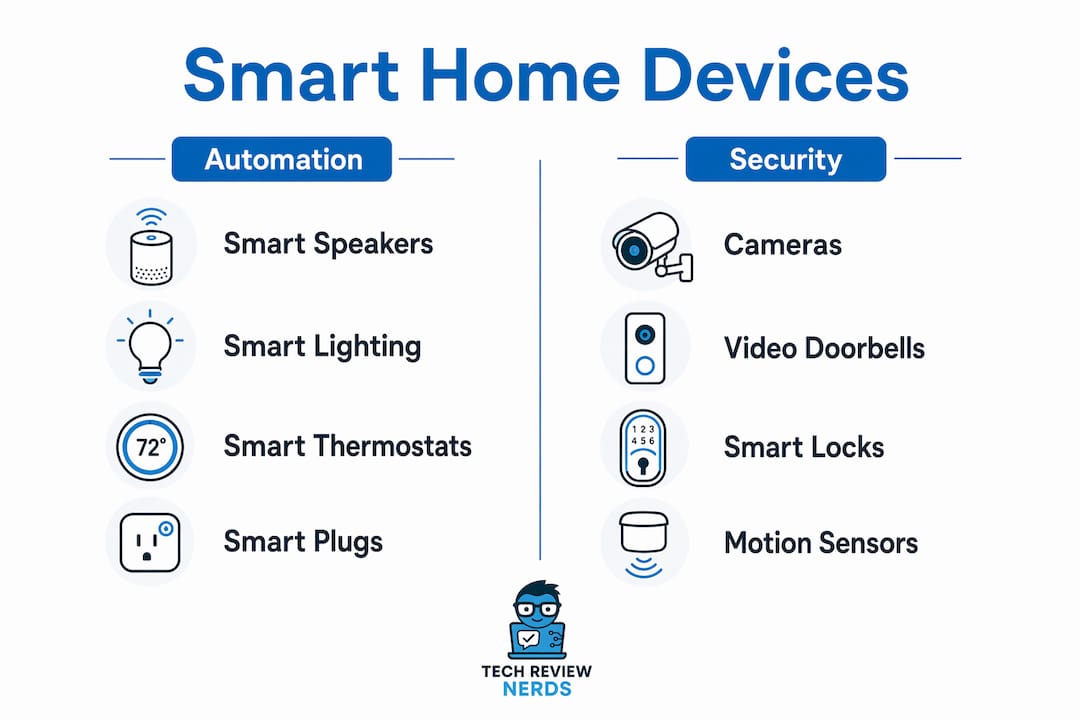
Smart home devices fall into a handful of core categories, each solving a specific problem in your home. Understanding what each category does helps you prioritize where to spend first.
Smart speakers and displays
Smart speakers and displays act as the control hub for your entire home automation system. They respond to voice commands and connect to other devices through Wi-Fi, Bluetooth, or dedicated protocols. A display adds a screen for video calls, recipe guidance, or a live camera feed. Most people start here because a speaker gives you a central point to control everything else.
Smart lighting
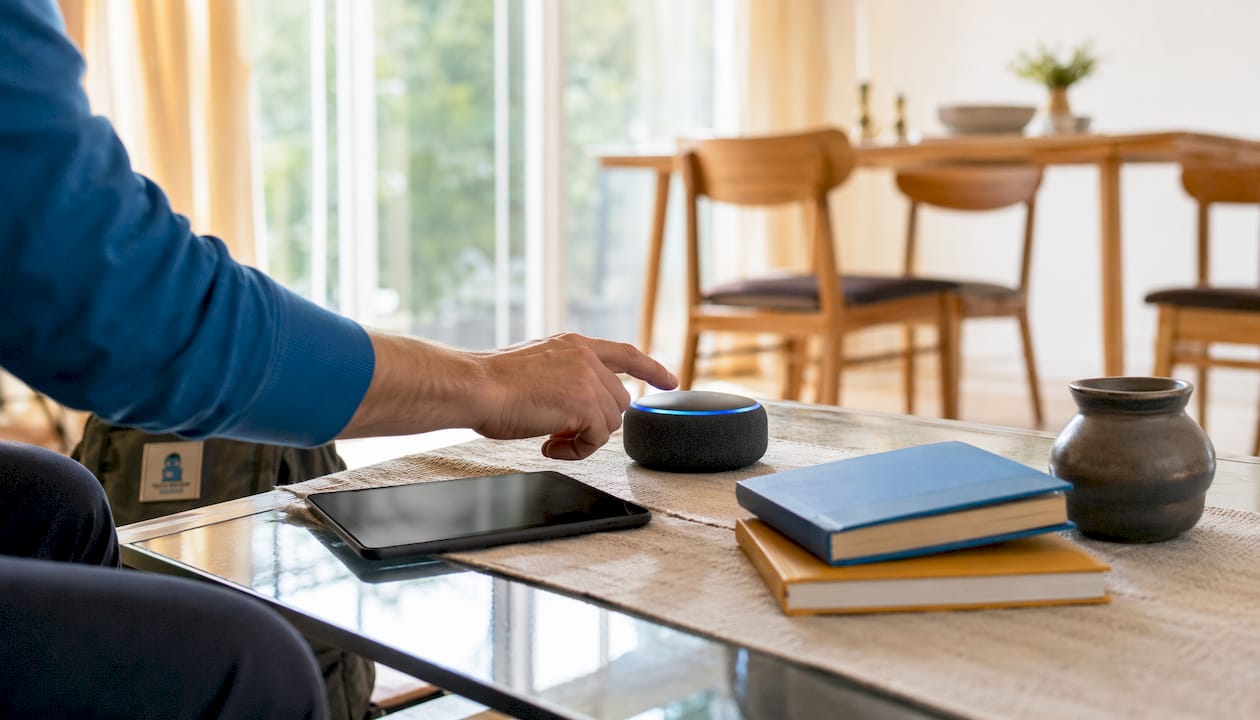
Smart lighting is one of the most affordable entry points into home automation. Smart bulbs screw into existing fixtures and connect to your Wi-Fi or a dedicated hub. Smart switches replace your wall switch and control any bulb in the fixture, which is useful when you want to keep standard bulbs. Scheduling lights to turn off automatically is one of the simplest ways to cut your electricity bill without thinking about it.
Smart thermostats
Smart thermostats learn your schedule and adjust heating and cooling automatically. Smart thermostats reduce HVAC energy usage by 10–23%, and when combined with smart plugs, they can cut household electricity use by 18%, saving around $270 annually for a typical US home. That is a meaningful return on a device that costs $100–$200 upfront. Techreviewnerds has a detailed look at the Ecobee Smart Thermostat if you want a real-world breakdown of performance.
Smart plugs
Smart plugs are the fastest way to add automation to any existing appliance. You plug them into a standard outlet, connect them to your Wi-Fi, and then control whatever is plugged in through an app or voice command. They also monitor energy consumption in real time, so you can see exactly which devices are drawing power when they should not be.
Smart security devices
Smart security covers cameras, video doorbells, smart locks, and motion sensors. Cameras stream live footage to your phone and store clips when motion is detected. Smart locks let you grant access remotely and log every entry. Motion sensors trigger lights or alerts when they detect movement. Together, these devices form a home security layer that works whether you are home or away.
| Device category | Primary benefit | Typical connection |
|---|---|---|
| Smart speaker/display | Voice control hub | Wi-Fi, Bluetooth |
| Smart lighting | Energy savings, ambiance | Wi-Fi, Zigbee, Z-Wave |
| Smart thermostat | HVAC efficiency | Wi-Fi |
| Smart plug | Appliance automation | Wi-Fi |
| Smart security camera | Remote monitoring | Wi-Fi |
| Smart lock | Access control | Z-Wave, Zigbee, Wi-Fi |
How can you secure and protect your smart home devices?
Security is the most underestimated part of building a smart home. Most people focus on features and forget that every connected device is a potential entry point for attackers.
Update firmware regularly
Nearly 40% of deployed IoT devices run firmware that is six months or more out of date. Outdated firmware leaves known vulnerabilities open, and attackers actively scan for them. Enable automatic updates wherever the device allows it. For devices that require manual updates, set a calendar reminder to check every 90 days.
Use strong passwords and enable 2FA
Over 60% of IoT compromises involve default or weak passwords. Change the default password on every device the moment you set it up. Use a unique, complex password for each device and its associated app account. Two-factor authentication prevents 90% of unauthorized account takeovers. Enable it on every account that supports it, starting with your router and your smart home platform.
Segment your network with a VLAN
Network segmentation with VLANs is the most effective way to isolate IoT devices from your main network. A VLAN puts your smart devices on a separate network segment. If one device is compromised, the attacker cannot reach your laptops, phones, or personal data. Most mid-range routers released after 2024 support VLAN configuration through their admin panel.
Pro Tip: Disable UPnP (Universal Plug and Play) on your router. UPnP automatically opens ports for devices, which sounds convenient but creates serious security gaps that attackers exploit.
Manage privacy and data collection
Always-on microphones in smart speakers and continuous video feeds from cameras collect a significant amount of personal data. Review the privacy settings for every device and disable data sharing options you do not need. Some home automation platforms, like Home Assistant, run locally without sending data to the cloud. Local processing keeps your data on your own network and reduces exposure. Check the DIY security setup guide from Techreviewnerds for common mistakes that create security gaps.
The numbered steps below summarize the core security actions in order of priority:
- Change all default passwords immediately after setup.
- Enable two-factor authentication on every account.
- Create a separate VLAN or guest network for IoT devices.
- Enable automatic firmware updates or schedule manual checks.
- Disable UPnP and review open ports on your router.
- Audit device permissions and disable unnecessary data sharing.
Why does ecosystem compatibility matter for your setup?
Ecosystem compatibility determines whether your devices work together or fight each other. Buying devices without checking compatibility is the most common mistake new smart home buyers make.
The vendor lock-in problem
Most smart home platforms, including Amazon Alexa, Google Home, and Apple HomeKit, work best with devices from their own ecosystem. Mixing platforms often means losing features or dealing with devices that simply refuse to connect. Ecosystem interoperability matters more than hardware specs because a device with great specs that does not integrate with your system is useless in practice.
Matter and Thread explained
Matter is an open connectivity standard backed by major technology companies. It allows devices from different manufacturers to communicate with each other regardless of which platform you use. Thread is a low-power mesh networking protocol that works alongside Matter to create a reliable device network without Wi-Fi dependency. Buying Matter-certified devices future-proofs your setup because they will work with any Matter-compatible hub, even if you switch platforms later.
Pro Tip: Keep the QR code on Matter device packaging. You need it to pair the device. Losing the box means a much harder setup process.
Zigbee and Z-Wave as alternatives
Zigbee and Z-Wave are older protocols that create mesh networks for device communication without relying on Wi-Fi. They are reliable and power-efficient, which makes them popular for smart locks and sensors. The trade-off is that they typically require a dedicated hub. If you already own Zigbee or Z-Wave devices, a compatible hub lets you keep using them alongside newer Matter devices.
- Matter-certified devices work across Amazon Alexa, Google Home, and Apple HomeKit.
- Thread creates a mesh network that improves reliability for battery-powered devices.
- Zigbee and Z-Wave require a hub but offer strong range and low power draw.
- Choosing Matter-compatible devices now protects your investment as the standard grows.
What steps should you take to select and set up your devices?
A thoughtful setup process saves you hours of troubleshooting later. The decisions you make before you buy matter as much as the devices themselves.
Assess your Wi-Fi network first
Your Wi-Fi network is the foundation of your smart home. A weak or congested network causes devices to drop offline, respond slowly, or fail to connect during setup. Check your router’s coverage by walking through your home and noting where the signal weakens. If you have dead zones, a mesh network system extends coverage evenly across the whole house. Most smart devices only operate on 2.4GHz Wi-Fi, so connect your phone to the 2.4GHz band during pairing to avoid setup errors.
Plan device placement before you buy
Placement affects both performance and security. Cameras need a clear line of sight to the areas you want to monitor. Smart speakers work best in central locations where they can hear commands from multiple rooms. Smart locks need to be within range of your hub or router. Mapping out placement before purchasing prevents the frustrating experience of buying a device that does not reach your network.
Evaluate cloud dependency
Some devices stop working entirely if the manufacturer shuts down their cloud service. This has happened with several IoT brands over the past few years. Before buying, check whether the device supports local control, meaning it can operate without an internet connection. Platforms that run locally, such as Home Assistant, give you full control over your data and keep devices working even during internet outages.
Pre-setup checklist
| Step | Action |
|---|---|
| Network check | Confirm 2.4GHz Wi-Fi coverage in device location |
| Account security | Set strong password and enable 2FA before adding devices |
| Firmware update | Update device firmware immediately after first connection |
| Permissions review | Disable unnecessary app permissions (microphone, location) |
| VLAN setup | Add new device to IoT network segment, not main network |
| Routine creation | Build at least one automation to get immediate value |
Build routines for real daily value
Automation routines are where smart home technology pays off. A morning routine can turn on lights gradually, adjust the thermostat, and start your coffee maker at a set time. An away routine can turn off all lights, lock the door, and arm your cameras when you leave. Start with one or two simple routines and add complexity as you get comfortable. Smart plugs are the cheapest way to add any appliance to a routine without replacing the appliance itself.
Pro Tip: Audit your connected devices every six months. Remove anything you no longer use, revoke app permissions you forgot about, and check for firmware updates on devices that do not auto-update.
Key Takeaways
Smart home devices deliver the most value when security, ecosystem compatibility, and network quality are addressed before the first device is ever plugged in.
| Point | Details |
|---|---|
| Energy savings are real | Smart thermostats and plugs can save around $270 annually for a typical US home. |
| Security starts with passwords | Over 60% of IoT compromises involve weak or default credentials; change them immediately. |
| Matter future-proofs your setup | Matter-certified devices work across major platforms and avoid vendor lock-in. |
| Network quality is foundational | Most smart devices require 2.4GHz Wi-Fi; a mesh network solves coverage gaps. |
| Audit regularly | Check firmware, permissions, and connected devices every six months to stay secure. |
Privacy is the smart home feature nobody talks about enough
I’ve spent a lot of time with IoT gadgets, and the conversation almost always centers on features and price. What rarely comes up is privacy, and I think that is a serious blind spot.
70% of consumers would switch brands for stronger privacy protections. That number tells me people care deeply about this once they think about it. The problem is most buyers do not think about it until something goes wrong.
My own approach changed after I set up a VLAN for my IoT devices. It felt like overkill at first. Then I looked at the traffic logs and saw how often my smart TV and a few budget cameras were phoning home to servers I did not recognize. Isolating those devices from my main network was the right call, and I wish I had done it from day one.
The other thing I push hard on is local control. Cloud-dependent devices are a liability. If the company pivots, gets acquired, or simply decides to shut down the service, your devices become expensive paperweights. I favor platforms that can run locally, and I check cloud dependency before I buy anything new.
My honest advice: treat privacy as a feature, not an afterthought. Read the privacy policy. Check whether the device supports local processing. Look at what smart home gadgets reviewers say about data practices, not just performance. The best smart home is one that works for you without working against you.
— K. Connors
Techreviewnerds has the reviews to back your next purchase
Building a smart home means making a lot of purchasing decisions, and bad information costs you real money. Techreviewnerds publishes hands-on, independent reviews with no paid placements influencing the results.

Whether you are picking your first smart thermostat or comparing home automation hubs, the product comparisons at Techreviewnerds cut through the noise with real-world testing. The site covers everything from IoT gadgets to the latest tech reviews across categories, updated regularly so the information you read reflects what is actually on the market. If you want a recommendation you can trust before you spend, that is the place to start.
FAQ
What are smart home devices?
Smart home devices are internet-connected gadgets that automate and control home functions such as lighting, heating, security, and appliances. They communicate through Wi-Fi, Zigbee, Z-Wave, or the Matter standard.
How much can smart home devices save on energy bills?
Smart thermostats combined with smart plugs can reduce household electricity use by 18%, saving around $270 annually for a typical US home.
What is the Matter standard and why does it matter?
Matter is an open connectivity standard that allows devices from different manufacturers to work together across Amazon Alexa, Google Home, and Apple HomeKit. Buying Matter-certified devices avoids vendor lock-in and protects your investment long-term.
How do I secure my smart home devices?
Change all default passwords immediately, enable two-factor authentication, and place IoT devices on a separate VLAN. 2FA alone prevents 90% of unauthorized account takeovers.
Do smart home devices work without internet?
Some do, depending on the platform. Devices running on local platforms like Home Assistant operate without an internet connection. Most cloud-dependent devices lose core functionality if the internet goes down or the manufacturer discontinues the service.