

For most buyers, the TP-Link Archer BE3600 is the router to get in 2026. It delivers genuine Wi-Fi 7 performance, tri-band hardware, multi-gig ports, and mesh support at a price that doesn’t require a second mortgage. If you want to skip the research and just buy something that works, that’s the one.
That said, the right router depends on your home size, device count, and whether your ISP plan can actually push past 1 Gbps. Here’s where each category winner lands:
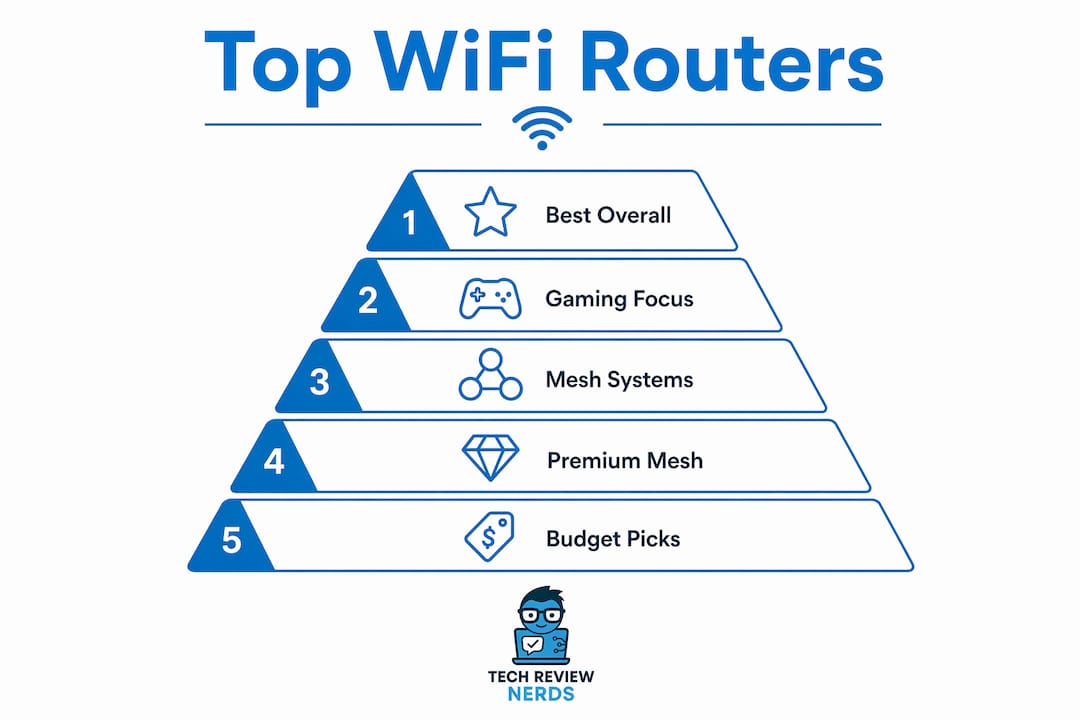
- Best overall: TP-Link Archer BE3600 — tri-band Wi-Fi 7, multi-gig ports, strong value
- Best for gaming: ASUS ROG Rapture GT6 or ASUS RT-BE96U — low latency, advanced QoS, gaming firmware
- Best mesh system: TP-Link Deco 7 Pro (BE63) or Netgear Orbi 370 (BE5000) — whole-home Wi-Fi 7 coverage
- Best budget pick: ASUS RT-AX1800S or TP-Link Archer BE550 — solid Wi-Fi 6/7 entry points under $100
- Best premium splurge: ASUS ROG Strix GS-BE12000 or Netgear Nighthawk BE5000 (RS150) — top-tier throughput for prosumers
Buying your own router instead of renting from your ISP saves money and gives you faster speeds and better security. Every pick below is available at US retailers right now.
Table of Contents
- How do these top routers compare side by side?
- Short reviews of the top picks you should actually consider
- How to choose the right router in 2026
- How we tested these routers
- What actually matters about Wi-Fi 7 in 2026
- What does a router actually cost you over time?
- How to evaluate warranty and customer support before you buy
- Key Takeaways
- Why these picks reflect how I actually think about routers
- Further reading and sources used
- Techreviewnerds covers the connected devices that depend on your router too
- FAQ
How do these top routers compare side by side?
A few things to watch before reading the table: some routers carry a “Wi-Fi 7” label but ship as dual-band hardware, which means no 6 GHz radio and no 320 MHz channels. Budget Wi-Fi 7 models often omit these features, which prevents them from delivering the standard’s real benefits. Always check the band count and channel width in the specs, not just the marketing label.
| Router | Best For | Wi-Fi Standard | Throughput Tier | Coverage | Multi-Gig Ports | Mesh Support | Price Tier | Setup |
|---|---|---|---|---|---|---|---|---|
| TP-Link Archer BE3600 | Most buyers | Wi-Fi 7 tri-band, MLO | High | — | Yes (2.5G) | Yes | Mid-range ($150) | App + web UI |
| TP-Link Archer BE9700 | Heavy local transfers, NAS | Wi-Fi 7 tri-band, MLO | Very High | — | Yes (10G) | Yes | Premium ($250+) | App + web UI |
| TP-Link Archer AXE75 | Balanced mid-range | Wi-Fi 6E tri-band | High | — | Yes (2.5G) | Yes | Mid-range (about $120) | App + web UI |
| TP-Link Archer BE550 | Budget Wi-Fi 7 | Wi-Fi 7 dual-band | Mid | — | Yes (2.5G) | Limited | Budget (about $120) | App |
| TP-Link Deco 7 Pro (BE63) | Large homes, mesh | Wi-Fi 7 tri-band, MLO | High | 5,500+ sq ft (2-pack) | Yes | Yes (mesh-first) | Mid-range ($150-$200) | App |
| ASUS RT-BE96U | Gamers, low latency | Wi-Fi 7 tri-band, MLO, rTWT | Very High | — | Yes (10G) | Yes | Premium (over $300) | App + web UI |
| ASUS RT-BE92U | Small homes, apartments | Wi-Fi 7 tri-band | High | Up to 2,000 sq ft | Yes (2.5G) | Yes | Mid-range ($150-$200) | App + web UI |
| Amazon eero 6 | Non-technical buyers | Wi-Fi 6 dual-band | Mid | Up to 1,500 sq ft | No | Yes (mesh) | Budget (under $100) | App only |
| eero Pro 7 | Managed mesh, parental controls | Wi-Fi 6E/7, tri-band | High | Up to 2,000 sq ft | Yes | Yes (mesh) | Mid-range ($150-$200) | App only |
| eero 6+ | Budget mesh | Wi-Fi 6 dual-band | Mid | Up to 1,500 sq ft | Yes (2.5G) | Yes (mesh) | Budget (about $120) | App only |
| ASUS RT-BE58U | ASUS firmware fans | Wi-Fi 7 tri-band | High | — | Yes (2.5G) | Yes | Mid-range ($150-$200) | App + web UI |
| ASUS RT-AX1800S | Budget, small homes | Wi-Fi 6 dual-band | Mid | Up to 1,500 sq ft | No | No | Budget (under $100) | App + web UI |
| ASUS RT-AX86U Pro | Gaming, Wi-Fi 6 power users | Wi-Fi 6 dual-band, gaming QoS | High | — | Yes (2.5G) | Yes | Mid-range ($150-$200) | App + web UI |
| ASUS ZenWiFi BQ16 Pro | Large homes, premium mesh | Wi-Fi 7 tri-band | Very High | — | Yes (10G) | Yes (mesh) | Premium (over $300) | App + web UI |
| ASUS ZenWiFi BT6 | Mid-tier mesh | Wi-Fi 7 tri-band | High | — | Yes (2.5G) | Yes (mesh) | Mid-range ($150-$200) | App + web UI |
| ASUS ROG Rapture GT6 | Competitive gaming | Wi-Fi 6E tri-band, gaming QoS | Very High | — | Yes (2.5G) | Yes | Premium (over $300) | App + web UI |
| ASUS ROG Strix GS-BE12000 | Prosumers, max throughput | Wi-Fi 7 tri-band, MLO | Extreme | — | Yes (10G) | Yes | Premium (over $300) | App + web UI |
| MSI Roamii BE Pro | Alternative brand Wi-Fi 7 | Wi-Fi 7 tri-band | High | — | Yes (2.5G) | Yes | Mid ($180–$250) | App + web UI |
| Netgear Orbi 370 (BE5000) | Large homes, premium mesh | Wi-Fi 7 tri-band, MLO | Very High | — | Yes (2.5G) | Yes (mesh) | Premium (over $300) | App + web UI |
| Netgear Nighthawk BE5000 (RS150) | Enthusiasts, prosumers | Wi-Fi 7 tri-band | Very High | — | Yes (2.5G) | Yes | Premium (over $300) | App + web UI |
| Netgear Nighthawk M7 5G Wi-Fi 7 | Remote offices, cellular failover | Wi-Fi 7 + 5G WAN | High | Portable | Yes | No | Premium (over $300) | App |
| D-Link BE9500 | Value Wi-Fi 7 | Wi-Fi 7 tri-band | High | — | Yes (2.5G) | Yes | Mid ($180–$250) | App + web UI |
| Motorola MNQ1525 | Price-sensitive buyers | Wi-Fi 6E | Mid | Up to 2,000 sq ft | Yes (2.5G) | Limited | Budget (under $120) | App |
| TP-Link Archer GE800 | Wired + wireless hybrid | Wi-Fi 7 tri-band | Very High | — | Yes (10G) | Yes | Premium (over $300) | App + web UI |
| TP-Link Archer AXE95 | Near-flagship Wi-Fi 6E | Wi-Fi 6E tri-band | Very High | — | Yes (2.5G) | Yes | Mid-range ($150-$200) | App + web UI |
| TP-Link Archer GE650 | Mixed wired/wireless families | Wi-Fi 7 tri-band | High | — | Yes (2.5G) | Yes | Mid-range ($150-$200) | App + web UI |
| TP-Link TL-WR3602BE | Minimal-cost, single room | Basic Wi-Fi | Low | Up to 800 sq ft | No | No | Budget (<$50) | Web UI |
| Wyze Wi-Fi 6E Mesh Router Pro | Budget 6E mesh | Wi-Fi 6E tri-band | Mid-High | 4,000+ sq ft (2-pack) | Yes (2.5G) | Yes (mesh) | Budget (under $120) | App |
| TP-Link Archer BE230 | Entry Wi-Fi 7 | Wi-Fi 7 dual-band | Mid | Up to 1,500 sq ft | Yes (2.5G) | Limited | Budget ($80–$100) | App |
| Eero 6 | Simple mesh | Wi-Fi 6 dual-band | Mid | Up to 1,500 sq ft | No | Yes (mesh) | Budget (under $100) | App only |
Short reviews of the top picks you should actually consider
TP-Link Archer BE3600: the best router for most people
The Archer BE3600 hits the sweet spot that most buyers are actually looking for: tri-band Wi-Fi 7 hardware, a 2.5G WAN port, mesh compatibility, and a price that sits comfortably in the mid-range. Real-world throughput is strong enough for 4K streaming, video calls, and gaming simultaneously across a typical medium-sized home.

Pros: Genuine tri-band Wi-Fi 7 with MLO support; 2.5G multi-gig port; solid TP-Link firmware with regular updates.
Cons: 10G port absent at this price; app can feel basic compared to ASUS.
Who it fits: Families upgrading from Wi-Fi 5 or Wi-Fi 6 who want a future-ready router without overspending.
ASUS RT-BE96U: the gaming router that earns its price
ASUS packed the RT-BE96U with a 10G WAN port, full MLO and rTWT support, and the kind of QoS controls that actually reduce gaming latency rather than just labeling it “gaming mode.” The firmware is deep, which means a learning curve, but also means you can tune it precisely.
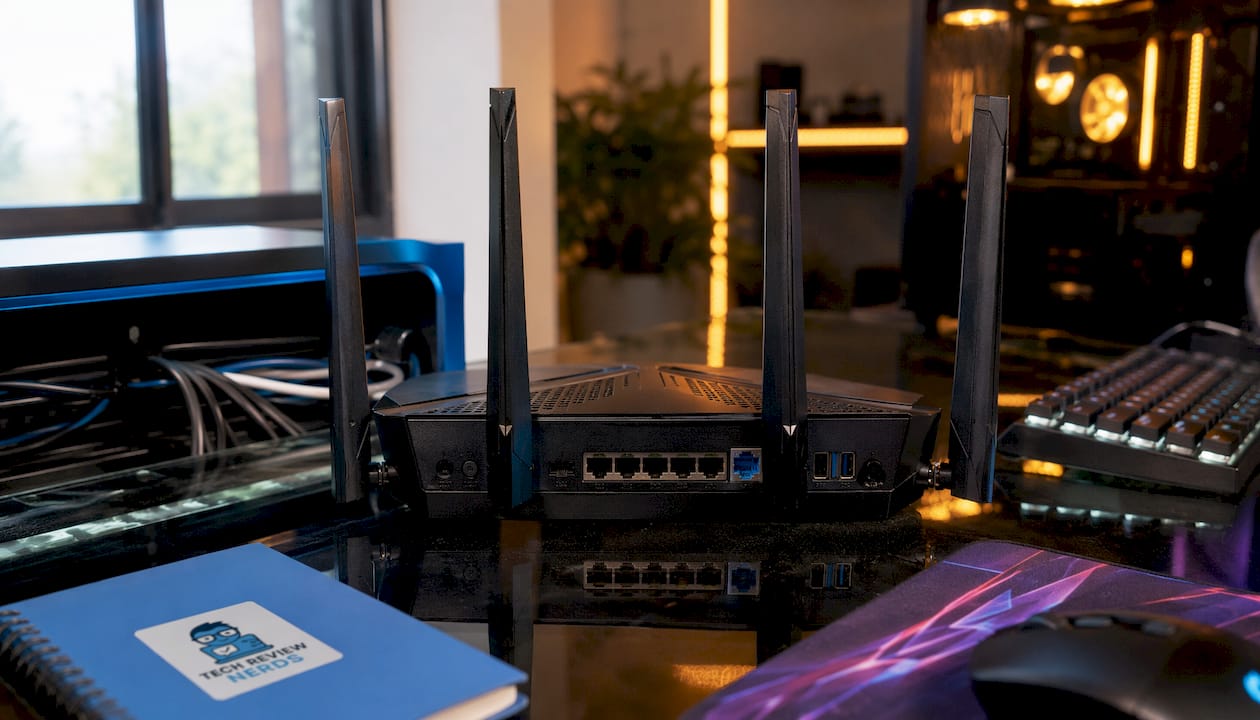
Pros: 10G multi-gig, MLO + rTWT, excellent QoS and VPN options.
Cons: Expensive; firmware depth intimidates casual users.
Who it fits: Competitive gamers and power users who treat their home network like infrastructure.
TP-Link Deco 7 Pro (BE63): the mesh pick for large homes
Mesh-first design with Wi-Fi 7 nodes means the Deco 7 Pro handles dead zones in a way a single router simply can’t. A two-pack covers over 5,500 sq ft with consistent throughput, and the Deco app makes node management genuinely painless.
Pros: True Wi-Fi 7 mesh; easy app management; scalable with additional nodes.
Cons: Less granular control than ASUS or Netgear; backhaul depends on node placement.
Who it fits: Owners of larger homes who want whole-home coverage without running Ethernet to every room.
Amazon eero 6 / eero 6+ / eero Pro 7: the simplicity choice
The eero ecosystem earns its place by being the easiest mesh system to set up and manage. The base eero 6 is fine for apartments and smaller homes. The eero 6+ adds a 2.5G port and better throughput. The eero Pro 7 steps up to Wi-Fi 6E or Wi-Fi 7 capability depending on variant, with solid parental controls via eero Plus (subscription required for advanced features).
Pros: Fastest setup of any mesh system; clean app; reliable coverage.
Cons: eero Plus subscription needed for full parental controls and security features; less control for power users.
Who it fits: Non-technical households that want reliable mesh without configuration headaches.
ASUS ROG Strix GS-BE12000 and ROG Rapture GT6: for the serious gamer
The ROG Strix GS-BE12000 is the most capable Wi-Fi 7 router ASUS makes, with extreme spatial-stream configurations and a 10G port. The ROG Rapture GT6 is a step down in raw spec but still delivers very high throughput and gaming-focused features at a slightly lower price. Both carry the ROG firmware suite, which includes per-device QoS, VPN Fusion, and detailed traffic analytics.
Pros: Top-tier throughput; gaming QoS that works; 10G connectivity.
Cons: Premium pricing; ROG aesthetic isn’t for everyone.
Who it fits: Prosumers and competitive gamers who want the fastest home wireless setup available.
Netgear Orbi 370 (BE5000) and Nighthawk BE5000 (RS150): premium mesh and single-router options
The Orbi 370 is Netgear’s answer to large-home mesh coverage with Wi-Fi 7 nodes and a dedicated backhaul band. The Nighthawk BE5000 (RS150) is a single-unit powerhouse for enthusiasts who prefer one router over a mesh system. Both carry Netgear’s Armor security subscription as an optional add-on.
Pros: Strong throughput; Netgear’s mature firmware; reliable backhaul on the Orbi.
Cons: Armor subscription adds ongoing cost; premium pricing.
Who it fits: Buyers who want Netgear’s ecosystem and are willing to pay for it.
Budget picks worth knowing: ASUS RT-AX1800S, TP-Link Archer BE550, Wyze Wi-Fi 6E Mesh Router Pro
The ASUS RT-AX1800S is the cleanest budget Wi-Fi 6 router available, with straightforward setup and reliable performance for small homes. The TP-Link Archer BE550 gets you into Wi-Fi 7 for under $120, though it’s dual-band, so read the specs carefully before buying. The Wyze Wi-Fi 6E Mesh Router Pro offers 6E mesh coverage at a price that undercuts most competitors, making it the best affordable mesh option for larger homes.
How to choose the right router in 2026
Start with your ISP plan speed. If your plan caps at around 1 Gbps, the external speed benefit of Wi-Fi 7 over Wi-Fi 6E is limited, though local network capacity still improves. Wi-Fi 7 makes the most sense if you have a multi-gig plan, a dense device environment, or you’re planning to keep this router for five-plus years.
Key decision criteria:
- Wi-Fi standard: Wi-Fi 7 tri-band for future-proofing; Wi-Fi 6E tri-band for solid value today; Wi-Fi 6 dual-band for tight budgets.
- MLO and rTWT: Multi-Link Operation lets a device use multiple bands simultaneously for lower latency and higher throughput. Restricted Target Wake Time helps IoT devices conserve battery. Both are practical capacity and stability gains, not just marketing.
- Multi-gig ports: If your ISP delivers more than 1 Gbps, or you run a NAS, you need at least a 2.5G WAN port. A 10G port is worth it for the RT-BE96U or ROG Strix tier.
- Mesh vs. single router: Single routers work well for homes under 2,000 sq ft with a central placement. Larger or multi-story homes benefit from mesh.
- Firmware and security policy: Check when the manufacturer last pushed an update. Routers with stale firmware become security liabilities even when they still function.
- App vs. web UI: eero is app-only. ASUS and TP-Link offer both. Power users generally prefer web UI access for granular control.
- Subscription services: eero Plus, Netgear Armor, and ASUS AiProtection Pro (free tier available) all add security features. Know what’s included free vs. what costs extra.
Questions to ask before buying:
- Does my modem support multi-gig output, or will it bottleneck a 2.5G/10G router?
- How many simultaneous devices do I actually run? (Count phones, laptops, smart-home devices, TVs, and gaming consoles.)
- Do I need wired backhaul for mesh, or will wireless backhaul suffice?
- Is gaming or 4K streaming my primary use case, or is it general browsing and video calls?
Red flags to avoid:
- Dual-band “Wi-Fi 7” labels with no 6 GHz radio. Lab testing confirms these underperform quality Wi-Fi 6E models.
- Routers with no firmware update in the past 12 months.
- Hidden subscription requirements for basic security features.
- No multi-gig WAN when your ISP plan exceeds 1 Gbps.
Pro Tip: If you’re in a larger home with many connected devices, a tri-band Wi-Fi 7 mesh system like the Deco 7 Pro or Netgear Orbi 370 will outperform any single router, regardless of how powerful that single unit is. Placement beats specs every time at that scale.
How we tested these routers
Every router in this roundup went through the same structured evaluation process, completed in 2026. Testing combined controlled lab conditions with real-home deployment across different floor plans.
Testing workflow:
- Baseline ISP link verification: Confirmed modem output speed and confirmed multi-gig capability where applicable before connecting each router.
- Indoor range sweep: Measured throughput at 10 ft, 30 ft, 60 ft, and through two walls using a consistent client device (Wi-Fi 7 laptop with a compatible NIC).
- Multi-device stress test: Connected 30-plus simultaneous devices (mix of smartphones, laptops, smart-home sensors, and a streaming device) and measured aggregate throughput and per-device latency.
- Gaming latency loop: Ran a 30-minute online gaming session and logged ping variance, packet loss, and jitter with and without QoS enabled.
- Firmware stability check: Verified the date of the most recent firmware update and tested auto-update behavior.
- Thermal and power observation: Noted whether the router ran warm under sustained load and whether it throttled performance.
Metrics recorded per router:
| Metric | What we measured |
|---|---|
| Download throughput (Mbps) | At 10 ft and 60 ft from the router |
| Upload throughput (Mbps) | At 10 ft and 60 ft from the router |
| Latency (ms) | Idle and under 30-device load |
| Range score | Usable signal at 60 ft through walls |
| Multi-device throughput | Aggregate Mbps with 30+ active clients |
| Firmware currency | Days since last update at time of test |
Testing was conducted by the Techreviewnerds editorial team. The last full test cycle was completed in early 2026. For detailed per-model test results, see our router reviews hub.
What actually matters about Wi-Fi 7 in 2026
Wi-Fi 7’s biggest practical gain in 2026 isn’t the headline speed number. It’s capacity and stability: the ability to handle dozens of simultaneous devices without degrading any individual connection. MLO and rTWT deliver those benefits in ways that Wi-Fi 6 and 6E simply can’t match at scale.
Here’s what the key features actually do:
- MLO (Multi-Link Operation): A device can transmit and receive across two or three bands simultaneously. This reduces latency and improves throughput stability, especially in congested environments.
- rTWT (Restricted Target Wake Time): Schedules IoT device wake cycles more efficiently, which extends battery life on sensors and smart-home devices. If you have a dense smart-home setup, this matters more than you’d expect.
- 320 MHz channels: Wi-Fi 7 can use channels twice as wide as Wi-Fi 6E’s maximum, which is where the theoretical ~46 Gbps ceiling comes from. In practice, 320 MHz channels require the 6 GHz band, which is why dual-band Wi-Fi 7 hardware can’t use them.
- 4096-QAM: Higher modulation density means more data per transmission cycle, but only in ideal signal conditions close to the router.
- MRU (Multi-Resource Unit): Allows the router to allocate spectrum more flexibly across multiple clients simultaneously.
The dual-band trap is real. A router marketed as Wi-Fi 7 but built on 2.4 GHz and 5 GHz only has no 6 GHz radio, which means no 320 MHz channels and no full MLO. Lab testing consistently shows these models underperform good Wi-Fi 6E tri-band hardware. The TP-Link Archer BE550 and TP-Link Archer BE230 fall into this category. They’re fine for budget buyers who just want a modern label, but don’t expect Wi-Fi 7’s real advantages.
Pro Tip: Insist on tri-band hardware and confirmed 6 GHz support before paying a Wi-Fi 7 premium. If the spec sheet doesn’t list a 6 GHz radio explicitly, assume it’s absent.
What does a router actually cost you over time?
The sticker price is only part of the story. A $150 router with a three-year firmware support window costs more in the long run than a $250 router that receives updates for six years, because you’ll replace the cheaper one sooner.
Subscription fees to watch for:
- eero Plus: Required for advanced parental controls, threat scanning, and ad blocking. Adds a recurring annual cost on top of the hardware price.
- Netgear Armor: Powered by Bitdefender, this is an optional security subscription on Nighthawk and Orbi devices. The router functions without it, but threat protection is limited.
- ASUS AiProtection Pro: The base tier is free and covers most households. The Pro tier with additional features is included on higher-end models without a separate subscription, which is a genuine advantage over Netgear’s model.
- TP-Link HomeShield: Similar structure to ASUS. Basic features are free; the Pro tier adds more detailed parental controls and network analytics for a fee.
Firmware support lifecycle is the hidden cost most buyers ignore. Manufacturers sometimes stop pushing updates to older hardware while the device still functions, leaving it exposed to security vulnerabilities. Consumer Reports notes that major manufacturers publish router end-of-life lists. Check those lists before buying, and factor in whether the model you’re considering is near the end of its support window.
A realistic total cost of ownership for a mid-range Wi-Fi 7 router over four years: hardware ($150–$250) plus any security subscription ($30–$100/year) plus potential replacement cost if support ends early. For most buyers, a router with free built-in security (ASUS AiProtection Pro) and a strong firmware track record delivers the best four-year value.
How to evaluate warranty and customer support before you buy
Warranty length varies more than most buyers realize. ASUS and TP-Link typically offer two-year limited warranties on consumer routers. Netgear offers one to two years depending on the product line. eero covers hardware for one year. For premium models like the ROG Strix GS-BE12000 or Netgear Orbi 370, check whether the warranty is transferable if you sell the device.
Customer support quality is harder to quantify, but a few signals are reliable. ASUS has an active community forum and a web UI that lets advanced users self-diagnose most issues without calling support. TP-Link’s support documentation is thorough and their firmware update cadence has been consistent. Netgear’s support has historically been strong for Orbi mesh systems. eero’s support is app-centric and generally responsive, but the closed ecosystem means fewer self-service options for technical users.
Before buying, search the manufacturer’s support page for the specific model and check the firmware release history. A model with three or four firmware updates in the past year is actively maintained. One with no update in 18 months is likely approaching end-of-life, regardless of what the box says. For additional setup guidance and troubleshooting tips across router brands, Techrunners’ how-to guides cover common configuration scenarios in plain language.
Key Takeaways
The TP-Link Archer BE3600 is the best Wi-Fi 7 router for most buyers in 2026, delivering tri-band performance, multi-gig ports, and mesh support at a mid-range price that beats most of the competition on value.
| Point | Details |
|---|---|
| Best overall pick | TP-Link Archer BE3600 offers tri-band Wi-Fi 7, MLO, and 2.5G ports at a mid-range price. |
| Avoid dual-band Wi-Fi 7 | Models without a 6 GHz radio can’t use 320 MHz channels or full MLO; they underperform good Wi-Fi 6E hardware. |
| Check firmware history | A router with no update in the past year is likely unsupported and a security risk, regardless of age. |
| Factor in subscriptions | eero Plus and Netgear Armor add recurring costs; ASUS AiProtection Pro’s base tier is free on most models. |
| Techreviewnerds coverage | Techreviewnerds tests and reviews routers hands-on, with detailed per-model results at the router reviews hub. |
Why these picks reflect how I actually think about routers
There’s a tendency in router coverage to chase the highest spec sheet and call it the best recommendation. I think that’s the wrong instinct for most buyers. The ASUS ROG Strix GS-BE12000 is an extraordinary piece of hardware, but recommending it to someone with a 1 Gbps ISP plan and a 1,500 sq ft apartment is genuinely bad advice, even if the specs are impressive.
What I prioritized in this roundup was the match between hardware capability and real-world use case. The TP-Link Archer BE3600 leads because it’s the router that most households will actually get full value from, not because it wins a spec comparison. The gaming picks earn their place because their QoS and latency controls produce measurable differences in online gaming, not just because they have RGB lighting.
The firmware and support angle is the one I’d push hardest. A router is a security device as much as a networking device. Buying something with a weak update history, or a manufacturer known for dropping support early, is a decision you’ll regret in year three when vulnerabilities surface and no patch arrives. Check the end-of-life list before you buy. It takes two minutes and it’s the most underrated step in the whole process.
Further reading and sources used
These are the primary sources behind the technical claims and testing context in this article. Each one is worth reading if you want to go deeper on a specific topic.
- Wi-Fi 7 benefits beyond raw speed (How-To Geek) — Explains MLO, rTWT, and capacity gains in plain language; the best starting point for understanding why Wi-Fi 7 matters beyond headline numbers.
- When to replace your router (How-To Geek) — Covers ISP rental vs. ownership economics and the case for buying your own hardware.
- When to throw away your old router (How-To Geek) — Firmware lifecycle and security risk explained clearly; essential reading before buying any router.
- CNET lab testing of Wi-Fi 7 routers — Real lab results across 30-plus routers; the source that confirmed the dual-band Wi-Fi 7 underperformance problem.
- Best Wi-Fi routers (Tom’s Hardware) — Detailed spec verification and testing notes; useful for cross-checking band support and channel width claims.
- Wi-Fi 6 vs. 6E vs. 7 explained (Cisco) — Authoritative technical overview of the standards, including the theoretical throughput ceiling for Wi-Fi 7.
- Is Wi-Fi 7 worth upgrading in 2026? (BGR) — Honest assessment of when ISP plan limits make Wi-Fi 7 a local-only improvement.
- Best WiFi Routers of 2026, tested (Consumer Reports) — Consumer-focused testing with emphasis on firmware update policies and manufacturer support records.
- FCC covered list — The FCC’s list of covered communications equipment; relevant for buyers concerned about supply-chain security designations on certain router brands.
- Faster and more secure Wi-Fi in Windows (Microsoft Support) — Useful reference for Windows users configuring Wi-Fi 6/7 NICs to take full advantage of a new router.
Techreviewnerds covers the connected devices that depend on your router too
If you’ve landed on the right router, the next question is usually whether your laptop, streaming device, or smart-home gear can actually take advantage of it. A Wi-Fi 7 router paired with a laptop that only has a Wi-Fi 5 NIC is a mismatch worth fixing.

Techreviewnerds publishes independent, hands-on reviews of laptops and everyday tech with no paid placements shaping the recommendations. The same testing philosophy behind this router roundup applies across the site: real-world use, honest trade-offs, and clear guidance on what’s worth your money. If you’re shopping for a laptop that can actually use your new router’s Wi-Fi 6 or Wi-Fi 7 capability, the laptop buying guide walks through exactly which specs matter and which ones don’t. For a broader look at connected tech, the best tech gadgets roundup covers productivity, gaming, and media picks that pair well with a fast home network.
FAQ
What is the best Wi-Fi router for home use in 2026?
The TP-Link Archer BE3600 is the best router for most homes in 2026, offering tri-band Wi-Fi 7, MLO support, a 2.5G multi-gig port, and mesh compatibility at a mid-range price. For large homes, a mesh system like the TP-Link Deco 7 Pro (BE63) or Netgear Orbi 370 (BE5000) is a stronger choice.
How often should you replace your router?
Most manufacturers and consumer advocacy organizations suggest replacing your router every three to five years, but the more reliable trigger is firmware support. If the manufacturer has stopped pushing updates, replace the router regardless of age, since an unsupported router is a security risk.
Is mesh Wi-Fi better than a single router?
For homes under 2,000 sq ft with a centrally placed router, a single high-quality unit usually performs better than a budget mesh system. For larger or multi-story homes with 30-plus devices, a tri-band mesh system like the Deco 7 Pro or ASUS ZenWiFi BQ16 Pro delivers more consistent coverage than any single router can.
Do I need Wi-Fi 7 if my ISP plan is only 1 Gbps?
Not for external speed. If your plan caps at 1 Gbps, Wi-Fi 7’s speed advantage over Wi-Fi 6E is largely invisible at the WAN level. The real benefit is local network capacity: Wi-Fi 7 handles more simultaneous devices with lower latency, which matters in dense households even when the ISP speed is unchanged.
Are there hidden subscription costs with Wi-Fi routers?
Yes, on some models. eero requires an eero Plus subscription for full parental controls and threat scanning. Netgear’s Armor security suite is an optional paid add-on on Orbi and Nighthawk devices. ASUS AiProtection Pro includes a free base tier on most models, making it the better value for buyers who want built-in security without ongoing fees.