

For gaming, the ASUS ROG Swift OLED PG34WCDN and Alienware AW3423DWF lead the 34" class. For productivity, the Dell UltraSharp U4025QW is the strongest no-compromise choice. For mixed use, the LG UltraGear 45GX950A at 5K2K WOLED covers both worlds better than anything else at its size. If you’re not sure where to start, a 34" 3440×1440 ultrawide is the low-regret pick for most desks — it fits standard desk depths commonly used for ultrawide monitors, scales cleanly at 125% in Windows 11, and handles both gaming and productivity without forcing tradeoffs.
- Best for gaming: ASUS ROG Swift OLED PG34WCDN or Alienware AW3423DWF — OLED/QD-OLED contrast, fast pixel response, G-Sync/FreeSync compatible
- Best for productivity: Dell UltraSharp U4025QW — 5K2K IPS Black, Thunderbolt 4, built-in KVM, zero burn-in risk
- Best mixed use: LG UltraGear 45GX950A — 5120×2160 WOLED at 165Hz with USB-C 90W and DisplayPort 2.1
Ultrawide monitors reduce cognitive switching by giving you one continuous workspace instead of two screens split by a bezel. That single-canvas benefit is the primary reason professionals and gamers alike keep choosing them over dual-monitor setups.
Table of Contents
- How do the top ultrawide monitors compare at a glance?
- Which ultrawide monitor should you actually buy?
- How do you choose the right ultrawide for your setup?
- How Techreviewnerds chose these picks
- Key Takeaways
- The case for going ultrawide — and where people get it wrong
- Find the right monitor and laptop pairing on Techreviewnerds
- Useful sources and where to check US availability
- FAQ
How do the top ultrawide monitors compare at a glance?
| Monitor | Best For | Size | Panel | Resolution | Refresh | HDR / Brightness | Key Connectivity | US Price Range |
|---|---|---|---|---|---|---|---|---|
| ASUS ROG Swift OLED PG34WCDN | Competitive gaming | 34" | OLED | 3440×1440 | 240Hz | HDR True Black 400 | HDMI, USB-C | ~$800–$900 |
| LG UltraGear Evo 39GX950B | Mixed use / gaming | 39" | OLED | 3440×1440 | 240Hz | VESA DisplayHDR True Black 400 | HDMI 2.1, USB-C | ~$1,000 |
| LG UltraGear 45GX950A | Premium mixed use | 45" | WOLED (5K2K) | 5120×2160 | 165Hz / 330Hz dual-mode | DisplayHDR True Black 400 | DP 2.1, HDMI 2.1, USB-C 90W | ~$1,300 |
| Samsung Odyssey Neo G9 / G95NC | Panoramic / sim racing | 49" | Mini-LED VA | 5120×1440 | 240Hz | VESA DisplayHDR 2000 | HDMI 2.1, USB-C | ~$1,100 |
| Dell Alienware AW3425DW | Gaming / mixed | 34.2" | QD-OLED | 3440×1440 | 240Hz | DisplayHDR True Black 400 | HDMI 2.1, USB-C | ~$900–$1,000 |
| Alienware AW3423DWF / AW3425DWF | Gaming (value OLED) | 34" | QD-OLED | 3440×1440 | 165–240Hz | DisplayHDR True Black 400 | HDMI 2.1 | ~$900 |
| Dell UltraSharp U4025QW | Productivity / docking | 40" | IPS Black (5K2K) | 5120×2160 | 120Hz | DisplayHDR 600 | Thunderbolt 4, HDMI 2.1, KVM | ~$1,400 |
| MSI MPG 341CQR X36 | Gaming / value | 34" | QD-OLED | 3440×1440 | 360Hz | DisplayHDR True Black 400 | HDMI 2.1, USB-C | ~$900–$1,000 |
| Samsung Odyssey OLED G9 G95SC | Super-ultrawide OLED | 49" | QD-OLED | 5120×1440 | 240Hz | DisplayHDR True Black 400 | HDMI 2.1, USB-C | ~$1,300 |
| LG 39GS95QE | Productivity / media | 39" | OLED | 3440×1440 | 240Hz | DisplayHDR True Black 400 | HDMI 2.1, USB-C | ~$900 |
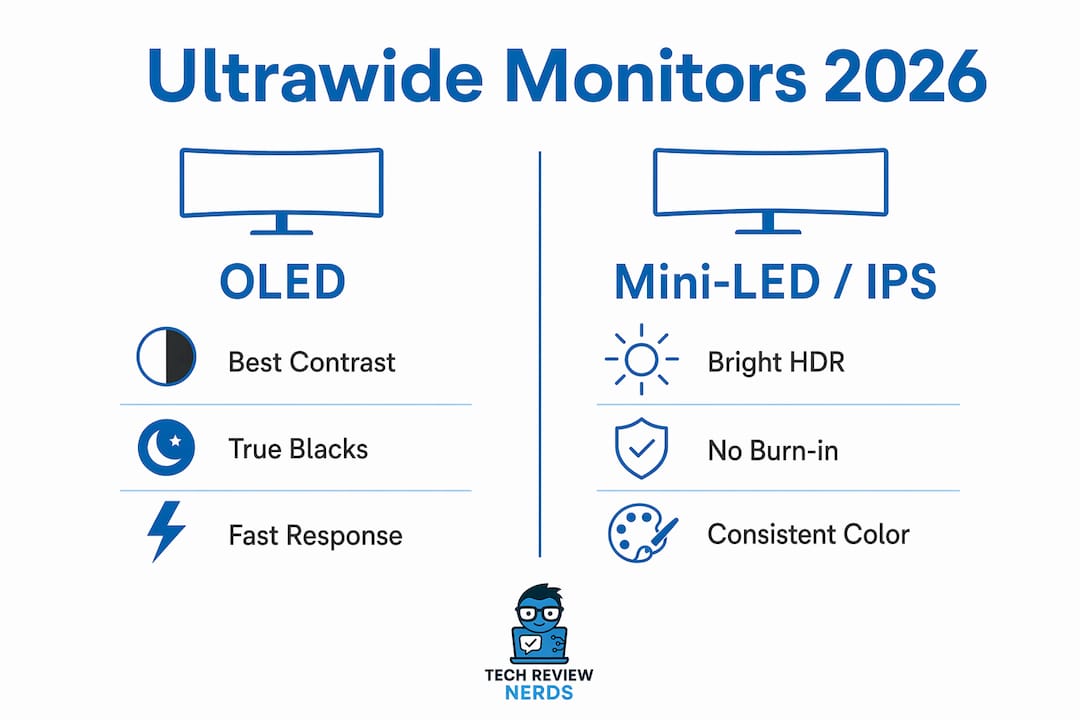
Price callout: Value options (under $900) include the Alienware AW3423DWF and ASUS ROG Swift OLED PG34WCDN. Mid-range ($900–$1,200) covers the LG 39" models, MSI MPG 341CQR X36, and Samsung Neo G9. Premium ($1,300+) is where the LG 45GX950A, Dell U4025QW, and Samsung Odyssey OLED G9 live. All models are available through major US retailers including Amazon, Best Buy, B&H Photo, and Newegg, with pricing fluctuating regularly on OLED models.
Which ultrawide monitor should you actually buy?
ASUS ROG Swift OLED PG34WCDN
The PG34WCDN is a 34" OLED running 3440×1440 at 240Hz, and it punches hard for competitive gaming. OLED pixels switch off completely in dark scenes, which is why developers who code in dark mode report noticeably less eye strain compared to IPS. For gaming, the contrast is simply in a different league from any IPS panel at this size. It fits comfortably on a standard desk and scales cleanly at 125% in Windows 11. The main caveat: burn-in risk exists if you run static white UIs all day.
LG UltraGear Evo 39GX950B
Step up to 39" and you get more vertical canvas without jumping to the demanding 45" or 49" class. The 39GX950B runs OLED at 240Hz and delivers higher pixel density than most 34" models, which makes text sharper at normal viewing distances. It’s a strong pick for anyone who finds 34" just slightly too narrow for side-by-side windows but isn’t ready to commit to a 45" footprint.
LG UltraGear 45GX950A (45GX950A-B)
This is the premium all-round OLED ultrawide for 2026. The 5K2K WOLED panel runs 5120×2160 natively at 165Hz, with a 330Hz dual-mode for competitive gaming. USB-C 90W and DisplayPort 2.1 mean it docks a MacBook Pro or a high-end Windows laptop through a single cable. The tradeoff is desk space: you need at least 30 inches of depth and a wide enough surface to avoid feeling like the screen wraps around you uncomfortably. OS scaling at 150% is also worth testing before committing, especially on laptops.
Samsung Odyssey Neo G9 / G95NC
The Neo G9 is a 49" Mini-LED VA panel, not OLED, which means no burn-in risk and genuinely impressive peak HDR brightness under VESA DisplayHDR 2000. It’s designed as a bezel-free dual-27" replacement at 5120×1440 32:9, and it delivers on that promise for sim racing, flight sims, and heavy multitasking. The VA panel’s contrast is strong, but color accuracy and viewing angles don’t match OLED. Desk depth is a real constraint here — plan for 30+ inches and a sturdy surface.
Dell Alienware AW3425DW and AW3425DWM
The AW3425DW runs 34.2" QD-OLED at 240Hz and sits in the sweet spot between the value AW3423DWF and the premium 45" class. Dell’s warranty coverage on OLED panels is worth noting: Alienware includes a three-year Advanced Exchange warranty on these models, which is one of the better safety nets in the category. The AW3425DWM is a newer variant with minor connectivity updates; both are worth checking for current US pricing since they discount regularly.
Alienware AW3423DWF
The AW3423DWF is the value entry point for QD-OLED at 34". It runs 165Hz rather than 240Hz, which is fine for most single-player gaming and even casual competitive play. The glossy screen looks vivid but picks up glare in bright rooms. For buyers who want deep blacks and rich color without spending over $800, this is the most accessible path into QD-OLED.
Dell UltraSharp U4025QW (Dell UltraSharp 40 Curved Thunderbolt Hub Monitor)
The U4025QW is the productivity pick with no asterisks. IPS Black means no burn-in risk, consistent color across long work sessions, and wide viewing angles for side-by-side collaboration. Thunderbolt 4 with high-power PD and a built-in KVM make it a genuine one-cable docking station for two laptops. The 120Hz refresh rate keeps window management fluid. It costs more than most OLED 34" options, but for professionals who run static white spreadsheets all day, avoiding OLED is the right call.
MSI MPG 341CQR X36 and MSI MPG ARTYMIS
The MPG 341CQR X36 is the speed demon of the 34" class: 360Hz on a QD-OLED panel with a 5th-gen subpixel layout that measurably improves text clarity over earlier QD-OLED generations. If you play competitive shooters and want the fastest ultrawide available, this is it. The MSI MPG ARTYMIS covers the value end of MSI’s lineup with USB-C and KVM features at a lower price point, making it a reasonable choice for mixed-use buyers under $1,000.
Pro Tip: Before buying any 34" QD-OLED, check model-specific reviews for “text clarity” or “subpixel layout” scores. Chromatic aberration on small text varies noticeably between generations, and the MSI MPG 341CQR X36’s 5th-gen panel is a genuine step forward for coding and document work.
Samsung Odyssey OLED G9 G95SC (and G93SC)
The 49" QD-OLED G9 is the widest OLED canvas you can buy. At 5120×1440 and 240Hz, it covers 98% of DCI-P3, making it credible for creative work alongside gaming. The reflective finish is a real-world limitation in bright rooms, and pixel density at 49" is lower than on a 34" or 39" panel, so fine text can look softer. For immersive gaming and media creation, though, nothing else matches the sheer field of view.
LG 39GS95QE
A slightly more affordable 39" OLED than the 39GX950B, the 39GS95QE hits 240Hz and delivers the same true-black OLED contrast. It’s a strong pick for content creators and multitaskers who want more screen real estate than 34" without the complexity of 5K2K scaling.
How do you choose the right ultrawide for your setup?
Size: start with your desk, not the spec sheet
Desk depth is the most overlooked constraint in ultrawide buying. A 34" model needs roughly 24–30 inches of depth for comfortable viewing. A 45" or 49" super-ultrawide needs 30+ inches and a wide, stable surface. Before you buy, measure your desk and sit at the distance you’d actually use.
- 34" (3440×1440): fits most standard desks, scales cleanly at 125% in Windows 11 and macOS Sonoma, low-regret choice
- 39–40" (3440×1440 or 5K2K): more vertical canvas, needs a deeper desk, higher GPU demand
- 45" 5K2K: premium all-rounder, requires 150% scaling on most laptops, needs DisplayPort 2.1 or USB-C 90W+ source
- 49" (5120×1440): true dual-27" replacement, needs 30+ inches of desk depth, demanding on GPU
Panel tradeoffs: OLED vs. IPS vs. Mini-LED
| Panel Type | Contrast | Burn-in Risk | Color Accuracy | Best Use Case |
|---|---|---|---|---|
| OLED / QD-OLED | Infinite (true black) | Yes — manageable with habits | Excellent | Gaming, dark-mode work, media |
| IPS / IPS Black | Good (not infinite) | None | Excellent | Productivity, color-critical work |
| VA / Mini-LED | Very high | None | Good | HDR gaming, mixed use, budget |
OLED delivers the best contrast and the fastest pixel response, but static white UIs all day carry real burn-in risk. IPS Black (as in the Dell U4025QW) gives you consistent color and no burn-in concern, at the cost of some contrast depth. Mini-LED VA (Samsung Neo G9) sits between the two: high peak brightness for HDR, strong contrast, no burn-in.
Refresh rate vs. resolution for gaming
For competitive gaming, 240Hz at 3440×1440 is the sweet spot. The MSI MPG 341CQR X36 at 360Hz is the ceiling if you play fast-twitch shooters. For single-player and mixed use, 165Hz at 5K2K (LG 45GX950A) is more than enough. G-Sync Compatible and AMD FreeSync Premium Pro certification matters more than raw Hz for smooth, tear-free gameplay — check adaptive sync support before buying.
Connectivity and docking
For laptop users, USB-C power delivery thresholds matter. A 13"–14" laptop typically needs 65W PD; a 16" MacBook Pro or a high-end Windows workstation laptop needs 90–140W to run at full load through one cable. The LG 45GX950A delivers 90W, the Dell U4025QW delivers Thunderbolt 4 with higher PD, and both include KVM switching for two-device desks. DisplayPort 2.1 is required to drive 5K2K at 165Hz+ without compression.
Pro Tip: Enable pixel-shift, auto-hide your taskbar, and use dark themes if you own an OLED ultrawide. These three habits together substantially reduce the risk of static-element retention over long-term use.
How Techreviewnerds chose these picks
Every model on this list was evaluated against a consistent set of criteria: color accuracy and uniformity, motion handling and input lag, HDR performance, ergonomic range (height, tilt, swivel), and real-world connectivity. Where hands-on testing wasn’t possible, lab measurements from Rtings and TechSpot were used alongside community-aggregated reports from Reddit.
Pricing was verified against US retail channels including Amazon, Best Buy, and B&H Photo. Warranty terms, particularly Dell’s Alienware three-year Advanced Exchange coverage on OLED models, factored into rankings where they represented a meaningful buyer advantage. Models with known firmware issues or unresolved community complaints were noted in the relevant entries above.
- Color and uniformity measured against sRGB and DCI-P3 targets
- Motion clarity assessed via refresh rate, response time, and adaptive sync behavior
- HDR evaluated against VESA DisplayHDR tier (True Black 400, DisplayHDR 600, DisplayHDR 2000)
- Connectivity checked for USB-C PD wattage, Thunderbolt version, KVM, and DisplayPort/HDMI generation
- Ergonomics assessed for height adjustment range, tilt, and VESA mount compatibility
- Community signals from Reddit model threads used for firmware history and long-term reliability
Key Takeaways
For most buyers, a 34" 3440×1440 ultrawide is the low-regret starting point: it fits standard desks, scales cleanly, and handles both gaming and productivity without demanding a GPU upgrade or a new desk.
| Point | Details |
|---|---|
| Low-regret size is 34" | A 34" 3440×1440 ultrawide fits 24–30 in. desk depths and scales well at 125% in Windows 11. |
| Panel choice drives use case | OLED/QD-OLED for gaming and dark-mode work; IPS Black for all-day productivity with no burn-in risk. |
| Connectivity before you buy | Check USB-C PD wattage (65W minimum, 90W+ for 16" laptops) and DisplayPort version for 5K2K at high refresh. |
| 49" needs serious desk planning | Super-ultrawides require 30+ inches of depth, a wide surface, and a GPU that can drive 5120×1440 at 240Hz. |
| Techreviewnerds pick | For mixed use, the LG UltraGear 45GX950A is Techreviewnerds’ top recommendation; for productivity, the Dell U4025QW. |
The case for going ultrawide — and where people get it wrong
There’s a version of the ultrawide conversation that focuses almost entirely on specs: refresh rate, panel type, resolution. That’s useful, but it misses the thing that actually changes how you work and play day to day. The real benefit of an ultrawide isn’t the numbers — it’s the absence of a bezel in the middle of your field of view.
I’ve watched people buy a 49" super-ultrawide because the specs looked incredible, then spend two weeks adjusting to a screen that’s physically too wide for their desk depth. The monitor ends up pushed back against the wall, the curve feels wrong at that distance, and the whole setup becomes a compromise. The 34" they dismissed as “too small” would have been the better fit.
The burn-in conversation is similar. OLED panels are genuinely excellent, and the risk is manageable for most workflows. But “manageable” requires actual habits: dark themes, auto-hidden taskbars, pixel-shift enabled. If your job is eight hours of white spreadsheets, the Dell U4025QW’s IPS Black panel is the honest recommendation, not the OLED that looks better in a showroom.
The monitors that hold up best over time aren’t always the ones with the most impressive spec sheets. They’re the ones that fit the desk, match the workflow, and don’t require the user to change their habits to protect the hardware. That’s the lens worth applying before any purchase.
Find the right monitor and laptop pairing on Techreviewnerds
Choosing the right ultrawide is only half the equation. If you’re pairing one with a laptop, the GPU capability and USB-C power delivery spec on your machine determine which monitors you can actually drive at full resolution and refresh rate. Techreviewnerds covers laptop compatibility and pairing guides alongside monitor reviews, so you can confirm your setup works before you buy — not after.

The site’s hands-on tech recommendations include updated availability checks, lab-informed buying guides, and comparisons across the full ultrawide category. If you want to go deeper on any model above, that’s where to start.
Useful sources and where to check US availability
These are the primary sources used in building this guide, along with notes on where to verify current US pricing and stock.
- ViewSonic: Are Ultrawide Monitors Worth It? — Solid overview of aspect ratios, resolution tiers, and the ultrawide vs. dual-monitor comparison; useful for understanding the 21:9 vs. 32:9 format decision.
- BetterBuyBase: Is an Ultrawide Monitor Worth It for Work? — Focused on productivity gains and cognitive switching reduction; the primary source for the single-canvas benefit claims in this guide.
- DeskGearHQ: Best OLED and Super-Ultrawide Monitors — Covers OLED burn-in risk, the 49" dual-monitor replacement case, and the LG 45GX950A-B spec breakdown.
- SolderMag: Best Ultrawide Monitors 2026 — The most practical source for desk-depth guidance and size-specific viewing distance recommendations.
- Exien Blog: 1-Year OLED Ultrawide Coding Review — Long-form developer perspective on OLED dark-mode eye strain and real-world burn-in habits after extended use.
- PCGuide: Best Ultrawide Monitors 2026 — Hands-on lab testing methodology and model rankings across gaming and productivity use cases.
US retail availability: Amazon, Best Buy, B&H Photo, and Newegg are the most reliable US channels for current pricing and return policies. For OLED models specifically, buying from a retailer with a clear return window (Best Buy’s 15-day open-box policy, for example) gives you time to assess burn-in habits in your actual workflow. Always verify the warranty terms — Dell’s Alienware Advanced Exchange and LG’s OLED panel coverage differ from standard manufacturer warranties and are worth confirming at point of purchase.
For ergonomic desk setup guidance that complements your ultrawide placement, personalizing your office space for the right monitor height and viewing distance makes a real difference in long-session comfort.
FAQ
What size ultrawide monitor fits most desks?
A 34" ultrawide is the low-regret choice for most setups, requiring roughly 24–30 inches of desk depth and scaling cleanly at 125% in Windows 11 and macOS Sonoma.
Is OLED worth it for an ultrawide monitor?
OLED delivers true black contrast and fast pixel response that IPS can’t match, making it excellent for gaming and dark-mode work — but burn-in risk is real for all-day static white workflows, so IPS Black (like the Dell U4025QW) is the safer call for heavy spreadsheet users.
What’s the difference between 3440×1440 and 5K2K resolution?
3440×1440 (WQHD) is the standard for 34" ultrawides and scales well on most modern GPUs. 5K2K (5120×2160) adds significant vertical resolution for productivity and creative work but requires a stronger GPU, DisplayPort 2.1 or USB-C 90W+, and 150% OS scaling on most laptops.
Is an ultrawide better than a dual-monitor setup?
For most users, yes — a single ultrawide eliminates the center bezel, reduces cable clutter, and provides a continuous workspace that makes multitasking feel more natural. Dual monitors still win if you need different orientations or separate color profiles for specific workflows.
Which ultrawide monitor is best for gaming in 2026?
The MSI MPG 341CQR X36 (360Hz QD-OLED) leads for competitive gaming, while the ASUS ROG Swift OLED PG34WCDN and Alienware AW3423DWF are the strongest value picks for immersive gaming at 34" with OLED or QD-OLED contrast.