
For gaming, AMD wins. For productivity, it depends on your budget. For tight budgets and iGPU builds, Intel still earns its place. That’s the short version of the AMD vs Intel comparison in 2026, and the rest of this guide backs it up with specifics.
Quick picks by use case:
- Best for gaming: AMD Ryzen 7 9800X3D or Ryzen 9 9950X3D — 3D V-Cache delivers the largest gaming margins in CPU-bound titles at 1080p and 1440p
- Best for productivity: AMD Ryzen 9 9950X for sustained multi-threaded workloads; Intel Core Ultra 9 285K when street pricing dips and single-thread tasks dominate
- Best budget gaming: AMD Ryzen 5 7500F on a cost-effective AM5 board, or Intel Core i5-14600K for strong single-thread at a lower platform entry cost
- Best iGPU / small-form-factor: Intel Core i5 or Core i7 with integrated Xe graphics, or AMD Ryzen 8000-series APUs for light gaming without a discrete GPU
Platform note: AMD’s AM5 socket is confirmed through 2029, meaning a board you buy today can accept future Ryzen generations. Intel’s LGA 1851 supports Arrow Lake and its refresh, but Nova Lake moves to LGA 1954, so your upgrade window is shorter. That gap matters when you factor in the full cost of a platform swap.
| CPU | Best For | Gaming | Productivity | Power | Platform |
|---|---|---|---|---|---|
| AMD Ryzen 7 9800X3D | High-refresh gaming | Excellent | Good | Moderate | AM5 (to 2029) |
| AMD Ryzen 9 9950X3D | Gaming + heavy workloads | Excellent | Excellent | High | AM5 (to 2029) |
| AMD Ryzen 9 9950X | Content creation | Very Good | Excellent | High | AM5 (to 2029) |
| Intel Core Ultra 9 285K | Productivity / value | Good | Excellent | High | LGA 1851 |
| Intel Core Ultra 7 265K | Midrange productivity | Good | Very Good | Moderate-High | LGA 1851 |
| AMD Ryzen 5 7500F | Budget gaming | Good | Decent | Low | AM5 (to 2029) |
| Intel Core i5-14600K | Value / mainstream | Good | Good | Moderate | LGA 1700 |
Table of Contents
- How does AMD vs Intel actually perform in gaming and productivity?
- When does integrated graphics actually make sense?
- What do power and thermals actually cost you?
- Does the platform cost change which CPU is the better value?
- How do street prices and value tiers actually compare?
- Which CPU should you actually buy?
- How do you choose between AMD and Intel for your build?
- How we test and why these picks hold up
- Key Takeaways
- The part most benchmark roundups get wrong
- Techreviewnerds has the model-level reviews you need next
- Useful sources and further reading
- FAQ
How does AMD vs Intel actually perform in gaming and productivity?
Gaming: where X3D changes the math
AMD’s X3D cache advantage is the single biggest story in CPU gaming performance right now. The Ryzen 7 9800X3D stacks 96 MB or more of effective L3 cache on an 8-core layout, compared to 32 MB on a standard Ryzen 7. That extra cache keeps game assets closer to the cores, reducing how often the CPU has to reach out to slower system RAM. The result shows up most clearly in CPU-bound scenarios: simulation-heavy titles like Cities: Skylines II, flight sims, and open-world games with dense AI.
Intel’s Core Ultra 7 265K competes well in esports titles like CS2 and Valorant, where strong single-thread IPC and low overhead matter more than cache depth. At 4K with a high-end GPU, the GPU becomes the bottleneck and the gap between X3D and Intel narrows considerably. But at 1440p high-refresh, X3D chips lead gaming more often than not, and the Ryzen 9 9950X3D extends that advantage to workloads that mix heavy gaming with content creation.
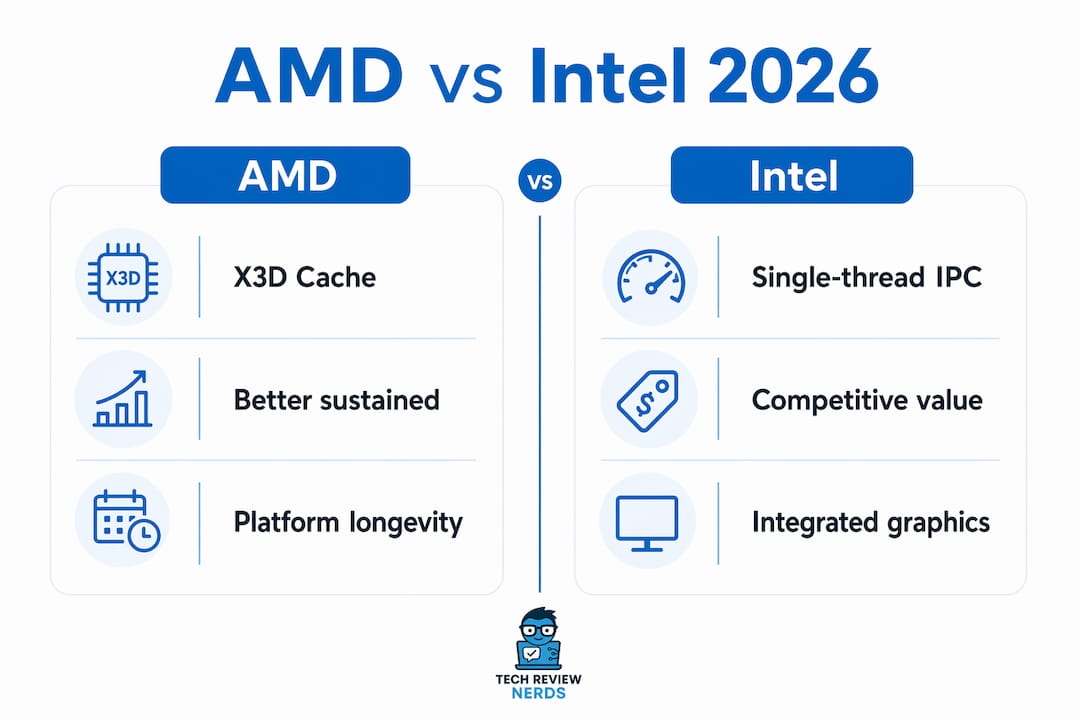
X3D signature: better 1% and 0.1% lows, not just higher average FPS. That translates to smoother frame delivery in demanding scenes, which average-FPS benchmarks can miss entirely.
Productivity: Intel closes the gap, AMD wins sustained throughput
For rendering, encoding, and compilation, the picture is more balanced. The Ryzen 9 9950X’s high core count gives it an edge in sustained multi-threaded workloads like Blender and HandBrake. Intel’s Core Ultra 9 285K and Core Ultra 7 265K punch above their weight in single-threaded and hybrid workloads, and at certain street prices they offer strong productivity per dollar.
| Workload | AMD Advantage | Intel Advantage |
|---|---|---|
| AAA gaming (1440p, CPU-bound) | Ryzen X3D (cache depth) | Esports / low-overhead titles |
| Cinebench multi-core | Ryzen 9 9950X | Competitive at Core Ultra 9 |
| Blender / HandBrake | Ryzen 9 9950X (sustained) | Core Ultra 9 285K (burst) |
| Single-thread / IPC | Competitive (Zen 5) | Core Ultra slight edge in some apps |
| Streaming + gaming | Ryzen 9 9950X3D | Core Ultra 9 at lower price |

The practical nuance for productivity buyers is application-dependent. Intel Core Ultra excels in many single-threaded and hybrid workloads, while AMD’s higher core-count Ryzen parts tend to win sustained multi-threaded tasks. If your workflow is mostly Premiere Pro exports or large Blender renders that run for minutes at a time, the Ryzen 9 9950X holds a real advantage. If you’re doing quick compiles or mixed office and creative work, the Core Ultra 9 285K at a discounted street price can be the smarter buy.
When does integrated graphics actually make sense?
Not every build needs a discrete GPU, and that’s where the AMD vs Intel iGPU comparison gets genuinely interesting. AMD’s Ryzen 8000-series APUs (the Hawk Point lineup) carry RDNA 3 integrated graphics capable of light 1080p gaming in esports titles. For a living-room media PC or a mini-ITX budget build, that’s enough to run Rocket League or older titles at playable settings without spending $200+ on a GPU.
Intel’s Core i5 and Core i7 processors with Xe integrated graphics handle 4K media playback and light productivity well, and they’re a solid pick for HTPC builds where gaming isn’t the priority. For casual esports at 1080p, AMD’s APUs generally pull ahead on raw graphics performance, but Intel’s iGPU is more than adequate for streaming, web browsing, and video.
- AMD Ryzen 8000-series APUs: best for budget gaming without a discrete GPU; RDNA 3 graphics handle esports at 1080p low-to-medium settings
- Intel Core i5 / i7 with Xe iGPU: best for HTPC, media playback, and light productivity; strong driver maturity and QuickSync for video encoding
- Mini-ITX builds: both platforms work, but AMD APUs give more gaming headroom; Intel Xe is the cleaner choice for pure media use
For a deeper look at how gaming APUs work and when they make sense over a discrete card, that guide covers the tradeoffs in full.
Pro Tip: On AMD APU builds, always enable EXPO or XMP on your RAM before benchmarking. Integrated RDNA 3 graphics scale significantly with memory bandwidth, and running at stock JEDEC speeds can cost you 20–30% of your iGPU’s potential frame rate.
What do power and thermals actually cost you?
AMD’s Zen 5 architecture, built on TSMC’s process node, tends to deliver better performance per watt than Intel’s Arrow Lake parts in most comparisons. That efficiency edge matters in two practical ways: you can often run a Ryzen 9 9950X or Ryzen 7 9800X3D with a quality 240mm AIO and stay within comfortable thermal limits, while the Core Ultra 9 285K can spike well above its rated TDP under sustained loads and benefits from a 360mm AIO or high-end air cooler.

For small-form-factor builds, AMD’s efficiency advantage is more meaningful. A Ryzen 5 7500F or Ryzen 7 9800X3D in a compact case is easier to cool than a Core Ultra 9 285K running at full power. Intel’s Core Ultra 7 265K sits in a more manageable thermal range and is a reasonable choice for mid-tower builds where you want Intel’s productivity profile without the extreme cooling demands.
Pro Tip: If you’re building in a compact case or using a budget air cooler, prioritize a CPU with a lower base TDP over raw benchmark scores. A chip that throttles under load in a hot case will consistently underperform a slightly slower chip running at full speed.
- Ryzen 7 9800X3D: moderate power draw for its performance tier; pairs well with a 240mm AIO
- Ryzen 9 9950X / 9950X3D: high power under sustained load; plan for 360mm AIO or premium air
- Core Ultra 9 285K: can draw significantly more power under all-core loads; needs robust cooling
- Core Ultra 7 265K: more manageable thermals; good fit for mid-tower builds with a 240mm AIO
- Ryzen 5 7500F: low power draw; works with a quality 120mm or 140mm tower cooler
Electricity costs are a secondary concern for most desktop users, but if your PC runs rendering jobs or game servers for hours daily, AMD’s efficiency edge can add up over a year of operation.
Does the platform cost change which CPU is the better value?
This is where the AMD vs Intel decision gets more nuanced than a benchmark chart suggests. Treating this as a platform decision, not just a CPU decision, is the right frame. Motherboard, RAM, cooling, and firmware maturity often matter as much as marginal performance differences.
AMD’s AM5 platform uses DDR5 exclusively and supports PCIe 5.0. With AM5 support extended through 2029, a mid-range X670 or B650 board you buy today can accept future Ryzen generations. That spreads your motherboard and RAM investment across multiple CPU upgrades, which meaningfully lowers the long-term cost per generation.
Intel’s LGA 1851 supports Arrow Lake and the upcoming Arrow Lake Refresh, but Nova Lake moves to a new LGA 1954 socket. That means your current board has a shorter upgrade runway. The only carry-forward is your cooler, since LGA 1851 and LGA 1954 share the same mounting dimensions, though compatibility with older cooler ILMs isn’t fully confirmed.
Platform upgrade checklist:
- Confirm BIOS support for your target CPU on your chosen board before buying
- Check VRM quality ratings for your motherboard, especially for high-TDP chips like the Core Ultra 9 285K or Ryzen 9 9950X
- Verify DDR5 kit compatibility with your board’s QVL list before purchasing RAM
- For AM5 builds, a B650 board is sufficient for most Ryzen 7 and Ryzen 9 SKUs; X670E is only necessary for PCIe 5.0 storage or extreme overclocking
- For Intel LGA 1851, Z890 boards are required for full feature access with Core Ultra 200-series chips
How do street prices and value tiers actually compare?
MSRP tells you less than street price, and street price tells you less than total platform cost. AMD and Intel are often within a $20–$30 margin at comparable tiers outside of sales, but the real cost difference shows up when you add the motherboard and RAM.
A Ryzen 5 7500F on a B650 board with DDR5 can come in under $300 for the CPU and motherboard combined during sales, making it one of the strongest price-to-performance options in the budget gaming tier. The Intel Core i5-14600K on a B760 board is a comparable entry point with strong single-thread performance and overclocking headroom, and it often benefits from aggressive bundle pricing.
At the high end, the Core Ultra 9 285K frequently appears at discounts that make it competitive with the Ryzen 9 9950X on a pure productivity-per-dollar basis. For gaming, the Ryzen 7 9800X3D commands a premium that’s justified if your library is cache-hungry at 1440p, but harder to justify if you game at 4K or mostly play esports titles where Intel’s single-thread advantage closes the gap.
| Tier | AMD Pick | Intel Pick | Key Tradeoff |
|---|---|---|---|
| Budget | Ryzen 5 7500F | Core i5-14600K | AMD: longer platform life; Intel: lower board cost |
| Mid | Ryzen 7 9800X3D | Core Ultra 7 265K | AMD: gaming; Intel: productivity |
| High-end | Ryzen 9 9950X3D / 9950X | Core Ultra 9 285K | AMD: gaming + creation; Intel: productivity value at discounts |
Budget strategies worth knowing:
- Last-gen Ryzen 7000-series chips (like the Ryzen 7 7700X) often drop to compelling prices and still run on AM5 boards that support future upgrades
- Intel 13th and 14th-gen chips on LGA 1700 are available at deep discounts but the platform is at end-of-life for upgrades
- Watch for motherboard bundle deals at Micro Center and online retailers, which can cut $30–$50 off the combined platform cost
Which CPU should you actually buy?
Best gaming CPUs
- AMD Ryzen 7 9800X3D — the strongest gaming chip at its price point; 3D V-Cache delivers the biggest gains in cache-hungry AAA titles at 1440p, and it handles streaming and light creation work without complaint
- AMD Ryzen 9 9950X3D — for builders who want top-tier gaming and can’t compromise on multi-threaded throughput; the most capable all-rounder AMD makes right now
- Intel Core Ultra 7 265K — a genuine alternative for esports-heavy libraries where single-thread IPC matters more than cache depth
Best productivity CPUs
- AMD Ryzen 9 9950X — sustained multi-core throughput in Blender, HandBrake, and compilation workloads; the right pick for creators who render for a living
- Intel Core Ultra 9 285K — strong productivity per dollar at discounted street prices; worth considering when Intel promotions close the gap with AMD’s flagship
Best budget CPUs
- AMD Ryzen 5 7500F — best price-to-performance on AM5 with a long upgrade runway; pairs well with a B650 board
- Intel Core i5-14600K — strong single-thread and overclocking headroom at a lower platform entry cost; good for mainstream gaming and mixed use
Best APU / iGPU builds
- AMD Ryzen 8000-series APUs — RDNA 3 graphics for light 1080p gaming without a discrete GPU; the right call for budget gaming rigs and mini-ITX builds
- Intel Core i5 / Core i7 with Xe iGPU — cleaner choice for HTPC and media-focused builds; QuickSync hardware encoding is a genuine advantage for streaming setups
| CPU | Gaming | Productivity | Power | Platform Cost | Best For |
|---|---|---|---|---|---|
| Ryzen 7 9800X3D | Excellent | Good | Moderate | Medium (AM5) | 1440p gaming |
| Ryzen 9 9950X3D | Excellent | Excellent | High | Medium-High (AM5) | Gaming + creation |
| Ryzen 9 9950X | Very Good | Excellent | High | Medium (AM5) | Content creation |
| Core Ultra 9 285K | Good | Excellent | High | Medium (LGA 1851) | Productivity |
| Core Ultra 7 265K | Good | Very Good | Moderate-High | Medium (LGA 1851) | Midrange productivity |
| Ryzen 5 7500F | Good | Decent | Low | Low-Medium (AM5) | Budget gaming |
| Core i5-14600K | Good | Good | Moderate | Low (LGA 1700) | Value / mainstream |
How do you choose between AMD and Intel for your build?
Work through these questions in order and the answer usually becomes clear.
- What’s your primary use? If it’s gaming at 1440p with a high-end GPU, AMD X3D is the default recommendation. If it’s sustained rendering or encoding, Ryzen 9 9950X or Core Ultra 9 285K depending on budget. If it’s a mix, Ryzen 9 9950X3D covers both.
- What’s your budget ceiling, including the motherboard and RAM? A Ryzen 7 9800X3D on a B650 board is a different total cost than a Core Ultra 9 285K on a Z890 board. Price the full platform, not just the CPU.
- How long do you plan to keep the platform? AM5 through 2029 means two or three more CPU generations on the same board. LGA 1851 likely supports one more generation before Intel moves to LGA 1954.
- What’s your cooling envelope? High-TDP chips like the Core Ultra 9 285K and Ryzen 9 9950X need serious cooling. If your case or budget limits you to a 120mm tower cooler, look at the Ryzen 5 7500F or Core Ultra 7 265K instead.
- Do you need integrated graphics? If yes, AMD Ryzen 8000-series APUs for gaming, Intel Xe for media and HTPC.
Three quick scenarios:
- “I game at 1440p with an RTX 4080 or RX 7900 XTX” — Buy the Ryzen 7 9800X3D. The GPU won’t be the bottleneck in CPU-sensitive titles, and X3D’s cache advantage will show up in your frame times.
- “I build an HTPC for the living room with no discrete GPU” — Intel Core i5 or i7 with Xe iGPU, or AMD Ryzen 8000-series APU if you want light gaming. Budget for fast DDR5 on the AMD side.
- “I do 3D rendering and occasional gaming on a $600 CPU budget” — Ryzen 9 9950X is the cleaner pick. It handles sustained Blender workloads better than the Core Ultra 9 285K and still games well without X3D.
Red flags to avoid:
- Buying a last-gen Intel LGA 1700 board expecting future upgrades — the platform is at end-of-life
- Ignoring motherboard VRM quality on high-TDP chips; a cheap board throttles an expensive CPU
- Assuming a higher Cinebench score means better gaming performance — cache behavior and IPC matter more in games than raw thread count
How we test and why these picks hold up
The recommendations in this guide draw on benchmark data from Cinebench R23 and R24 (multi-core and single-core), Blender’s Classroom and Monster scenes, HandBrake H.265 encoding, and game testing across a range of titles including Starfield, Cities: Skylines II, CS2, and Forza Horizon 5. Game tests run at 1080p and 1440p with a high-end discrete GPU to isolate CPU performance, using DDR5 with EXPO/XMP enabled and Windows set to Balanced or High Performance power plan depending on the test.
Benchmark configuration differences — resolution, memory profile, background tasks, and power plan — can flip results between AMD and Intel in close matchups. Every claim here is grounded in CPU-limited test conditions, not GPU-bound 4K screenshots where differences compress to noise.
- Cinebench R24: measures IPC and multi-core throughput; maps well to rendering and compilation
- Blender / HandBrake: sustained workload tests that reveal thermal throttling and power behavior over time
- Game FPS (1080p / 1440p): CPU-bound conditions with a high-end GPU; tests average FPS and 1% lows
- Memory profile: EXPO/XMP enabled on all DDR5 kits; stock JEDEC results noted separately where relevant
Techreviewnerds publishes independent reviews with no paid placements influencing picks; if you want to reproduce thermal tests or monitor long-term CPU temps, see how to monitor CPU temperature on Windows PCs. Sources used include TechSpot, Tom’s Hardware, Wccftech, XDA Developers, and RankedCPU for platform and benchmark corroboration.
Key Takeaways
AMD leads gaming in 2026 thanks to X3D cache technology, while Intel remains competitive in productivity and value tiers when street pricing and platform costs are factored in.
| Point | Details |
|---|---|
| Gaming: AMD X3D wins | Ryzen 7 9800X3D and Ryzen 9 9950X3D lead at 1440p in CPU-bound titles; X3D improves 1% lows, not just average FPS. |
| Productivity: application-dependent | Ryzen 9 9950X leads sustained multi-core work; Core Ultra 9 285K competes in single-thread and hybrid tasks at discounted prices. |
| Platform longevity matters | AM5 is confirmed through 2029; Intel LGA 1851 supports one more generation before LGA 1954 arrives. |
| Budget tier: both brands compete | Ryzen 5 7500F offers the longer upgrade path; Core i5-14600K wins on lower platform entry cost. |
| Techreviewnerds picks | Ryzen 7 9800X3D for gaming, Ryzen 9 9950X for creation, Core Ultra 7 265K for midrange productivity. |
The part most benchmark roundups get wrong
There’s a tendency in CPU coverage to treat the highest Cinebench score as the headline verdict, and it leads a lot of builders toward the wrong chip. I’ve seen builds where someone bought the Ryzen 9 9950X for gaming because it scored higher in multi-core tests, then wondered why their frame rates weren’t meaningfully better than a Ryzen 7 9800X3D that costs less. Multi-core throughput and gaming performance are measuring different things.
The X3D advantage is real, but it’s also specific. It shows up hardest in titles where the CPU is waiting on memory, not in every game at every resolution. At 4K with ray tracing maxed out, the GPU is doing the heavy lifting and the CPU choice barely registers. At 1080p competitive with a 240Hz monitor, cache depth can be the difference between 280 and 340 fps. Knowing which scenario describes your actual setup is more useful than any benchmark chart.
Platform longevity is the other thing I think gets underweighted. AMD’s AM5 commitment through 2029 isn’t just a marketing line. It means a builder who buys a B650 board today can drop in a next-generation Ryzen chip two years from now without touching anything else. That’s real money saved, and it changes the math on whether the slightly higher AM5 platform cost is worth it versus a cheaper LGA 1700 build with no upgrade future.
Techreviewnerds has the model-level reviews you need next
Once you’ve narrowed down your CPU family, the next step is finding the right system or pairing for your specific budget and use case. Techreviewnerds covers laptop and desktop buying decisions with the same hands-on, no-fluff approach you’ve seen here. If you’re weighing a desktop build against a laptop with a mobile Ryzen or Core Ultra chip, the laptop vs desktop comparison breaks down exactly where each platform wins.

Model-level performance and street pricing shift frequently, especially around AMD and Intel launch windows. Techreviewnerds updates its CPU and laptop reviews regularly so you’re working from current data, not six-month-old benchmarks. Check the site for the latest SKU-level picks before you buy.
Useful sources and further reading
- TechSpot Best CPUs Early 2026 — ranked roundup with gaming and productivity benchmarks; the strongest single source for current SKU comparisons
- Tom’s Hardware AMD vs Intel 2026 — deep-dive comparison covering Arrow Lake, Ryzen 9000, and productivity tradeoffs
- Wccftech AM5 Extension Coverage — platform longevity news and Intel socket roadmap context
- XDA Developers AM5 Through 2029 — economic context for long-lived socket decisions
- RankedCPU AMD vs Intel Practical Guide — benchmark methodology and configuration guidance for reproducible testing
- cr0x.net 3D V-Cache Deep Dive — technical explanation of why X3D cache improves gaming frame times and where it doesn’t help
What to read next: If you want model-level benchmarks, start with TechSpot and Tom’s Hardware. For platform strategy and socket decisions, Wccftech and XDA cover the roadmap in detail. For APU-specific advice, RankedCPU’s practical guides are the most configuration-aware source available.
FAQ
Which is better for gaming, AMD or Intel?
AMD is the stronger gaming choice in 2026, particularly the Ryzen 7 9800X3D and Ryzen 9 9950X3D, which lead in CPU-bound titles at 1080p and 1440p thanks to 3D V-Cache. Intel’s Core Ultra chips compete in esports titles and at 4K where the GPU limits performance.
Is the Intel Core i7 better than the AMD Ryzen 7?
It depends on the workload. A Core i7 typically edges ahead in single-threaded and hybrid productivity tasks, while the Ryzen 7 9800X3D leads in gaming due to its 3D V-Cache advantage. For pure gaming, the Ryzen 7 9800X3D is the stronger pick at its price tier.
Why do some builders still prefer Intel over AMD?
Intel’s Core Ultra chips offer strong single-thread performance and competitive productivity results, often at discounted street prices. Some builders also prefer Intel’s driver maturity, QuickSync hardware encoding for streaming, and familiarity with the platform.
What are the main disadvantages of AMD processors?
AMD’s X3D chips have lower boost clocks than their non-X3D siblings and limited overclocking headroom due to the stacked cache design. AM5 platform entry costs can run higher than comparable Intel LGA 1700 builds, and some productivity applications still favor Intel’s IPC in specific single-threaded workloads.
Does the motherboard choice really affect CPU value?
Yes, significantly. A Ryzen 7 9800X3D on a quality B650 board is a different total investment than a Core Ultra 9 285K on a Z890 board, and the platform longevity difference means AM5 buyers can spread that cost across more future upgrades. Always price the full platform before comparing CPUs on MSRP alone.