

What are the best gaming monitors right now?
The best gaming monitors in 2025 span a wide range of panel types, sizes, and price points, so the right pick depends heavily on how you game. After hands-on evaluation across categories, here is how the top options stack up.
| Monitor | Best For | Resolution | Refresh Rate | Panel Type | Screen Size | Price Range | Reasons to Buy | Reasons to Avoid |
|---|---|---|---|---|---|---|---|---|
| ASUS ROG Swift PG27UCDM with 27-inch | Competitive and cinematic 4K | 4K | 240Hz | QD-OLED | 27" | $$$$ | Outstanding color, ultrafast refresh | Expensive, burn-in risk |
| Alienware AW2524HF with 360Hz | Esports FPS | 1080p | 360Hz | IPS | 24.5" | $$$ | Extremely low input lag | Small screen, 1080p only |
| Dell S3222DGM with 32-inch | Console and single-player | 1440p | 165Hz | VA | 32" | $$ | High contrast, immersive curve | Slower response than IPS |
| Gigabyte M27QA ICE | Gaming and productivity | 1440p | 170Hz | IPS | 27" | $$ | Good value, accurate colors | No OLED vibrancy |
| Titan Army P2712V | Budget 1440p gaming | 1440p | 165Hz | IPS | 27" | $ | Smooth performance, low price | Basic stand, limited features |
| Dell Alienware AW2726DM | Competitive OLED gaming | 1440p | 240Hz | OLED | 27" | $$$$ | Perfect blacks, fast response | Premium cost, burn-in risk |
| Asus ROG Swift PG27AQDP with 27-inch | High-end 4K sharpness | 4K | 165Hz | IPS | 27" | $$$$ | 4K clarity at competitive refresh | GPU-demanding |
| Alienware AW3423DWF | Immersive ultrawide | 3440×1440 | 165Hz | QD-OLED | 34" | $$$$ | Exceptional vibrancy, deep contrast | Wide desk required |
| Asus ROG Strix XG32UCWMG with 32-inch | Racing and open-world | 4K | 175Hz | VA | 32" | $$$ | Large curved screen, high refresh | VA response times |
| Acer Predator SpatialLabs View 27 PSV27-2 | 3D immersive gaming | 4K | 120Hz | OLED | 27" | $$$$ | Glasses-free 3D, OLED quality | Niche use case, very expensive |
| LG Ultra Gear 45GX950A | Panoramic ultrawide | 5120×2160 | 240Hz | OLED | 45" | $$$$ | Massive field of view, sharp | Requires large desk, high cost |
| Nexigo NG17FGQ | Portable gaming | 1080p | 144Hz | IPS | 17.3" | $ | Compact, travel-friendly | Small screen, limited brightness |
| MSI MPG 322UR X24 QD-OLED | High-end 4K OLED | 4K | 240Hz | QD-OLED | 32" | $$$$ | Vibrant OLED at 32", fast | Very expensive |
| Asus ROG Strix XG27UCG with 27-inch | Competitive 4K with G-Sync | 4K | 120Hz | IPS | 27" | $$$ | G-Sync Ultimate, HDR support | Lower refresh for the price |
| KTC M27T6S | Entry-level 1440p | 1440p | 165Hz | VA | 27" | $ | High refresh for price | VA contrast trade-offs |
| KTC H27T22C-3 | Budget curved 1440p | 1440p | 165Hz | VA | 27" | $ | Curved panel, aggressive price | Basic build quality |
| AOC Gaming C27G4ZXE | Casual curved gaming | 1080p | 165Hz | VA | 27" | $ | Affordable, decent contrast | 1080p on 27" looks soft |
| Gigabyte MO34WQC2 | Ultrawide gaming and work | 3440×1440 | 144Hz | VA | 34" | $$$ | Wide aspect ratio, high refresh | VA panel, no OLED |
| Koorui 34E6UC | Midrange ultrawide | 3440×1440 | 144Hz | VA | 34" | $$ | Good color, smooth performance | VA response limitations |
A few patterns stand out immediately. The ASUS ROG Swift PG27UCDM and MSI MPG 322UR X24 QD-OLED sit at the top for anyone who wants OLED quality at 4K. Budget shoppers get real value from the Titan Army P2712V and KTC M27T6S, both of which deliver 1440p at 165Hz without the premium price tag. For ultrawide fans, the Alienware AW3423DWF and LG Ultra Gear 45GX950A are the standout choices, though both demand a wide desk and a capable GPU.
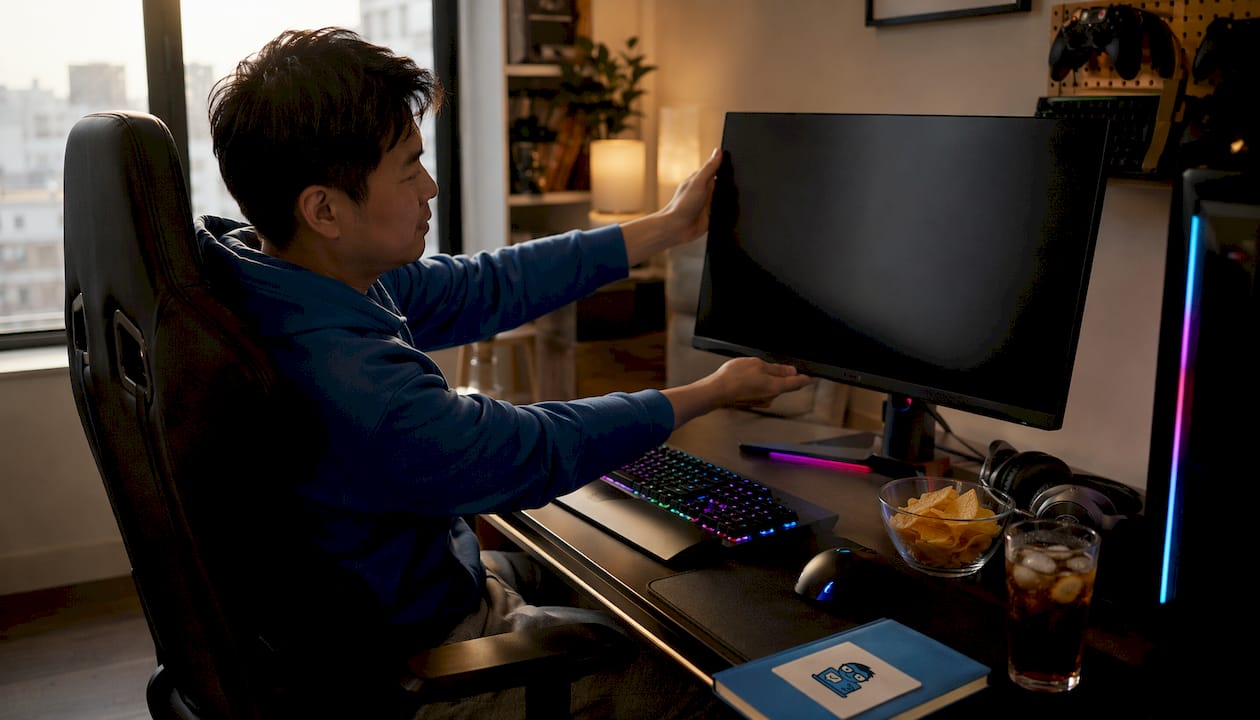
Detailed reviews by gaming monitor category
Best overall: ASUS ROG Swift PG27UCDM
The ASUS ROG Swift PG27UCDM is the monitor I keep coming back to when someone asks for a single, no-compromise recommendation. Its 27-inch QD-OLED panel runs at 4K and 240Hz simultaneously, which is a combination that was barely possible two years ago. Color accuracy is exceptional, blacks are genuinely black, and the motion clarity at 240Hz makes fast-paced games feel like a different experience entirely. The price is steep, but for enthusiasts who want the best of both competitive and cinematic gaming, nothing else in this list matches it.
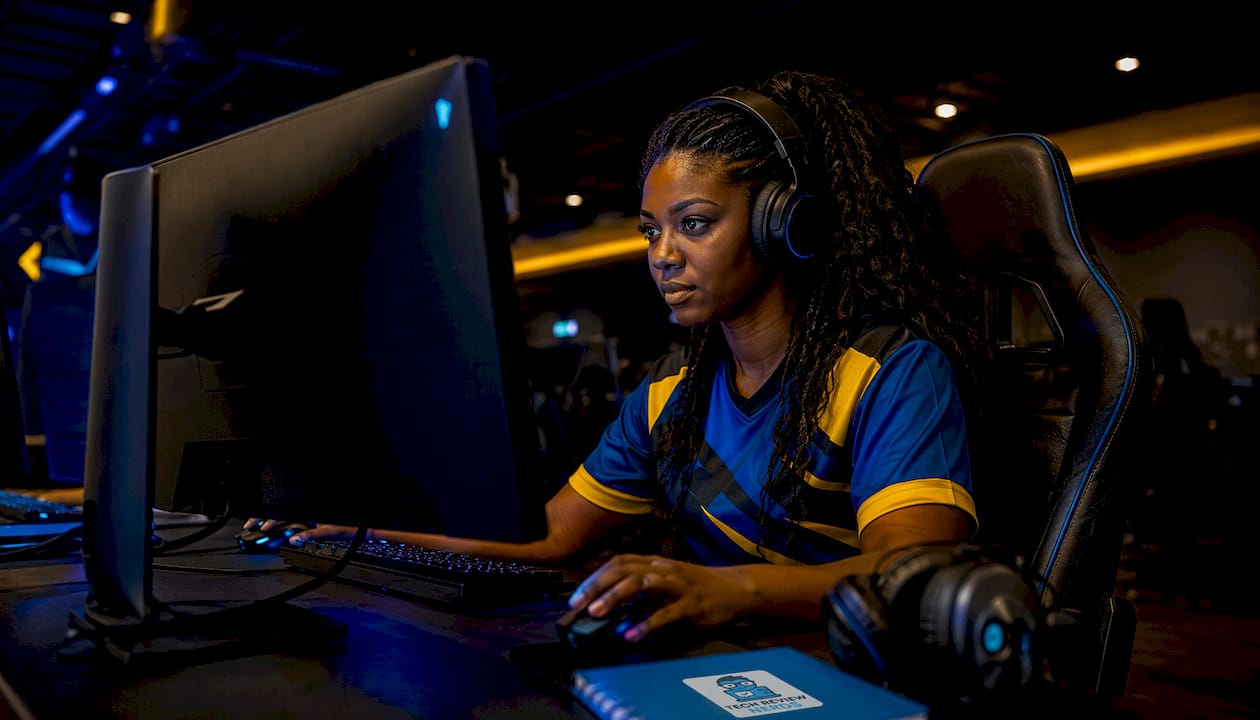
Best for esports FPS: Alienware AW2524HF
Competitive players who live in CS2, Valorant, or Apex Legends need one thing above everything else: speed. The Alienware AW2524HF delivers 360Hz on a 24.5-inch IPS panel with input lag so low it borders on imperceptible. The 1080p resolution is a deliberate trade-off. Driving 360 frames per second at 1440p or 4K is GPU-prohibitive for most rigs, and at 24.5 inches, 1080p still looks clean. If your GPU can push triple-digit frame rates and you play fast-paced shooters, this is the tool for the job.
Best budget curved: Dell S3222DGM
The Dell S3222DGM punches well above its price bracket. The 32-inch VA panel curves at 1800R, which genuinely pulls your peripheral vision in during open-world games and racing titles. Contrast is deep in a way IPS panels at this price simply cannot match, and the 165Hz refresh keeps motion smooth for single-player gaming. Response times are slower than IPS, so it is not the right pick for competitive shooters, but for console gaming or immersive RPGs, it is hard to beat at this price. Curved monitor fans should also check out the Samsung Odyssey G55C for another strong option in this category.
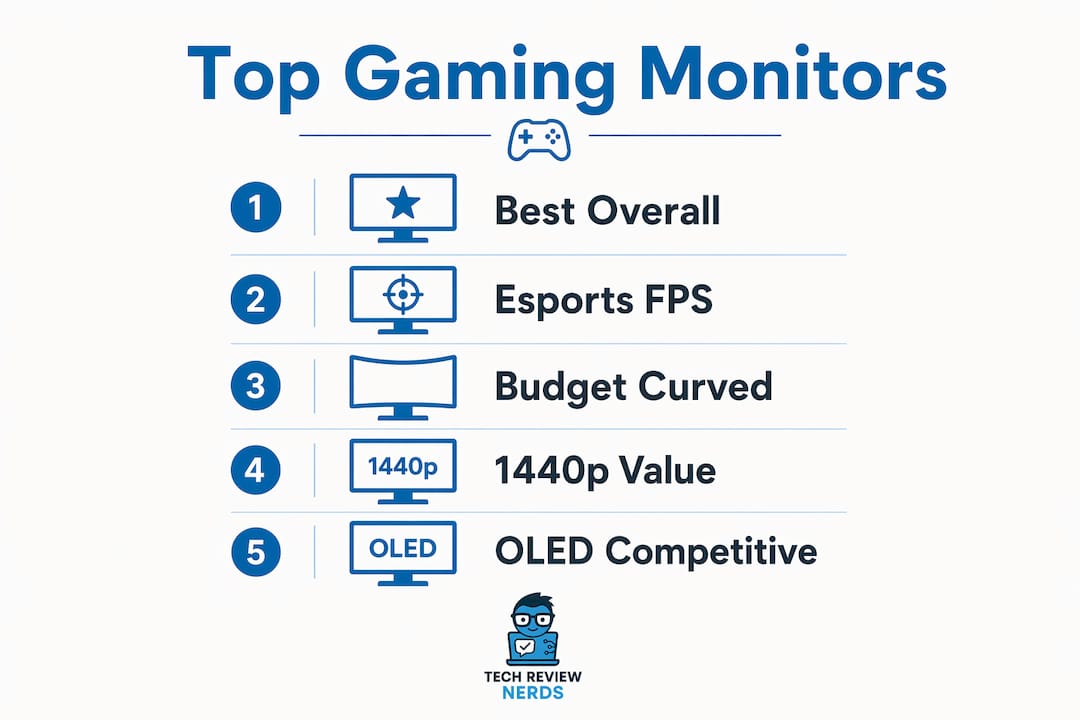
Best 1440p value: Gigabyte M27QA ICE
The Gigabyte M27QA ICE sits in a sweet spot that a lot of monitors miss: a 27-inch IPS panel at 1440p and 170Hz with color accuracy good enough for both gaming and creative work. It is not an OLED, so the blacks are not infinite, but the IPS panel gives wide viewing angles and consistent color that VA panels struggle to match. For gamers who also do photo editing, streaming, or video work at the same desk, this is the most practical all-rounder in the mid-price range.
Best budget 1440p: Titan Army P2712V
At its price point, the Titan Army P2712V is genuinely surprising. A 27-inch 1440p panel at 165Hz for budget-conscious gamers is exactly what this monitor delivers, with smooth performance that makes the upgrade from 1080p immediately obvious. The stand is basic and the feature set is minimal, but the core display performance holds up. If you are buying your first 1440p monitor and want to keep costs low, this is where to start.
Best OLED for competitive play: Dell Alienware AW2726DM
The Dell Alienware AW2726DM combines a 27-inch OLED panel with 240Hz and 1440p resolution, which is the configuration most competitive gamers with a premium budget should consider. OLED’s near-instant pixel response eliminates the ghosting that VA and even some IPS panels show in fast motion. The perfect blacks add a layer of visual depth that makes games look more cinematic even in competitive titles. Burn-in is a real consideration with any OLED, but Alienware’s pixel-refresh features help manage it over time.
Best high-end 4K: Asus ROG Swift PG27AQDP
The Asus ROG Swift PG27AQDP brings 4K resolution to a 27-inch IPS panel at 165Hz, which is a more GPU-friendly configuration than the 240Hz 4K OLED options above. At 27 inches, 4K delivers approximately 163 PPI, making text and fine game textures genuinely sharp. The IPS panel keeps colors accurate and viewing angles wide. For gamers who want 4K sharpness without the burn-in concern of OLED and without needing a flagship GPU to hit playable frame rates, this is a strong choice.
Best ultrawide: Alienware AW3423DWF
The Alienware AW3423DWF is the ultrawide I would recommend without hesitation to anyone who plays racing games, RPGs, or cinematic titles. The 34-inch QD-OLED panel at 3440×1440 and 165Hz delivers color vibrancy and contrast that flat IPS ultrawides cannot touch. The curve pulls the screen edges into your natural field of view, and the wider aspect ratio adds real immersion in games that support 21:9. You will need a desk at least 28 inches deep and a mid-to-high-end GPU to get the most from it. For more on how ultrawide compares to standard formats, Techreviewnerds has a detailed breakdown at ultrawide vs standard monitors.
Best large curved: Asus ROG Strix XG32UCWMG
The Asus ROG Strix XG32UCWMG is a 32-inch 4K VA panel with a 175Hz refresh rate and a gentle curve that works well for racing sims and open-world games. The VA panel gives deeper contrast than IPS at this size, and 4K at 32 inches hits approximately 138 PPI, which is sharp enough for comfortable text and detailed game visuals. Response times are slower than OLED, but for the games this monitor targets, that trade-off is acceptable.
Best 3D gaming: Acer Predator SpatialLabs View 27 PSV27-2
The Acer Predator SpatialLabs View 27 PSV27-2 is a genuinely niche product, and I mean that as a compliment. Glasses-free 3D on an OLED panel at 4K is a technology showcase that very few monitors attempt. If you want to experience spatial 3D gaming without VR hardware, this is the only serious option in the market right now. The price reflects that exclusivity, and the 3D effect works best with supported titles, so it is not a general-purpose recommendation. For enthusiasts who want something genuinely different, though, it is fascinating.
Best massive ultrawide: LG Ultra Gear 45GX950A
The LG Ultra Gear 45GX950A is a 45-inch 5120×2160 OLED panel running at 240Hz. That combination of size, resolution, and refresh rate is at the absolute top of what the consumer monitor market offers in 2025. The curved panel wraps your field of view in a way that smaller ultrawides simply cannot replicate. It demands a large desk, a flagship GPU, and a significant budget, but for sim racing, flight sims, or anyone who wants the most immersive single-screen setup available, nothing else on this list comes close.
Best portable: Nexigo NG17FGQ
The Nexigo NG17FGQ is the only portable option in this roundup, and it earns its place. A 17.3-inch 1080p IPS panel at 144Hz is genuinely useful for gaming on the go, whether that means a hotel room, a friend’s place, or a LAN party. The compact form factor and USB-C connectivity make setup fast. The small screen and limited brightness mean it is not a replacement for a desktop monitor, but as a travel companion for a gaming laptop, it is well-suited.
Best 32-inch OLED: MSI MPG 322UR X24 QD-OLED
The MSI MPG 322UR X24 QD-OLED brings QD-OLED technology to a 32-inch 4K panel at 240Hz, which is the configuration that enthusiasts who want both size and OLED quality have been waiting for. Color vibrancy is exceptional, the 240Hz refresh keeps competitive gaming smooth, and 4K at 32 inches looks genuinely sharp. The price is at the top of the market, and you will need a powerful GPU to drive 4K at high frame rates, but for a premium single-player and competitive hybrid setup, this is a compelling option.
Best 4K with G-Sync: Asus ROG Strix XG27UCG
The Asus ROG Strix XG27UCG pairs G-Sync Ultimate certification with a 27-inch 4K IPS panel, making it a strong choice for Nvidia GPU owners who want guaranteed variable refresh performance. The 120Hz refresh rate is lower than some competitors, but G-Sync Ultimate ensures tear-free, stutter-free gaming across the full refresh range. HDR support is also more credible here than on monitors that list HDR as a checkbox feature.
Budget 1440p alternatives: KTC M27T6S and KTC H27T22C-3
The KTC M27T6S and KTC H27T22C-3 are both 27-inch 1440p VA panels at 165Hz, priced aggressively for entry-level buyers. The M27T6S is flat, while the H27T22C-3 adds a curve for gamers who want more immersion without spending more. VA contrast is a genuine advantage over budget IPS panels at this price, though response times are slower. Both are honest, no-frills options for gamers who want 1440p on a tight budget.
Casual curved gaming: AOC Gaming C27G4ZXE
The AOC Gaming C27G4ZXE is a 27-inch curved VA panel at 165Hz aimed at casual gamers who want smooth visuals and a curved screen without a high price. One caveat worth noting: 1080p on a 27-inch panel drops to around 82 PPI, which looks noticeably soft compared to 1440p at the same size. If the budget allows, stepping up to a 1440p option at 27 inches is worth it.
Ultrawide midrange options: Gigabyte MO34WQC2 and Koorui 34E6UC
The Gigabyte MO34WQC2 and Koorui 34E6UC are both 34-inch curved ultrawides at 3440×1440 and 144Hz, positioned for gamers who want the wider aspect ratio without paying OLED prices. The MO34WQC2 has a VA panel with good contrast for cinematic games, while the Koorui 34E6UC offers solid color accuracy at a midrange price. Neither matches the vibrancy of the Alienware AW3423DWF’s QD-OLED, but both are practical options for ultrawide gaming on a more realistic budget.
How to choose the best gaming monitor in 2026
Resolution and refresh rate: match them to your GPU
The first decision is resolution, and it should be driven by your GPU, not by what looks impressive on a spec sheet. For most gamers with a mid-range card like an RTX 4070 or RX 7800 XT, 1440p at 27 inches is the practical sweet spot. It delivers noticeably sharper visuals than 1080p, and a mid-range GPU can push 144Hz or higher in most titles. Stepping up to 4K demands significantly more GPU power, and driving 4K at native resolution often requires technologies like DLSS 4 or FSR 3+ to maintain smooth frame rates.
Refresh rate matters most in fast-paced games. For competitive shooters, 144Hz is the minimum worth considering, and 240Hz or higher makes a real difference in titles like CS2 or Valorant. For single-player RPGs and story games, 60Hz is playable but 120Hz or 144Hz adds a layer of fluidity that is hard to go back from once you have experienced it.
Panel technology: IPS, VA, or OLED?
Panel choice shapes the entire gaming experience. IPS panels offer superior color accuracy and wide viewing angles, making them the go-to for competitive gamers who need consistent color fidelity across the screen. VA panels deliver better contrast ratios, which makes dark scenes in horror games or space titles look genuinely dramatic, though response times are slower. OLED panels are the most vibrant and responsive of the three, with near-instant pixel response and infinite contrast, but they carry a burn-in risk and a premium price.
For FPS and esports, IPS or OLED is the better call. For cinematic single-player games where deep blacks matter, VA is a solid, affordable choice. OLED is the enthusiast option when budget is not a constraint.
Adaptive sync: G-Sync vs. FreeSync
Adaptive sync technologies like Nvidia G-Sync and AMD FreeSync eliminate screen tearing and stuttering by synchronizing the monitor’s refresh rate to your GPU’s output. FreeSync monitors tend to be more affordable, and many modern FreeSync panels are also G-Sync compatible, so they work well with both AMD and Nvidia cards. G-Sync Ultimate certification, as seen on the Asus ROG Strix XG27UCG, guarantees a higher standard of variable refresh performance but comes at a price premium. For most gamers, a FreeSync monitor that is also G-Sync compatible is the practical choice.
Connectivity: HDMI 2.1 and DisplayPort
HDMI 2.1 supports 4K at 120Hz with variable refresh rate, which is critical for PS5 and Xbox Series X owners who want to get the most from their console. PC gamers using DisplayPort 1.4 can hit 4K at 144Hz or 1440p at 240Hz without compression. Before buying, check that the monitor’s ports match what your GPU or console outputs. Many 1440p monitors still cap HDMI output at 60Hz for consoles, which is a frustrating limitation if you are planning a dual-use setup.
HDR: check independent benchmarks
HDR marketing claims on gaming monitors vary wildly in quality. Windows HDR still requires manual tweaking of settings and game-level toggles to look correct, so manufacturer specs alone are not a reliable guide. Independent benchmark tests from sources like Tom’s Hardware or PC Gamer give a more accurate picture of real-world HDR performance, particularly for local dimming quality.
Monitor size and desk depth
Size is not just a preference. It is a geometry problem. A 27-inch monitor fits comfortably on desks 22–28 inches deep, while a 32-inch panel needs at least 28 inches of depth to avoid feeling overwhelming. Sitting too close to a large screen forces head movement to track screen edges, which is tiring in long sessions and actively hurts performance in competitive games.
Pro Tip: Before buying, measure the distance from your chair to where the monitor will sit. If that distance is under 24 inches, a 27-inch monitor will serve you better than a 32-inch one, regardless of resolution. For long gaming sessions, proper viewing distance reduces eye strain and neck fatigue significantly.
Ergonomics and adjustability
A monitor you cannot position comfortably will cause problems over long sessions. Look for height adjustment, tilt, and swivel as a baseline. Monitors with VESA mount compatibility give you the option to add a monitor arm later, which is one of the best ergonomics upgrades you can make for any desk setup. The ergonomics of your desk setup matter as much as the panel specs when you are gaming for hours at a time.
What the research says about monitor size and panel choice
The pixel density question
The single most misunderstood aspect of monitor shopping is pixel density. Bigger does not mean sharper. A 27-inch 1440p monitor delivers approximately 109 PPI, while the same resolution on a 32-inch panel drops to approximately 92 PPI. That gap is visible in text, UI elements, and fine game textures, especially at typical desk distances. For competitive gaming where scanning the screen quickly matters, 27-inch monitors minimize eye and head movement compared to 32-inch panels at the same resolution.
The practical takeaway: if you want a 32-inch monitor and care about sharpness, pair it with 4K. A 32-inch 4K panel hits approximately 138 PPI, which is genuinely sharp and justifies the larger size. Running 1440p on a 32-inch screen is a compromise that works at distance but looks noticeably softer up close.
GPU cost and the 4K premium
Stepping up to 4K is not just a monitor purchase. The GPU cost difference between cards capable of smooth 4K gaming versus 1440p is around $200, and when you factor in the monitor price difference, the total system cost gap reaches approximately $700 for the larger 4K configuration. For most gamers, 1440p at 27 inches delivers a better gaming experience per dollar than 4K at 32 inches, unless you have the GPU hardware to drive 4K at high frame rates natively.
Key insight: 27-inch 1440p is the practical sweet spot for most gamers because it balances pixel density, GPU demand, desk compatibility, and price. Moving to 32-inch 4K makes sense only when your desk depth, GPU tier, and budget all support it.
Panel technology matched to game genre
The research on panel choice aligns with what I have seen in practice. IPS suits competitive gamers who need color fidelity and consistent viewing angles across the whole screen. VA panels enhance contrast for cinematic games where dark scenes are frequent, making them a natural fit for horror, space, and story-driven titles. OLED offers the best vibrancy and pixel response for enthusiasts who want the highest quality across all game types. Choosing the right panel for your primary game genre will have a bigger impact on daily satisfaction than chasing the highest refresh rate number on the spec sheet.
Techreviewnerds is your shortcut through the noise
If you have spent any time comparing gaming monitors online, you know how fast the research rabbit hole gets deep. Spec sheets blur together, review sites bury the practical details, and paid placements make it hard to know whose opinion to trust.

Techreviewnerds publishes independent, hands-on reviews with no paid placements shaping the recommendations. Every monitor in this guide has been evaluated on real-world gaming performance, not just manufacturer claims. The site covers tech product reviews across laptops, monitors, and gaming hardware, with updated 2025 data that reflects current street prices and availability. For gamers who also want to evaluate the broader setup, the laptop reviews section covers mobile gaming options with the same unbiased approach. The goal is always the same: give you a clear, honest recommendation so you can buy with confidence and skip the regret.
Key Takeaways
The best gaming monitor for most people in 2025 is a 27-inch 1440p panel at 144Hz or higher, matching pixel density, GPU demand, and desk fit without compromise.
| Point | Details |
|---|---|
| 27-inch 1440p is the sweet spot | At 109 PPI, it delivers sharp visuals that fit standard desks and mid-range GPUs comfortably. |
| 32-inch needs 4K to look sharp | At 1440p, a 32-inch panel drops to approximately 92 PPI, noticeably softer at typical desk distances. |
| Panel type shapes the experience | IPS suits competitive play; VA adds contrast for cinematic games; OLED leads on vibrancy and response. |
| 4K carries a significant system cost premium | The combined GPU and monitor cost difference between 4K and 1440p configurations is noticeably higher. |
| Techreviewnerds for unbiased picks | Independent, hands-on reviews with no paid placements, updated for 2025 across monitors and laptops. |
FAQ
Is a 27-inch or 32-inch 1440p monitor better for gaming?
For most gamers, 27-inch 1440p is the better choice. It delivers approximately 109 PPI versus approximately 92 PPI on a 32-inch panel at the same resolution, making text and game textures noticeably sharper at typical desk distances of 22–28 inches.
What refresh rate do I need for competitive gaming?
144Hz is the practical minimum for competitive play, and 240Hz or higher makes a measurable difference in fast-paced shooters like CS2 or Valorant. For single-player and casual gaming, 120Hz or 144Hz is more than sufficient.
Do I need HDMI 2.1 for console gaming?
Yes, if you want 4K at 120Hz with variable refresh rate on a PS5 or Xbox Series X. HDMI 2.1 supports 4K at 120Hz and VRR, which are both critical for getting the full performance from current-generation consoles.
Is OLED worth the extra cost for gaming?
OLED delivers the best pixel response, infinite contrast, and color vibrancy of any panel type, making it worth the premium for enthusiasts who play a mix of competitive and cinematic titles. Burn-in is a real risk with static elements, so using pixel-refresh features and varying content helps manage it over time.
How much does HDR actually improve gaming?
Real-world HDR performance varies widely between monitors. Windows HDR requires manual calibration beyond the monitor’s settings, so marketing claims alone are not reliable. Consulting independent benchmark tests before buying gives a more accurate picture of whether a monitor’s HDR implementation is genuinely useful.