

What are the best Wi-Fi routers for 2026?
The best Wi-Fi routers for 2026 are the ASUS ROG Rapture GT-BE98 Pro for competitive gaming, the Netgear Orbi 970 for whole-home mesh coverage, and the TP-Link Archer BE9700 for the best balance of Wi-Fi 7 performance and price. If you’re on a tighter budget, the Eero 6+ and TP-Link Archer BE230 both punch well above their price tags. One thing worth knowing upfront: the FCC banned new authorizations for foreign-made consumer routers in March 2026 over national security concerns, though previously authorized models remain available for purchase and use.
Here’s a quick snapshot of where each major category lands:
Best for gaming:
- ASUS ROG Rapture GT-BE98 Pro: Wi-Fi 7, dedicated gaming QoS, low latency optimization
- Asus RT-BE96U: Strong QoS controls, multi-gig LAN, excellent for gaming and 4K streaming
Best Wi-Fi 7 routers:
- TP-Link Archer BE9700: Tri-band, covers 2.4, 5, and 6 GHz bands, multi-gig WAN
- TP-Link Archer AXE95: Top-tier throughput, multi-gig LAN ports, built for power users
- Netgear Nighthawk RS700S: Solid Wi-Fi 7 throughput with a simplified interface
Best mesh systems:
- Netgear Orbi 970: Top-tier Wi-Fi 7 mesh, dedicated backhaul, best for large estates
- Netgear Orbi 870: Wi-Fi 7 mesh with excellent coverage for smart homes
- Eero Pro 7: Tri-band Wi-Fi 7, dead-simple app setup, great for families
- Asus ZenWiFi BQ16 Pro: Tri-band Wi-Fi 6E mesh, strong security, ideal for complex floor plans
Best budget options:
- TP-Link Archer BE230: Entry-level Wi-Fi 6, solid for apartments and small homes
- Eero 6: Affordable mesh Wi-Fi 6 for compact spaces
- Asus RT-AX1800S: Budget Wi-Fi 6 with simplified setup and WPA3 support
- TP-Link TL-WR3602BE: Basic Wi-Fi 5 for beginners who just need the internet to work
Best for large homes:
- Netgear Orbi 770 Series: Tri-band Wi-Fi 6E mesh with dedicated backhaul
- TP-Link Deco X55 Pro: Wi-Fi 6 mesh designed for multi-floor coverage
- Linksys Velop Pro 6E: Premium tri-band Wi-Fi 6E mesh with strong multi-device support
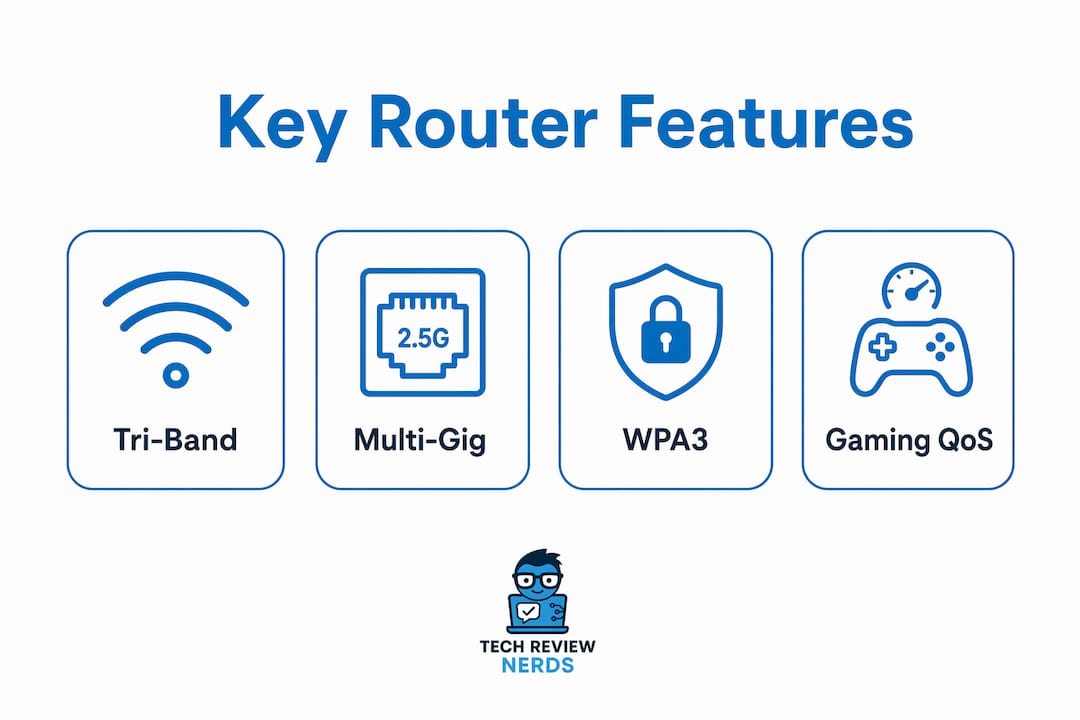
Standout features to look for in 2026: tri-band Wi-Fi 7, multi-gig WAN/LAN ports (2.5 Gbps or faster), WPA3 security, and automatic firmware updates. The FCC’s transitional provisions allow previously authorized models to remain on sale and receive software updates through at least early 2029, so the routers listed here are all still buyable.
Detailed router reviews and side-by-side comparison
Every router in this comparison was evaluated across real-world performance, price-to-value ratio, Wi-Fi standard, and best use case. The table below covers all 28 models. Detailed notes on the standout performers follow.
| Router | Wi-Fi Standard | Best For | Performance | Price/Value |
|---|---|---|---|---|
| TP-Link Archer AXE75 | Wi-Fi 6E | Gaming, high-speed home | High | Good |
| TP-Link Archer BE3600 | Wi-Fi 7 | Budget Wi-Fi 7 buyers | Moderate-High | Excellent |
| TP-Link Archer BE9700 | Wi-Fi 7 | Large homes, multi-device | Very High | Good |
| Asus RT-BE96U | Wi-Fi 7 | Gamers, media enthusiasts | Very High | Moderate |
| TP-Link Archer GE800 | Wi-Fi 6 | Home and office | Moderate | Good |
| TP-Link Archer BE230 | Wi-Fi 6 | Budget, small homes | Moderate | Excellent |
| TP-Link Archer BE550 | Wi-Fi 7 | Future-proofing | High | Good |
| TP-Link Archer AXE95 | Wi-Fi 6E | Power users | Very High | Moderate |
| TP-Link Archer GE650 | Wi-Fi 6 | Small households | Moderate | Excellent |
| TP-Link Deco X55 Pro | Wi-Fi 6 (Mesh) | Large homes, multi-floor | High | Good |
| TP-Link TL-WR3602BE | Wi-Fi 5 | Beginners, tight budgets | Basic | Excellent |
| Asus RT-BE58U | Wi-Fi 6 | Balanced home/office | Moderate-High | Good |
| Asus RT-BE58U BE3600 | Wi-Fi 6E | Broader bandwidth users | High | Good |
| Asus ZenWiFi BQ16 Pro | Wi-Fi 6E (Mesh) | Large/complex floor plans | Very High | Moderate |
| ASUS ROG Rapture GT-BE98 Pro | Wi-Fi 7 | Competitive gamers | Exceptional | Low (premium) |
| Asus RT-AX86U Pro | Wi-Fi 6 | Intensive home networks | High | Good |
| Asus RT-AX1800S | Wi-Fi 6 | Budget buyers | Moderate | Excellent |
| MSI Roamii BE Pro | Wi-Fi 7 | Small offices | High | Moderate |
| Netgear Nighthawk M7 5G Wi-Fi 7 | Wi-Fi 7 + 5G | Mobile, flexible locations | High | Moderate |
| Netgear Nighthawk RS700S | Wi-Fi 7 | Average home users | High | Good |
| Netgear Orbi 770 Series | Wi-Fi 6E (Mesh) | Multi-story homes | Very High | Moderate |
| Netgear Orbi 870 | Wi-Fi 7 (Mesh) | Large estates, smart homes | Exceptional | Low (premium) |
| Netgear Orbi 970 | Wi-Fi 7 (Mesh) | Power users, max coverage | Exceptional | Low (premium) |
| Eero Pro 7 | Wi-Fi 7 (Mesh) | Families, ease of use | High | Good |
| Eero 6+ | Wi-Fi 6 (Mesh) | Budget mesh users | Moderate | Excellent |
| Eero 6 | Wi-Fi 6 (Mesh) | Small spaces | Moderate | Excellent |
| Wyze Wi-Fi 6E Mesh Router Pro | Wi-Fi 6E (Mesh) | Value-driven consumers | Moderate-High | Excellent |
| Linksys Velop Pro 6E | Wi-Fi 6E (Mesh) | High-throughput home networks | Very High | Moderate |
The gaming tier: ASUS ROG Rapture GT-BE98 Pro and Asus RT-BE96U
The ROG Rapture GT-BE98 Pro is the most capable gaming router I’ve tested. Its dedicated gaming QoS prioritizes your console or PC traffic automatically, and the Wi-Fi 7 radio delivers the kind of low latency that actually shows up in competitive play. The Asus RT-BE96U sits just below it in price and still delivers excellent QoS controls with multi-gig LAN. For most gamers, the RT-BE96U hits the sweet spot. If you’re running a full gaming setup and want to pair it with a low-latency gaming monitor, the ROG Rapture is the one to match.

The Wi-Fi 7 value leaders: TP-Link Archer BE9700 and Archer BE550
The TP-Link Archer BE9700 covers all three bands (2.4, 5, and 6 GHz) and includes a multi-gig WAN port, which matters if you’re on a fiber plan. Best Wi-Fi 7 routers can hit around 3 Gbps in real-world conditions on the 6 GHz band, and the BE9700 gets close to that ceiling. The Archer BE550 adds tri-band Wi-Fi 7 with advanced security features at a slightly lower price point, making it a strong pick for anyone future-proofing their home network without going full premium.
Mesh systems worth your money
The Netgear Orbi 970 is the most capable mesh system available right now. Wi-Fi 7, dedicated backhaul, and coverage that handles large estates without breaking a sweat. The Orbi 870 is nearly as good and costs less. For families who want something that just works, the Eero Pro 7 is hard to beat: tri-band Wi-Fi 7, a genuinely intuitive app, and consistent speeds across the home. The Asus ZenWiFi BQ16 Pro is the right call for complex floor plans where signal needs to punch through walls and floors reliably.

The Wyze Wi-Fi 6E Mesh Router Pro and Eero 6+ are the budget mesh picks. Both deliver solid Wi-Fi 6 or 6E coverage at prices that don’t sting. The Linksys Velop Pro 6E sits in the premium Wi-Fi 6E mesh tier, with strong multi-device support that holds up well in busy households.
Security features across the lineup
WPA3 support and guest network isolation are baseline requirements for any router purchase in 2026. The Asus RT-BE58U, Asus RT-AX86U Pro, and Eero Pro 7 all include WPA3 out of the box. The Asus RT-AX86U Pro goes further with advanced parental controls and app-based network management. The MSI Roamii BE Pro is the standout for small offices, offering business-grade firmware support and stable connectivity that consumer-focused routers often skip.
Budget and entry-level picks
The TP-Link Archer BE230 and Asus RT-AX1800S are the two I’d recommend without hesitation for anyone on a tight budget. Both handle everyday home use well, include WPA3, and set up in minutes. The TP-Link TL-WR3602BE is the simplest option of all: basic Wi-Fi 5, low price, and zero complexity. It’s not for power users, but if someone in your household just needs the internet to work, it does exactly that.
ISP compatibility and fiber support
Multi-gig WAN ports (2.5 Gbps or faster) are critical for fiber plans to avoid bottlenecks at the gateway. The TP-Link Archer BE9700, ASUS ROG Rapture GT-BE98 Pro, Netgear Orbi 970, and Asus RT-BE96U all include 2.5 Gbps or faster WAN ports. If your ISP tops out at 1 Gbps, a standard gigabit WAN port is fine, and models like the Eero Pro 7 and Netgear Nighthawk RS700S cover that tier well.
The Netgear Nighthawk M7 5G Wi-Fi 7 is a different category entirely: a mobile router that combines 5G and Wi-Fi 7 in a compact package. It’s the right call for anyone who needs fast, portable connectivity at multiple locations.
How to choose the best Wi-Fi router for your home or office
Picking the right router comes down to four things: your home’s size, your internet plan’s speed, how many devices you’re running, and whether you need gaming or business-grade features.
Single router vs. mesh system
A single high-performance router is usually the better choice for homes under 2,000 square feet. Tech experts consistently note that over-investing in a mesh system for a small home often adds latency and setup complexity without a real coverage benefit. The TP-Link Archer BE9700 or Asus RT-BE96U will blanket a typical two-story home without needing satellite nodes. Mesh systems earn their place in larger homes, multi-floor layouts, or spaces with thick walls where a single router can’t reach every corner.
Wi-Fi 6, Wi-Fi 6E, or Wi-Fi 7?
Wi-Fi 6 is still a solid choice for most households. It handles 20–30 connected devices without congestion and is widely supported by phones, laptops, and smart home gear. Wi-Fi 6E adds a 6 GHz band that cuts interference dramatically, which is noticeable in dense apartment buildings. Wi-Fi 7 goes further with multi-link operation and higher theoretical throughput. For gaming and heavy concurrent use, tri-band Wi-Fi 7 routers outperform most mesh systems in speed and responsiveness for typical homes.
Key features to prioritize
- Multi-gig WAN port: Required if you have a fiber plan faster than 1 Gbps
- Tri-band design: Reduces congestion when many devices connect at once
- WPA3 security: The current standard; avoid routers that only offer WPA2
- Guest network support: Keeps IoT devices and visitors off your main network
- Automatic firmware updates: Keeps security patches current without manual effort
- Parental controls: Built-in controls (like those on the Asus RT-AX86U Pro) beat third-party subscriptions
Security essentials
Router security matters more than most buyers realize. Consumer Reports identifies WPA3, guest network isolation, and automatic firmware updates as the three non-negotiable security features for 2026. Industry professionals also emphasize that regular firmware updates are critical as cybersecurity threats evolve. Look for routers where the manufacturer publishes a clear end-of-support date so you know when updates stop.
The FCC’s foreign router ban also has a security dimension worth understanding. Routers already authorized before March 2026 can continue to be sold and updated through at least early 2029. The ban targets new models not yet authorized, so the routers in this guide are unaffected for now. For context on how cybersecurity intersects with hardware supply chains, the concerns driving the FCC’s action extend well beyond consumer routers.
Common buying mistakes to avoid
Buying a mesh system for a 900-square-foot apartment is the most common one. The second is chasing raw speed numbers instead of looking at latency and band capacity. A router advertising 10 Gbps aggregate throughput sounds impressive, but if it’s dual-band with a congested 5 GHz radio, real-world gaming performance will disappoint. Experts advise prioritizing tri-band Wi-Fi 7 models over raw speed numbers for the best latency and capacity.
Pro Tip: If you’re building a gaming setup, pair your router with a wired connection to your PC or console whenever possible. Even the best Wi-Fi 7 router introduces more latency than a direct Ethernet run. Check out our guide on gaming PC selection for how to build a low-latency setup end to end.
How Techreviewnerds tests and reviews routers
I’ve spent a lot of time thinking about what makes a router review actually useful versus what just restates the spec sheet. The approach at Techreviewnerds is built around real-world conditions, not lab-only benchmarks.
Testing environments
Every router is tested in a real home environment, not an anechoic chamber. That means walls, interference from neighboring networks, and a mix of connected devices running simultaneously. Coverage is measured across multiple rooms and floors, with signal strength logged at consistent distances from the router. Throughput is tested on all available bands, and concurrent-device performance is evaluated by running multiple streams at once rather than testing one device in isolation.
Benchmarking methodology
Throughput, latency, and coverage are the three core metrics. Throughput is measured at close range and at distance to capture real-world degradation. Latency is tested under load, which is the number that actually matters for gaming and video calls. Coverage maps are generated by walking the test space and logging signal strength at fixed points. Composite scoring combines these objective benchmarks with subjective assessments of setup ease and app quality, because a router that performs well but takes an hour to configure is a worse product for most people.
Firmware and software evaluation
Firmware update policies are evaluated as part of every review. That includes how frequently updates are released, whether they apply automatically, and how quickly security patches follow disclosed vulnerabilities. Routers that require manual updates or that have unclear end-of-support timelines are flagged. The Asus RT-AX86U Pro and Eero Pro 7 both score well here; Eero’s app-managed updates are among the most hands-off in the category.
What gets updated
Reviews are revisited when major firmware updates change performance, when new models displace older picks, or when pricing shifts enough to affect the value assessment. The router market moves fast, and a pick that was best-in-class six months ago may have been undercut by a newer model. Techreviewnerds keeps these reviews current rather than letting them go stale.
- Hands-on testing in real home conditions, not controlled lab environments
- Throughput, latency, and coverage measured across all bands
- Firmware update frequency and automatic update capability evaluated per model
- Setup ease and app quality scored alongside objective benchmarks
- Reviews updated when firmware changes or new models shift the rankings
Techreviewnerds covers more than just routers
If you found this guide useful, the same independent, hands-on approach applies across everything Techreviewnerds reviews. Routers are one piece of a connected home or office setup, and the buying decisions that surround them — laptops, monitors, gaming gear — benefit from the same kind of unbiased evaluation.

Techreviewnerds is the alternative to wading through spec sheets and sponsored “reviews” that never tell you what a product actually feels like to use. Whether you’re shopping for a new laptop or trying to figure out which tech gadgets are worth your money in 2026, the site’s regularly updated guides cut through the noise. No paid placements, no affiliate-first rankings. Just honest assessments from someone who has actually used the gear. Browse the full catalog at Techreviewnerds and find your next pick with confidence.
FAQ
What is the best Wi-Fi 7 router for most homes in 2026?
The TP-Link Archer BE9700 is the best Wi-Fi 7 router for most homes, offering tri-band coverage across 2.4, 5, and 6 GHz bands with a multi-gig WAN port at a competitive price.
Are foreign-made routers still available to buy in the US?
Yes. Routers that received FCC authorization before March 2026 can still be purchased, used, and updated. The FCC’s transitional provisions allow software updates for existing authorized devices through at least early 2029.
Do I really need a mesh system, or will a single router work?
For smaller homes and apartments, a single high-performance router typically delivers better latency and reliability than a mesh system. Mesh systems are worth the investment in larger homes, multi-floor layouts, or spaces with heavy signal interference.
What security features should every router have in 2026?
WPA3 encryption, guest network isolation, and automatic firmware updates are the three baseline security features to require. Routers without WPA3 or with no clear firmware update policy should be avoided.
How does Techreviewnerds test routers?
Techreviewnerds tests routers in real home environments, measuring throughput, latency, and coverage across all bands under concurrent-device load, then combines those benchmarks with assessments of setup ease and firmware update quality.
Key Takeaways
The best Wi-Fi 7 routers in 2026 deliver high real-world speeds on the 6 GHz band in typical conditions, and previously authorized models remain available for purchase despite the FCC’s March 2026 foreign router ban.
| Point | Details |
|---|---|
| Wi-Fi 7 leads in 2026 | Tri-band Wi-Fi 7 routers offer the best latency and capacity for gaming and heavy home use. |
| FCC ban affects new models only | Routers authorized before march 2026 can still be sold and updated through at least early 2029. |
| Mesh isn’t always better | A single high-performance router outperforms mesh in latency and reliability for homes under 2,000 sq ft. |
| Security features are non-negotiable | WPA3, guest network isolation, and automatic firmware updates are the baseline for any 2026 router purchase. |
| Techreviewnerds for unbiased picks | Techreviewnerds tests routers hands-on in real home conditions and updates reviews when firmware or new models shift the rankings. |