

Portability in laptop selection is defined as how easily a device supports movement, user comfort, and flexible workflows across multiple environments. The role of portability in laptop choice goes far beyond raw weight. Over 60% of frequent travelers prioritize lightweight design, setting sub-1kg as the gold standard for mobile use. That figure tells you something important: for a large share of buyers, portability is not a bonus feature. It is the primary filter. Battery life, charger size, durability, and screen usability all feed into what “portable” actually means in practice. If you travel regularly, study across locations, or work remotely, understanding these factors before you buy will save you real frustration.
What key factors determine laptop portability beyond just weight?
Weight is the starting point, but it is not the whole story. A practical portable laptop balances weight with battery life, port availability, screen brightness, and durability. A 900g device with a dim screen and a four-hour battery is not genuinely portable for a full workday.
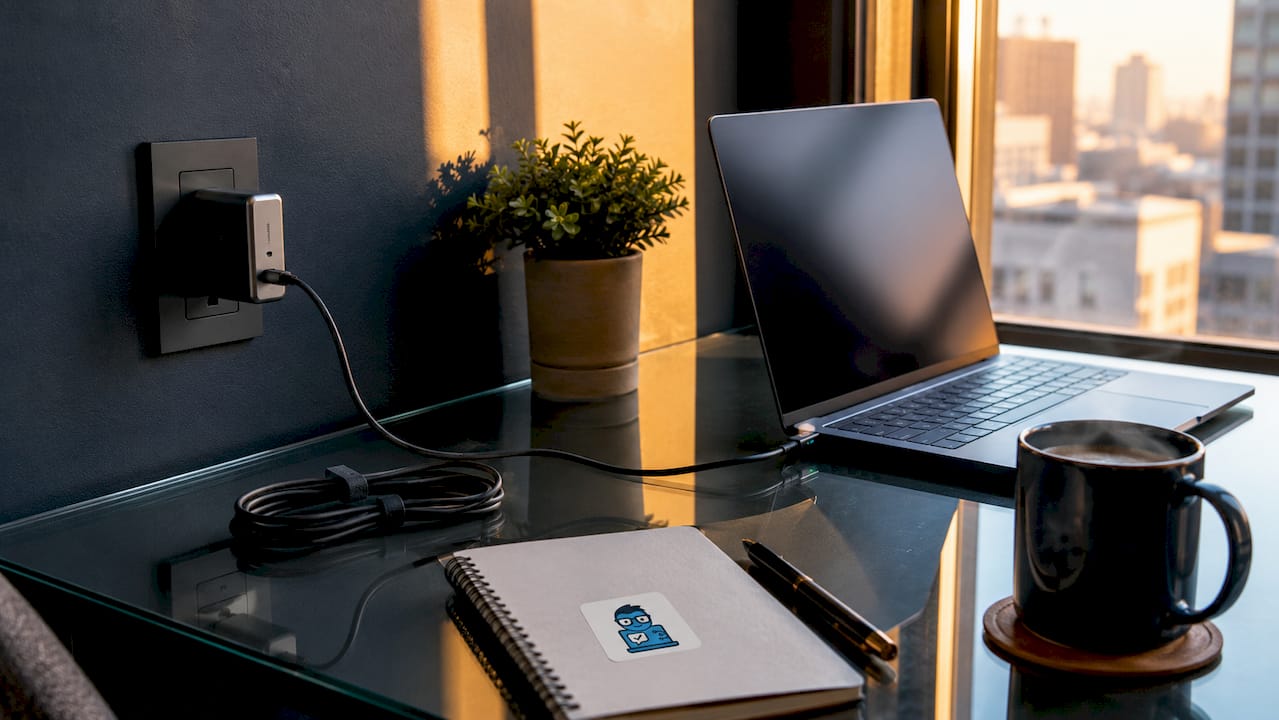
The physical footprint matters as much as the number on a scale. A 13-inch chassis fits comfortably on an airplane tray table or a café corner. A 15-inch model, even at the same weight, takes up more surface area and feels bulkier in a bag. Screen size directly shapes how usable a laptop is in tight mobile spaces.
Battery capacity determines how long you can work without hunting for an outlet. A laptop rated at 10 or more hours of real-world use gives you genuine freedom. A device rated at six hours forces you to carry a charger everywhere, which adds weight and limits where you can sit.
- Weight: Sub-1kg devices encourage spontaneous carrying and reduce shoulder fatigue on long travel days.
- Footprint: Smaller chassis (13–14 inches) fit more surfaces and pack more easily.
- Battery life: Real-world endurance above eight hours removes the need to carry a charger for most trips.
- Charger and cable weight: Charger and accessory weight can effectively double your travel load if you choose a bulky power brick.
- Durability: Lightweight materials like magnesium alloy or carbon fiber resist flex and drops without adding significant weight.
- Ergonomics: Keyboard travel depth and screen hinge stability affect comfort during extended mobile sessions.
Pro Tip: Switch to a GaN USB-C charger. These compact chargers deliver the same wattage as traditional bricks at roughly half the size and weight, which meaningfully reduces your total carry load.
Durability is often underweighted in portability discussions. A thin chassis that flexes under light pressure or a screen that wobbles on uneven surfaces will frustrate you quickly. Military-grade drop ratings, such as MIL-STD-810H, give you a useful baseline for build quality without adding bulk.
How does portability influence workflow and productivity?
Portability is a workflow enabler, not just a hardware specification. Carrying your full working context across environments, including your tools, credentials, and files, is what makes a portable laptop genuinely productive. You do not need to reconfigure a new machine or sync files every time you change locations.
For remote workers, this is particularly valuable. A laptop that moves with you from a home office to a coworking space to a client meeting keeps your workflow uninterrupted. You open the lid and you are exactly where you left off. That consistency reduces setup friction and protects focus.
“Effective portability is a workflow enabler, not just a hardware spec. It promotes flexibility, reducing setup time in multiple locations and allowing users to maintain a consistent working context whether mobile or docked.”
Students benefit from lightweight devices in a different but equally direct way. Carrying a laptop across a campus, into lecture halls, and back to a dorm room is a daily physical task. A device that weighs under 1.2kg does not become a burden after an hour of walking. A heavier model, even one with better specs, may simply get left behind.
Hybrid workflows gain the most from portable laptops paired with docking stations. You carry one compact device and plug it into a full monitor and keyboard setup at your desk via USB-C or Thunderbolt. That single connection transforms your laptop from a travel machine into a desktop replacement. The importance of port selection in this setup cannot be overstated. A laptop without Thunderbolt or USB-C limits your docking options significantly.
The trade-off is real, though. Ultra-portable models often use soldered RAM and storage, which means you cannot upgrade them later. Cloud-based backups become critical because these devices are more fragile and harder to repair than thicker machines.
What are the common trade-offs when prioritizing portability?
Choosing portability means accepting specific compromises. Understanding them before you buy prevents regret.
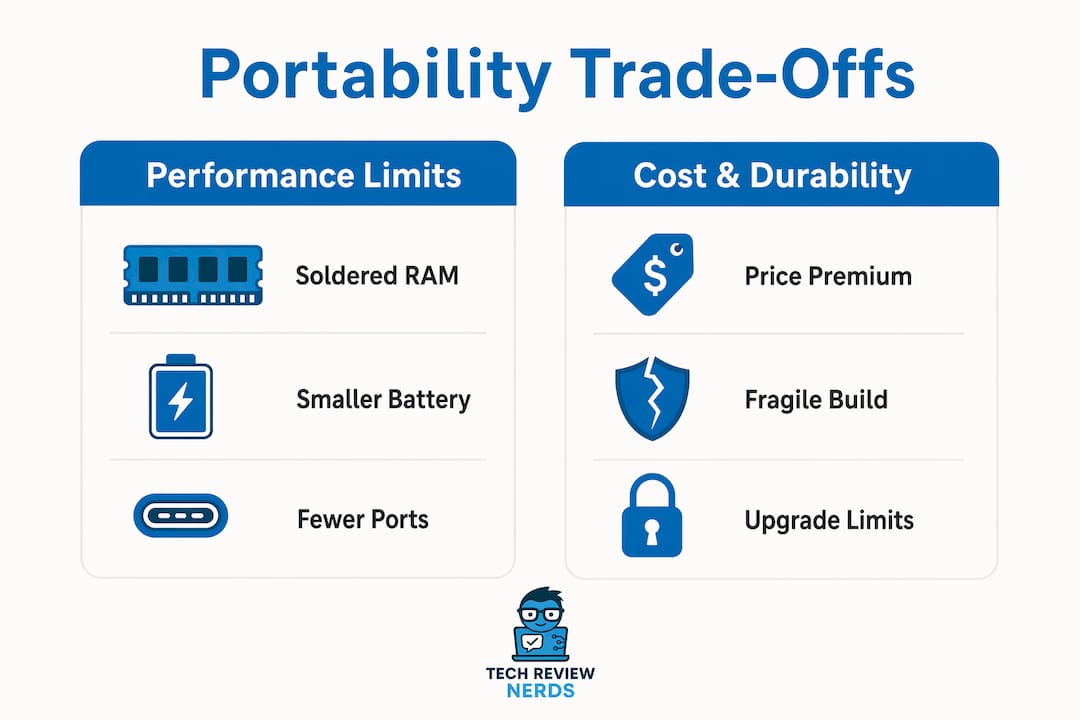
- Soldered components: Ultra-thin laptops almost always solder RAM and storage to the motherboard. Repairability is compromised in these designs, so a failed component often means replacing the entire device.
- Thermal limits: Slim chassis have less room for cooling. Under sustained heavy workloads like video rendering or 3D modeling, thin laptops throttle processor speed to manage heat. Performance drops noticeably compared to thicker machines.
- Price premium: Ultra-portable laptops command a 20–30% price premium over comparable fixed workstations. If you rarely leave your desk, that premium delivers no practical return.
- Fewer ports: Thin designs sacrifice port variety. Many sub-1kg laptops ship with only two USB-C ports, requiring a hub or dock for everyday connectivity.
- Smaller batteries: Thinner chassis limit battery cell size. Some ultra-light models sacrifice battery capacity to hit weight targets, which undercuts the mobile use case they are designed for.
Pro Tip: Before buying an ultra-portable, check whether the RAM and SSD are soldered. If they are, buy the highest configuration you can afford upfront. You will not be able to upgrade later.
The price premium deserves a closer look. A sub-1kg business laptop often costs $300–$500 more than a similarly specced 1.5kg model. For a frequent traveler, that premium buys real daily comfort. For a student who moves between a dorm and a library, a slightly heavier mid-range model may deliver better value. The features worth paying for shift depending on how often and how far you actually move.
How to balance portability with performance for your needs?
The right balance depends on what you actually do with your laptop, not what you imagine you might do. Honest self-assessment here saves money and frustration.
| User type | Recommended weight | Key priority | Trade-off accepted |
|---|---|---|---|
| Frequent traveler | Under 1.2kg | Battery life and build quality | Fewer ports, higher price |
| Remote worker | 1.2–1.5kg | Thunderbolt dock compatibility | Slightly heavier carry |
| Student | 1.3–1.6kg | Durability and screen brightness | Mid-range performance |
| Creative professional | 1.5–2kg | Thermal headroom and display quality | Heavier bag, better output |
| Occasional traveler | 1.5–2kg | Performance and upgrade options | Less convenient to carry |
Frequent travelers benefit most from sub-1kg devices, which professionals treat as a psychological and physical threshold. Crossing under 1kg changes how you relate to the device. You stop thinking about whether to bring it and just bring it. That behavioral shift has a real productivity impact.
Remote workers who split time between a home office and external locations get the most value from a 1.2–1.5kg laptop with Thunderbolt support. The laptop stays light enough to carry daily but connects to a full desk setup without friction. Pairing it with a quality docking station removes the port limitation problem entirely. The laptop vs. desktop trade-off becomes less relevant when your laptop can function as both.
Creative professionals doing video editing or graphic design need to think carefully. A 1.4kg laptop with a powerful GPU sounds ideal, but thermal throttling under sustained load can slow renders significantly. A slightly heavier 1.8kg model with better cooling may finish the same job faster and more reliably.
Screen size also shapes the balance. A 13-inch screen is genuinely portable but can feel cramped for spreadsheet work or multi-window setups. A 14-inch display hits a sweet spot for most users: large enough for comfortable work, small enough to fit most bags without forcing a compromise on chassis size.
What practical tips optimize laptop portability for everyday use?
Optimizing portability is as much about your habits and accessories as it is about the laptop itself.
- Use a GaN USB-C charger. GaN technology delivers full charging wattage in a charger roughly the size of a large phone adapter. This single swap can cut charger weight by more than half.
- Limit your accessory set. Every dongle, cable, and peripheral adds weight. Carry only what you need for the day. A USB-C hub with four ports covers most needs without filling your bag.
- Choose a lightweight sleeve or case. A thin neoprene sleeve adds minimal weight and protects against scratches. A hard-shell case adds protection but also adds 300–500g. Match your case to your actual risk level.
- Use cloud storage actively. Services like Google Drive, iCloud, or OneDrive keep your critical files accessible even if your laptop is lost, stolen, or damaged. This is especially important for ultra-portable models with soldered storage.
- Plan your cable ecosystem around USB-C. A laptop that charges via USB-C means one cable type handles power, data, and display output. That simplicity reduces what you need to carry.
Pro Tip: Pack your bag the night before a travel day and weigh it. Most people are surprised by how much accessories add. That exercise usually reveals two or three items you can leave behind.
Remote access tools like Chrome Remote Desktop or Microsoft Remote Desktop let you access a more powerful home machine from your portable laptop. This approach lets you carry a light device while still running demanding software when needed. It is a practical middle ground for users who need occasional heavy compute but do not want to carry a thick machine every day.
Key Takeaways
Portability in laptop selection is a multi-factor decision: weight, battery life, charger size, durability, and workflow compatibility all determine whether a device is genuinely mobile or just technically light.
| Point | Details |
|---|---|
| Weight threshold matters | Sub-1kg devices change user behavior, encouraging spontaneous carrying and reducing daily fatigue. |
| Accessories affect total load | Charger and cable weight can double your effective travel burden; GaN USB-C chargers solve this directly. |
| Trade-offs are real | Ultra-portable laptops sacrifice repairability, thermal headroom, and port variety for their size advantage. |
| Hybrid setups extend value | A portable laptop paired with a Thunderbolt dock serves as both a travel machine and a full desktop replacement. |
| Match weight to use frequency | Frequent travelers benefit from sub-1.2kg devices; occasional travelers get better value from slightly heavier, more capable models. |
Why I think the 1kg mark is more than just a number
I have carried a lot of laptops over the years, and the shift from a 1.4kg device to a sub-1kg machine felt more significant than I expected. It is not just about shoulder strain. It is about the mental calculation you make every morning. With a heavier laptop, you weigh whether you actually need it for the day. With a sub-1kg device, you just put it in your bag without thinking. That automatic behavior change is where the real productivity gain lives.
That said, I have also seen people chase minimum weight and end up with a machine that frustrates them daily. A 900g laptop with a keyboard that bottoms out after two hours of typing, a screen that washes out in sunlight, and a battery that dies at 4:00 PM is not a portable productivity tool. It is a compromise that costs more than a better-balanced option.
My honest recommendation is to prioritize battery life and build quality over raw weight once you are below 1.4kg. The difference between 1.1kg and 1.3kg is negligible in a bag. The difference between six hours and ten hours of battery life is enormous in a coffee shop. I have also learned to treat cloud backup as non-negotiable on any ultra-portable. These devices are harder to repair and easier to damage. One bad drop should not cost you a week of work.
The hybrid dock setup changed how I think about portability entirely. Carrying a light laptop and plugging it into a monitor and keyboard at a desk gives you the best of both worlds without the compromises of a heavy machine. If you work from a consistent home base and travel occasionally, this setup is worth serious consideration. Check Techreviewnerds’ remote work specs guide if you want a deeper look at what specs actually move the needle for mobile productivity.
— K. Connors
Techreviewnerds’ top picks for portable laptops
Finding a laptop that genuinely balances portability and performance takes more than reading a spec sheet. Techreviewnerds tests devices hands-on, in real conditions, to give you recommendations grounded in actual use rather than marketing claims.

The laptop reviews at Techreviewnerds cover the full range from ultra-light business machines to mid-range options that balance weight and capability for students and remote workers. Each review addresses battery life, build quality, thermal performance, and port selection, which are the factors that determine real-world portability. If you are narrowing down your options, the best mid-range laptop guide is a solid starting point for finding a device that does not force you to choose between a light bag and a capable machine.
FAQ
What does portability mean in laptop selection?
Portability in laptop selection refers to how easily a device supports movement across environments, factoring in weight, battery life, charger size, and durability. It is not defined by weight alone.
Is a sub-1kg laptop worth the price premium?
Ultra-portable laptops carry a 20–30% price premium over comparable heavier models. For frequent travelers, that premium is justified; for occasional travelers or desk-bound users, a slightly heavier mid-range model delivers better value.
How does battery life affect laptop portability?
Battery life directly determines how mobile a laptop actually is. A device with under six hours of real-world endurance requires a charger for most workdays, which adds weight and limits where you can work.
Can a portable laptop replace a desktop for demanding work?
A portable laptop paired with a Thunderbolt docking station can serve as a desktop replacement for most professional workloads. Hybrid dock setups let one device handle both mobile and stationary use without requiring a separate desktop machine.
What accessories most affect total travel weight?
The charger and cable set adds the most weight after the laptop itself. Switching to a GaN USB-C charger and a compact USB-C hub reduces accessory bulk significantly, making the total carry load much lighter than the laptop weight alone suggests.