
What are the best streaming devices you can buy right now?
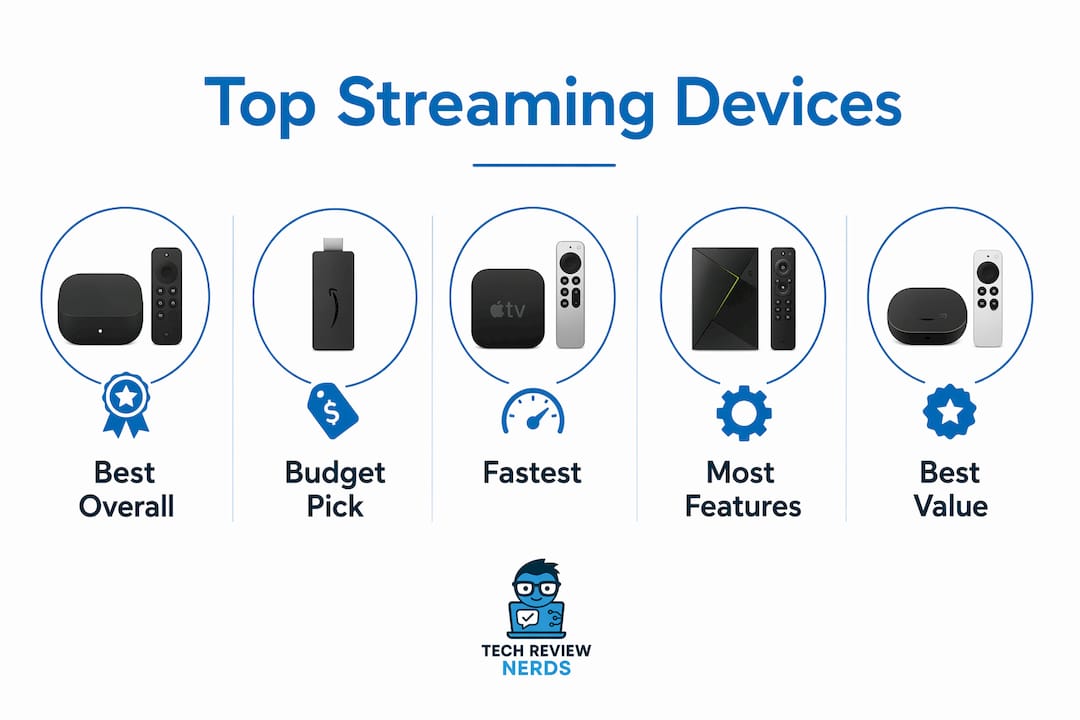
The Roku Ultra is considered one of the best all-around streaming devices for most people. It delivers fast 4K performance, a clean interface, and a rechargeable remote with a lost-remote finder, without locking you into a single ecosystem. If budget is the priority, the Amazon Fire TV Stick HD is an affordable option and handles HD streaming well. At the premium end, the Apple TV 4K (3rd Gen) is regarded as a fast and polished set-top box, especially suitable for those in the Apple ecosystem.
The table below covers every major option across price tiers, use cases, and key features so you can find your fit at a glance.
| Device | Price Category | Best For | Key Features | Ease of Use | Ecosystem | Performance | App Support | Remote Features |
|---|---|---|---|---|---|---|---|---|
| Google TV Streamer (4K) | Mid-range | Google ecosystem users | 4K HDR, Dolby Vision, Dolby Atmos, Ethernet, Google Assistant | Excellent | Google/Android | Very fast | Excellent | Voice search, TV control |
| Onn Google TV 4K Pro | Budget | Value-conscious Google users | 4K, Google TV OS, Google Assistant | Good | Google/Android | Good | Very good | Voice control |
| Roku Streaming Stick 4K | Budget-mid | Simple, portable 4K streaming | 4K, Dolby Vision, compact stick | Very easy | Content-agnostic | Good | Excellent | Voice, TV control |
| Amazon Fire TV Stick 4K Plus | Budget-mid | Amazon/Alexa users | 4K, Dolby Vision, Atmos, Wi-Fi 6E | Easy | Amazon/Alexa | Good | Very good | Alexa voice, TV control |
| Apple TV 4K (3rd Gen) | Premium | Apple ecosystem, AirPlay users | 4K, Dolby Vision, Atmos, A15 chip, Thread | Excellent | Apple/HomeKit | Fastest | Excellent | Siri, gyroscope remote |
| Roku Ultra (2024) | Premium | Best Roku experience | 4K, Dolby Vision, Ethernet, rechargeable remote | Very easy | Content-agnostic | Very fast | Excellent | Lost-remote finder, voice |
| Amazon Fire TV Stick HD (2026) | Budget | Basic HD streaming | 1080p, HDR10+, Wi-Fi 5, Alexa | Easy | Amazon/Alexa | Adequate | Good | Alexa voice, TV control |
| Amazon Fire TV Cube (3rd Gen) | Premium | Smart home/Alexa power users | 4K, hands-free Alexa, Ethernet, USB-A | Easy | Amazon/Alexa | Very fast | Excellent | Hands-free voice, TV control |
| Roku Streaming Stick Plus (2025) | Mid-range | Roku upgrade seekers | 4K, HDR, AirPlay 2, compact | Very easy | Content-agnostic | Good | Excellent | Voice, TV control |
| Apple TV 4K (2022) | Premium (discounted) | Apple users on a budget | 4K, Dolby Vision, A15 chip | Excellent | Apple/HomeKit | Very fast | Excellent | Siri remote |
| Sky Stream | Mid-range | Regional/Sky subscribers | Sky content, 4K, voice control | Good | Sky ecosystem | Good | Regional focus | Voice, TV control |
| Amazon Fire TV Stick 4K Max | Mid-range | Amazon power users | 4K, Wi-Fi 6E, Dolby Vision, Atmos | Easy | Amazon/Alexa | Fast | Very good | Alexa voice, TV control |
| Roku Ultra | Premium | Premium Roku users | 4K, Dolby Vision, Ethernet, rechargeable remote | Very easy | Content-agnostic | Very fast | Excellent | Lost-remote finder, voice |
| Apple TV 4K (3rd Generation) | Premium | Apple ecosystem users | 4K, Dolby Vision, A15 Bionic, Thread | Excellent | Apple/HomeKit | Fastest | Excellent | Siri, gyroscope remote |
A few quick verdicts before diving deeper. The Google TV Streamer (4K) earns its top recommendation from Wirecutter for its modern interface and advanced search. The Roku Streaming Stick 4K is the go-to compact option for anyone who wants simplicity without sacrificing 4K and Dolby Vision. The Amazon Fire TV Cube (3rd Gen) is the only device that genuinely replaces a smart speaker and streamer in one box.
In-depth reviews of the leading streaming devices
Google TV Streamer (4K)
The Google TV Streamer replaced the Chromecast line recently, and the upgrade includes a new form factor sitting on a TV stand, improved thermal management, and an Ethernet port for wired connections. The interface is genuinely one of the best in the category: Google TV surfaces content across all your apps in a unified feed, and the search function pulls results from dozens of services simultaneously. Dolby Vision and Dolby Atmos support are both present, and Google Assistant handles voice queries with more contextual depth than most competitors.
Pros: Excellent unified search, Ethernet port, strong 4K HDR support, Google Home integration, wireless headphone support via Bluetooth.
Cons: The device has a premium price point compared to previous Chromecast models and does not support 8K. Google Assistant dependency may not suit non-Google households.
Onn Google TV 4K Pro
Walmart’s Onn Google TV 4K Pro is the budget pick for anyone who wants the Google TV experience without paying full price. It runs the same Google TV OS as the Google TV Streamer, so the interface and app library are identical. Performance is a step below the Google TV Streamer, but for everyday streaming of Netflix, Disney+, and YouTube, the difference is barely noticeable. It’s the most affordable path into the Google ecosystem.
Pros: Very low price, full Google TV OS, 4K support, Google Assistant.
Cons: Slower processor than premium options, no Ethernet port, build quality reflects the price.
Roku Streaming Stick 4K
The Roku Streaming Stick 4K is the device I’d hand to someone who just wants things to work. Roku’s interface is famously uncluttered: a simple column of categories on the left, an app grid on the right, and a search function that spans every installed app at once. Dolby Vision support is a genuine differentiator at this price point. The stick hides behind your TV and draws power from a USB port, so there’s no wall adapter to manage.
Pros: Dolby Vision, clean interface, broad app library, portable, no wall adapter needed.
Cons: No Ethernet, no Dolby Atmos, remote lacks some premium features found on the Roku Ultra.
Amazon Fire TV Stick 4K Plus
Amazon’s Fire TV Stick 4K Plus is the strongest value in the Amazon ecosystem. Wi-Fi 6E support gives it a connectivity edge over many competitors, and Alexa integration is deep: you can control smart home devices, check the weather, and search for content entirely by voice. The interface leans heavily on Amazon Prime Video recommendations, which suits Prime subscribers but can feel pushy for everyone else.
Pros: Wi-Fi 6E, Dolby Vision, Dolby Atmos, strong Alexa integration, 4K HDR.
Cons: Interface is Amazon-centric, ads on the home screen, no Ethernet.
Apple TV 4K (3rd Gen)
The Apple TV 4K (3rd Gen) is the fastest streaming device you can buy. The A15 Bionic chip, the same processor found in the iPhone 13 series, handles 4K HDR content, gaming, and multitasking without any perceptible lag. The Siri remote is a genuine pleasure to use, with a clickpad, gyroscope for gaming, and a mute button. AirPlay lets you beam content from any Apple device to your TV instantly. HomeKit and Thread support make it the natural hub for Apple smart home setups.
Pros: Fastest performance, AirPlay 2, HomeKit/Thread, ad-free home screen, excellent remote.
Cons: Most expensive option, full value only realized within the Apple ecosystem, no Amazon Prime Video app natively (though this has since been resolved).
Roku Ultra (2026)
The Roku Ultra is the device I actually use in my own living room, and it earns that spot. The rechargeable remote with a lost-remote finder is a small feature that turns out to matter more than you’d expect. Ethernet connectivity means rock-solid streaming even when Wi-Fi is congested. Roku’s platform is content-agnostic in a way no other major ecosystem is: it doesn’t push its own subscription service above others, so the home screen feels genuinely neutral. App support is the widest of any platform, including niche library apps like Hoopla and Kanopy that are missing from Samsung and LG smart TVs.
Pros: Ethernet, rechargeable remote, lost-remote finder, widest app library, content-neutral interface, 4K Dolby Vision.
Cons: Higher price than Roku sticks, no built-in voice speaker, Roku’s smart home ecosystem is smaller than Amazon’s or Google’s.
Amazon Fire TV Stick HD (2026)
At around $18 on sale, the Amazon Fire TV Stick HD is the easiest recommendation for anyone on a tight budget who doesn’t own a 4K TV. It handles 1080p with HDR10+ support, streams every major service, and includes Alexa voice control. The performance is adequate rather than impressive, but for a second bedroom or a guest TV, it’s hard to argue against the price.
Pros: Extremely affordable, Alexa voice control, HDR10+, compact.
Cons: No 4K, no Dolby Vision, slower processor, Amazon-heavy interface.
Amazon Fire TV Cube (3rd Gen)
The Fire TV Cube is the most capable device Amazon makes. It combines a full Fire TV streamer with a built-in Alexa speaker, so you can control your TV, soundbar, and smart home devices entirely hands-free without touching a remote. The USB-A port supports external storage or a USB camera for video calls. Ethernet is included. For a smart home user who wants Alexa at the center of everything, nothing else comes close.
Pros: Hands-free Alexa, Ethernet, USB-A port, 4K Dolby Vision and Atmos, fastest Fire TV processor.
Cons: Most expensive Fire TV device, overkill for casual streamers, bulkier than sticks.
Roku Streaming Stick Plus (2026)
The Roku Streaming Stick Plus (2025) slots between the Streaming Stick 4K and the Roku Ultra in both price and features. It supports 4K, HDR, and AirPlay 2, and it works with Alexa, Google Home, and HomeKit simultaneously, which is unusual for a mid-range stick. The slim design hides behind the TV and draws power from a USB port. For someone upgrading from a basic HD stick, it’s a meaningful step up without the premium price.
Pros: AirPlay 2, multi-ecosystem compatibility, 4K HDR, compact, no wall adapter needed.
Cons: No Dolby Vision, no Ethernet, not as fast as the Roku Ultra.
Apple TV 4K (2026)
The 2022 Apple TV 4K runs the same A15 Bionic chip as the current model and supports every major Apple feature including AirPlay 2, HomeKit, and Thread. The main difference from the 3rd Gen is the remote, which on the 2022 model lacks the gyroscope. At a lower price than the current generation, it’s the right call for Apple users who want the ecosystem without paying the top-tier premium.
Pros: A15 chip, AirPlay 2, HomeKit, Dolby Vision, strong performance.
Cons: Remote lacks gyroscope, slightly older software support timeline, still more expensive than most competitors.
Sky Stream
Sky Stream is a niche pick aimed squarely at Sky subscribers in markets where Sky content is available. It integrates Sky’s own streaming library with access to popular apps, and voice control is included. Outside of Sky’s ecosystem, it offers less flexibility than Roku or Fire TV devices. For consumers with a Sky subscription who want a single box that handles everything, it works well. For everyone else, the broader platforms are a better fit.
Amazon Fire TV Stick 4K Max
The Fire TV Stick 4K Max is Amazon’s fastest stick, with a more powerful processor than the standard 4K Plus and Wi-Fi 6E for low-latency wireless connections. Dolby Vision, Dolby Atmos, and HDR10+ are all supported. It’s the right pick for Amazon ecosystem users who want the best stick performance without stepping up to the Fire TV Cube.
Pros: Fastest Fire TV stick processor, Wi-Fi 6E, Dolby Vision, Dolby Atmos, strong Alexa integration.
Cons: Amazon-centric interface, no Ethernet, ads on home screen.
Roku Ultra and Apple TV 4K (3rd Generation)
The Roku Ultra and Apple TV 4K (3rd Generation) appear in multiple configurations across the product lineup. The Roku Ultra in its current form is covered in the 2024 section above. The Apple TV 4K (3rd Generation) is the same device as the 3rd Gen reviewed earlier: A15 Bionic, Dolby Vision, AirPlay 2, and the gyroscope-equipped Siri remote. Both remain among the top two or three devices in the category regardless of the year they were released.
How Techreviewnerds tests and selects streaming devices
Techreviewnerds evaluates streaming devices through hands-on use across real-world conditions, not controlled lab benchmarks alone. Every device gets connected to a 4K HDR display and tested across the same set of tasks: launching apps, searching for content, navigating menus, and switching between services. Load times, interface responsiveness, and remote accuracy are all assessed subjectively and compared against the field.
The testing process covers these parameters:
- Speed and responsiveness: How quickly apps launch, how smoothly menus animate, and how fast voice search returns results.
- App library completeness: Whether niche apps like Hoopla, Kanopy, and Channels DVR are available, not just the major services.
- Ease of setup: Time from box-open to first stream, including account sign-in and Wi-Fi configuration.
- Connectivity options: Wi-Fi standard (5 vs. 6 vs. 6E), Ethernet availability, and Bluetooth for headphones or remotes.
- Format support: 4K, HDR10, HDR10+, Dolby Vision, and Dolby Atmos compatibility verified against actual content.
- Remote quality: Button layout, voice control accuracy, TV power and volume control, and any premium features like lost-remote finders or gyroscopes.
- Ecosystem integration: How well the device connects with smart home platforms, voice assistants, and other devices in the same ecosystem.
- Value weighting: Price is factored against performance tier, so a $20 device is judged against $20 alternatives, not against the Apple TV 4K.
Devices are used for extended periods across multiple content types, including live sports, 4K movies, and free ad-supported TV. Picks are updated when new hardware releases or when a previously recommended device falls behind on software updates.
How to choose the best streaming device for your needs
The single most important question is which ecosystem you already live in. If your phone is an iPhone, you use AirPods, and your home runs HomeKit, the Apple TV 4K is the obvious choice because AirPlay, Siri, and HomeKit integration work natively without any configuration. If you’re deep in Amazon with Echo speakers and Ring cameras, the Fire TV Cube or Fire TV Stick 4K Max will feel like a natural extension of that setup. Google and Android users get the most from the Google TV Streamer, where Google Photos, Google Assistant, and Google Home all connect without friction. Roku is the exception: it doesn’t push its own ecosystem, which makes it the best choice for anyone who wants a neutral platform that works equally well with Alexa, Google Home, and HomeKit simultaneously.
Form factor matters more than most buyers expect. Sticks are compact, portable, and easy to move between TVs or take on trips. Set-top boxes like the Apple TV 4K, Google TV Streamer, and Fire TV Cube offer better thermal management, more ports, and generally faster processors because they have more physical space for cooling and components. If you travel frequently or want a device for a secondary TV, a stick is the practical choice. For your primary home theater setup, a set-top box usually delivers a noticeably smoother experience over time.
Format support is worth checking before you buy. If your TV supports Dolby Vision, confirm the device does too: the Roku Streaming Stick 4K and Amazon Fire TV Stick 4K Plus both include it, while the base Amazon Fire TV Stick HD does not. Dolby Atmos for immersive audio is similarly worth verifying if you have a compatible soundbar or AV receiver. Streaming devices often support advanced formats like Dolby Vision and Dolby Atmos that entry-level smart TV apps sometimes lack, so the device can actually unlock picture and sound quality your TV is capable of but wasn’t delivering.
No streaming device carries every app. Before committing to a platform, check that your must-have services are available. Niche apps like Hoopla, Kanopy, and certain sports packages are present on Roku and Fire TV but absent from some smart TV platforms. Regional services and international content apps vary by platform and sometimes by country, so verify app availability before purchasing rather than assuming everything is covered.
Pro Tip: If your smart TV is more than three or four years old, adding a $40–$100 streaming device is almost always a better investment than buying a new TV. Smart TV processors tend to slow down and manufacturers often stop pushing updates after a few years, which means apps start breaking. A standalone streamer extends your TV’s useful life and keeps the software current.
Connectivity is the last practical check. Most sticks use Wi-Fi 5 or 6, which is fine for most households. If your router is far from your TV or you share bandwidth with multiple users, a device with Wi-Fi 6E (like the Fire TV Stick 4K Max or 4K Plus) or an Ethernet port (like the Roku Ultra, Google TV Streamer, or Fire TV Cube) will give you a more stable connection for 4K content.
Which streaming ecosystem actually fits your life?
Ecosystem fit is the factor that separates a device you love from one that just works. Device choice largely depends on which digital ecosystem you’re already invested in, and matching device to ecosystem yields the best voice assistant and smart home integration.
Google TV is the strongest platform for unified content discovery. The interface aggregates recommendations from all your installed apps into a single feed, so you’re not hunting through individual apps to find something to watch. Google Assistant handles both entertainment queries and smart home commands, and Google Home devices connect natively. Android phone users also get the bonus of Google Photos slideshows in ambient mode and easy content casting from their phone.
Apple TV is the most polished experience for iPhone and Mac users, but it’s also the most closed. AirPlay 2 lets you beam video, audio, or your screen from any Apple device to your TV instantly. HomeKit and Thread make it a capable smart home hub. The home screen is the only major streaming platform with no ads, which is a genuine quality-of-life difference. The trade-off is that the full value only materializes if you’re already in the Apple ecosystem.
Amazon Fire TV suits households where Alexa is already central. The Fire TV Cube takes this furthest: it’s the only streaming device that functions as a full Alexa speaker, so you can control your TV, lights, thermostat, and security cameras entirely by voice. The Fire TV interface surfaces Amazon Prime Video prominently, which works well for Prime subscribers but feels like a constant upsell for everyone else.
Roku is the most content-neutral platform available. It doesn’t have a subscription service to promote, so the home screen treats Netflix, Disney+, Peacock, and The Roku Channel equally. Roku also has the widest app library of any platform, including library streaming apps and niche sports services that are absent from competing platforms. The interface is simple enough for less tech-savvy users while still offering enough depth for power users who want to customize their setup.
For users who move between TVs or travel frequently, standalone streaming devices provide a consistent interface across locations, keeping app logins and preferences intact in a way that built-in TV apps simply cannot match. You plug in, connect to Wi-Fi, and your entire setup is exactly where you left it.
Smart TV built-in apps are worth using if your TV is recent and fast. But smart TV processors are usually weaker than those in dedicated streamers, and manufacturers often stop pushing updates after a few years, which causes apps to break or fall behind. A $40–$100 standalone streamer sidesteps that problem entirely and can extend the useful life of a TV by years.
Key Takeaways
The Roku Ultra is the best all-around streaming device for most people in 2026, combining a content-neutral interface, wide app support, Ethernet connectivity, and a rechargeable remote with a lost-remote finder.
| Point | Details |
|---|---|
| Best overall pick | Roku Ultra delivers the widest app library, Ethernet, and a rechargeable remote at a premium-but-fair price. |
| Best budget option | Amazon Fire TV Stick HD handles 1080p streaming for as little as $18, making it ideal for secondary TVs. |
| Ecosystem alignment matters | Match your device to your existing ecosystem: Apple TV for iPhone users, Fire TV for Alexa households, Google TV for Android users, Roku for everyone else. |
| Standalone streamers outlast smart TV apps | Smart TV platforms often stop receiving updates after a few years; a dedicated streamer keeps software current and apps working longer. |
| Techreviewnerds recommendation | Techreviewnerds covers all major streaming devices with hands-on, independent reviews to help you find the right fit without paid placement bias. |
The case for independent testing in streaming device reviews
Most streaming device coverage online reads like a reordered press release. The specs are accurate, the photos are clean, and the verdict lands on whatever device the publication has an affiliate arrangement with. I’ve spent enough time with these products to know that the gap between a spec sheet and daily use is where the real differences live.
The lost-remote finder on the Roku Ultra sounds like a gimmick until you’ve spent three minutes hunting for a remote that slid under a couch cushion. The Apple TV 4K’s ad-free home screen sounds like a minor detail until you’ve used a Fire TV for a week and noticed how much mental space the promotional tiles consume. These are the things that don’t show up in a comparison table but absolutely shape how much you enjoy a device six months after buying it.
What I think gets underestimated in most streaming device coverage is the long-term software question. A device that performs well on launch day is table stakes. The more useful question is: will this platform still be getting updates and new apps in three years? Roku and Apple have the strongest track records here. Amazon updates Fire TV regularly. Google TV is improving. The weakest link is almost always the built-in smart TV platform, which is why I consistently recommend a standalone streamer for anyone whose TV is more than a few years old.
The other thing worth saying plainly: no single device has every streaming service. That’s not a flaw in any particular product; it’s just the reality of a fragmented content market. Before you buy, spend five minutes checking that your three or four most-used apps are available on the platform you’re considering. That check takes less time than returning a device.
Techreviewnerds makes your next tech purchase easier
Picking a streaming device is one decision. Picking a laptop, a set of headphones, or a home theater setup involves dozens more, and the volume of conflicting information online makes every choice harder than it needs to be. Techreviewnerds cuts through that by publishing independent, hands-on tech reviews built on real use, not paid placements or manufacturer talking points.

Every review on the site reflects the same approach used in this guide: test the product in real conditions, weigh the trade-offs honestly, and give you a clear recommendation you can act on. Whether you’re comparing streaming gadgets, looking for your next laptop, or trying to figure out which tech gear is actually worth the money, Techreviewnerds has the coverage to help you decide faster and spend smarter. Browse the full tech guide library to find curated picks across every major category.
FAQ
What is the best streaming device overall in 2026?
The Roku Ultra is the best all-around choice for most people, offering wide app support, Ethernet connectivity, a rechargeable remote with a lost-remote finder, and a content-neutral interface that doesn’t favor any single subscription service.
Is there a streaming device that has every streaming service?
No single streaming device carries every app. App availability varies by platform and region, so you should verify your must-have services are supported before buying. Roku has the widest library overall, including niche apps absent from many smart TV platforms.
Is a streaming device better than my smart TV’s built-in apps?
Usually yes, especially on an older TV. Smart TV platforms tend to slow down and lose app support after a few years, while standalone streamers continue receiving updates and keep apps working longer. On a new, fast smart TV, the built-in apps are fine until they start to age.
Is there a better option than Roku?
It depends on your ecosystem. The Apple TV 4K (3rd Gen) is faster and more polished for Apple users. The Google TV Streamer offers better content discovery for Google and Android households. The Amazon Fire TV Cube is the stronger pick for Alexa-centric smart homes. Roku remains the best neutral platform for users who aren’t committed to any single ecosystem.
What’s the difference between a streaming stick and a set-top box?
Sticks are compact, hide behind your TV, and are easy to move or travel with. Set-top boxes like the Apple TV 4K, Google TV Streamer, and Fire TV Cube sit on a surface, offer better thermal management, include Ethernet ports, and generally run faster processors because they have more physical space for components.