
An operating system is defined as the core software that manages a computer’s hardware, memory, and applications, making every digital task a student performs possible. Without it, no program runs, no file saves, and no lecture streams. Understanding why operating system matters for students goes well beyond passing a computer science exam. The OS shapes your daily workflow, determines which academic software you can run, and stands between your personal data and real security threats. Whether you use Windows 11, a Linux educational distro, or macOS, the OS you run directly affects how productive and protected you are throughout your studies.
Why operating system matters for students: resource management explained
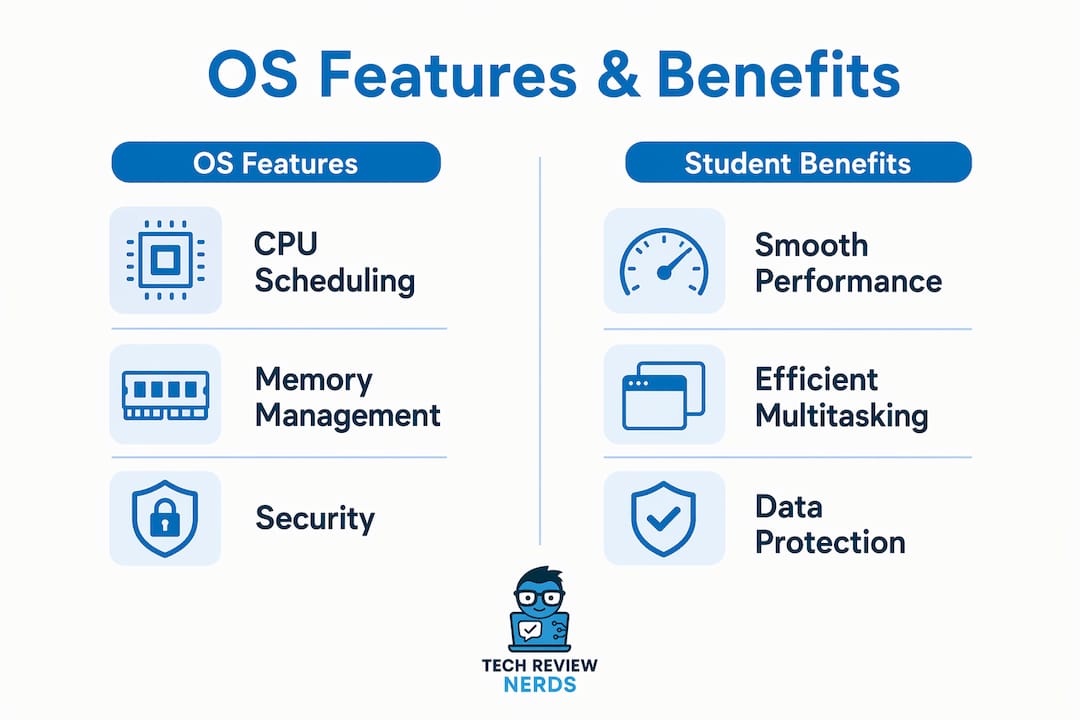
The OS is the active manager of every hardware resource your laptop owns. CPU, memory, and storage are allocated dynamically so that no single application hogs everything and crashes your session. That matters enormously when you are juggling a browser with twelve tabs, a video lecture, a PDF annotator, and a note-taking app at the same time.
Multitasking works because the OS switches between processes so rapidly that all programs appear to run at once. A student workload routinely demands this kind of rapid switching. Without proper process scheduling, opening Zoom while running a code compiler would freeze your machine entirely.

Memory management is the quieter hero of the OS. The system decides which data stays in fast RAM and which gets temporarily written to disk. If you have ever noticed your laptop slow down after opening too many apps, that is the OS hitting its memory ceiling. Understanding why RAM matters for your device helps you make smarter hardware choices before the semester starts.
| OS function | What it does | Student benefit |
|---|---|---|
| CPU scheduling | Distributes processor time across active programs | Prevents freezes during multitasking |
| Memory allocation | Assigns RAM to each running application | Keeps apps responsive under heavy load |
| Storage management | Reads and writes files efficiently | Faster saves and file access |
| Process isolation | Keeps apps from interfering with each other | Stops one crash from killing your whole session |
| Security monitoring | Scans for threats in real time | Protects academic data continuously |
Pro Tip: Close background apps you are not actively using. The OS still allocates CPU cycles to idle programs, and trimming that list can noticeably speed up your study sessions on mid-range hardware.
Why security features in your OS are non-negotiable
Modern operating systems like Windows 11 and specialized Linux educational distros provide real-time threat monitoring and automatic security updates. That combination is not a luxury. It is the baseline protection your academic data requires in 2026.
Students store sensitive material on their devices constantly: research drafts, financial aid documents, login credentials for university portals, and personal health records. A compromised OS exposes all of it. Security features built into the OS work continuously in the background, so you do not have to think about them during a deadline crunch.
Hardware requirements matter here too. The 2026 benchmark recommends at least 4GB of RAM and 20GB of free disk space for baseline operation, with 8GB of RAM and 50GB of disk space for a genuinely smooth and secure experience. Running below those thresholds forces the OS to cut corners, and security processes are often the first to suffer.
Some advanced educational OS platforms comply with FERPA by storing data locally in the browser rather than routing it through cloud servers. That approach improves both privacy and load speed, which matters when your university’s Wi-Fi is unreliable.
Key OS security benefits for students:
- Automatic updates patch vulnerabilities before attackers can exploit them
- Built-in firewalls block unauthorized network access on public campus Wi-Fi
- Encrypted storage protects files if your laptop is lost or stolen
- User account controls prevent malware from gaining system-level access
- Real-time threat scanning catches suspicious activity before it spreads
Pro Tip: Enable automatic OS updates even if they feel inconvenient. Most successful malware attacks target known vulnerabilities that patches already fixed weeks earlier.
How OS knowledge improves academic performance in IT courses
Operating system concepts are among the most challenging topics in computer science curricula, and AI-augmented teaching assistants are now being used to personalize instruction on exactly these subjects. Mastering them does not just help you pass exams. It builds the mental model you need to debug real systems, write better code, and design software that actually works under load.
The core concepts every IT student needs to understand include:
- Process scheduling: how the OS decides which task gets CPU time and when
- Virtual memory: how the system extends usable RAM by borrowing disk space
- File management: how data is organized, accessed, and protected on storage devices
- Interprocess communication: how separate programs share data safely
- Deadlock prevention: how the OS avoids situations where two processes permanently block each other
Students often perceive these topics as abstract theory with no connection to real work. That perception is wrong. Relatable analogies make the concepts click fast. Think of the OS as a school principal. Processes are students. The CPU is the single classroom. The principal decides who enters the classroom and for how long, making sure no one monopolizes the space or disrupts others. That mental model maps directly onto process scheduling and priority queues.
Understanding OS modular design also gives advanced students a practical edge. When you know how the kernel, device drivers, and user space interact, you can customize your learning setup or troubleshoot software conflicts without waiting for IT support. That kind of technical independence compounds over a four-year degree.
AI tools are changing how students learn these concepts. Personalized teaching assistants can identify where a student’s understanding breaks down, whether at memory paging or CPU context switching, and adjust explanations accordingly. That targeted feedback loop accelerates comprehension in ways a single lecture cannot.
Which OS works best for students?
The OS provides the user interface that shapes every interaction you have with your computer. Choosing the right one affects how quickly you can work, which software you can install, and how long your battery lasts during a full day of classes.
Cross-platform compatibility through standardized APIs means most major educational tools now run on Windows, Linux, and macOS. Still, each OS has real differences that affect student life in practical ways.
| OS | Strengths for students | Considerations |
|---|---|---|
| Windows 11 | Widest software compatibility, familiar interface, strong gaming and creative tool support | Higher RAM and storage demands; telemetry runs in background |
| Linux educational distros | Lightweight, privacy-focused, excellent for programming coursework | Steeper learning curve; some proprietary apps unavailable |
| macOS | Polished interface, strong build quality on Apple hardware, good for design and media courses | Higher hardware cost; less flexibility for customization |
Linux educational distros deserve more credit than they typically receive. Removing telemetry and reducing background CPU use can cut typical background CPU usage by 5–10%, which translates directly into longer battery life during study sessions. For students using older or budget laptops, that difference is meaningful across a full semester.
Windows 11 remains the most compatible choice for students who need to run a wide range of software, from Microsoft 365 to engineering simulation tools. Its security features have improved substantially, and its integration with cloud-based educational platforms is reliable. The tradeoff is that it demands more hardware to run well.
macOS suits students in design, film, music production, and similar creative fields where the software ecosystem and hardware quality justify the cost. For general academic use, it performs well but offers less flexibility than the other two options.
Pro Tip: If you are buying a new laptop for college, check which OS your department’s required software supports before committing to a device. Some engineering and science programs still rely on Windows-only applications.
You can find detailed laptop reviews for students at Techreviewnerds, covering OS compatibility alongside real-world performance data.
Key Takeaways
The operating system is the single most important software layer on any student’s device, directly controlling performance, security, and compatibility with academic tools.
| Point | Details |
|---|---|
| OS manages all resources | CPU, RAM, and storage allocation determine how smoothly you multitask during study sessions. |
| Security is built in | Windows 11 and Linux distros offer real-time threat monitoring that protects sensitive academic data automatically. |
| Hardware minimums matter | At least 8GB of RAM and 50GB of free disk space are recommended for smooth, secure student computing in 2026. |
| OS knowledge boosts IT grades | Mastering process scheduling, virtual memory, and file management improves both exam results and practical skills. |
| OS choice shapes your workflow | Windows 11 offers the widest compatibility; Linux distros extend battery life; macOS suits creative programs. |
The part students consistently underestimate
I’ve spent a lot of time testing laptops and talking to students about their tech setups, and one pattern keeps showing up. Students agonize over processor specs and screen size, then pick whatever OS came preloaded without a second thought. That is backwards thinking.
The OS is not background noise. It is the layer that decides whether your $800 laptop feels fast or sluggish, whether your data is protected on a shared campus network, and whether the software your professor requires will even install. I’ve seen students lose hours of work because their OS was running outdated security patches, and I’ve seen others struggle through an entire semester on a Linux distro they were not ready for, simply because someone told them it was “better for programming.”
The honest advice is this: match your OS to your actual coursework and your current skill level. If you are in a general studies program, Windows 11 with automatic updates enabled is a solid, low-friction choice. If you are in computer science and want to build real system-level skills, spending time with a Linux distro pays off, but give yourself a month to get comfortable before the semester gets heavy.
What I find genuinely exciting about 2026 is how OS platforms are integrating AI-native features and FERPA-compliant local storage. These are not marketing buzzwords. They represent a real shift in how educational technology interacts with the OS layer, and students who understand that shift will have a meaningful advantage in both academic and professional settings.
Choose your OS deliberately. Keep it updated. Learn how it works under the hood. That combination does more for your academic performance than almost any other tech decision you will make.
— K. Connors
Finding the right laptop and OS for your studies
Picking the right OS is only half the equation. The hardware underneath it determines whether those OS features actually perform as advertised.

Techreviewnerds publishes hands-on student laptop reviews that go beyond spec sheets, covering real-world battery life, thermal performance, and OS compatibility with the software students actually use. If you are weighing options across price ranges, the mid-range laptop guide covers devices that balance OS performance with affordability. Every recommendation on the site comes from genuine testing, not paid placements, so you get an honest picture of what each device delivers before you spend a dollar.
FAQ
What is an operating system in simple terms?
An operating system is the core software that manages a computer’s hardware and runs all other programs. Without it, no application can function on the device.
Why does the OS matter for student software compatibility?
Different operating systems support different applications. Choosing an OS that does not support your required academic software can block you from completing coursework entirely.
How much RAM does a student OS need in 2026?
The 2026 recommended minimum is 8GB of RAM and 50GB of free disk space for smooth, secure operation. Running below 4GB of RAM causes noticeable slowdowns under typical student workloads.
Is Linux a good OS for students?
Linux educational distros work well for computer science and IT students, offering strong programming tools and better battery life on budget hardware. Students in programs that require Microsoft Office or proprietary software may find Windows 11 a more practical fit.
How does the OS protect student data?
Modern operating systems use real-time threat monitoring, automatic security updates, built-in firewalls, and encrypted storage to protect sensitive academic files. Some educational OS platforms also store data locally to comply with FERPA privacy requirements.